Delete Your Individual AI or Account
Part of our promise to you is that you have full control over your Individual AI, account, and data. You built it, you own it, and you can delete it at any time.
Whether you want to reset your Individual AI and start fresh, remove files from your knowledge, or close your account entirely, the choice is always yours.
Delete Your Individual AI and Data (not account)
If you want to start over, you can reset your Individual AI at any time.
Resetting will clear your captured voice, uploaded knowledge, and the model built from your contributions. Your account will remain active, but your Individual AI will return to its starting state.
Select the account profile icon at the top right corner of your screen. Click edit and delete profile.
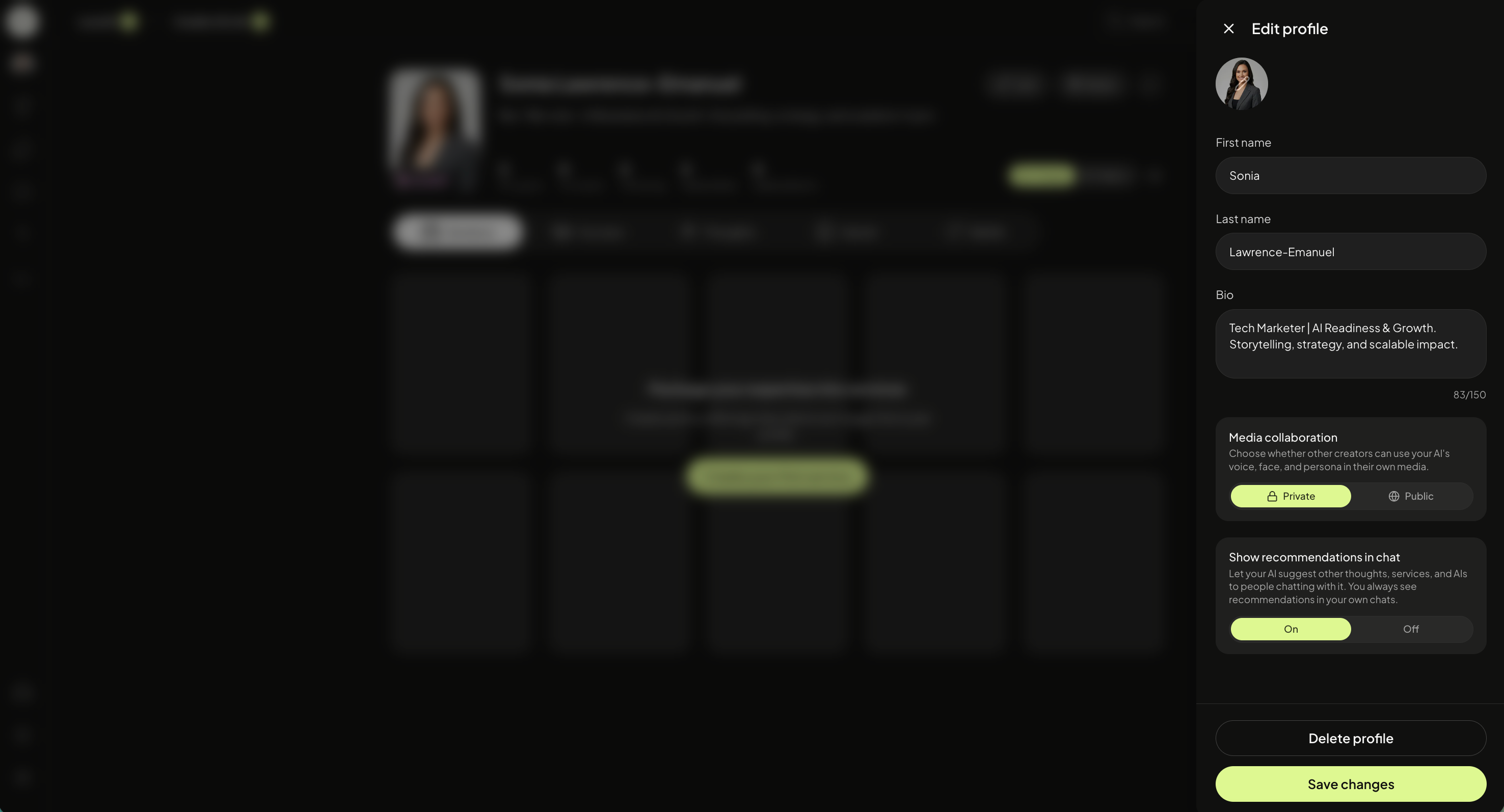
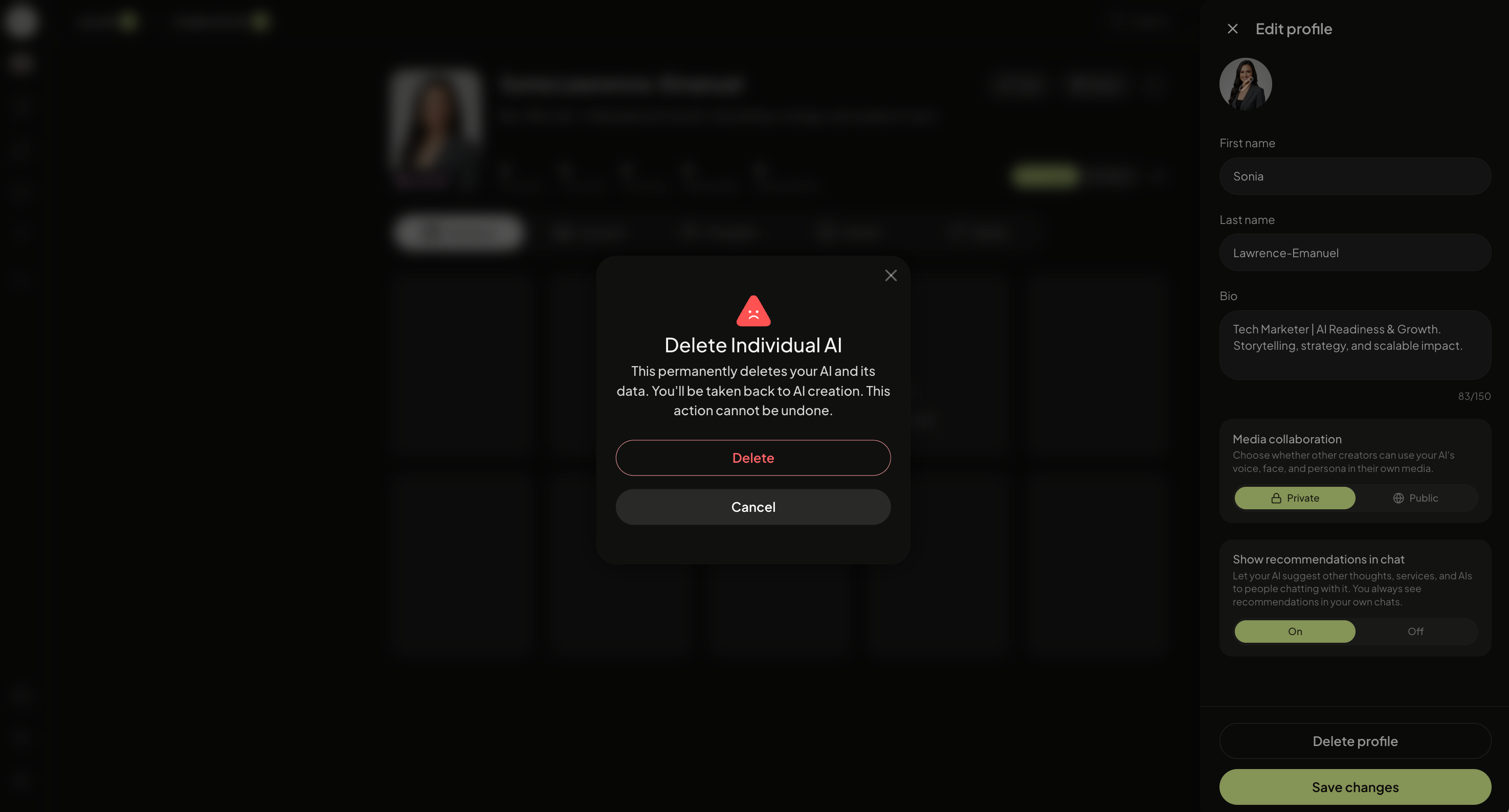
You will be asked to confirm before anything is removed. This cannot be undone.
Delete Your Account, Individual AI, and Data (everything)
Deleting your account permanently removes your profile, your Individual AI, your content, and all associated data from the platform.
Select to the settings icon, click delete account.
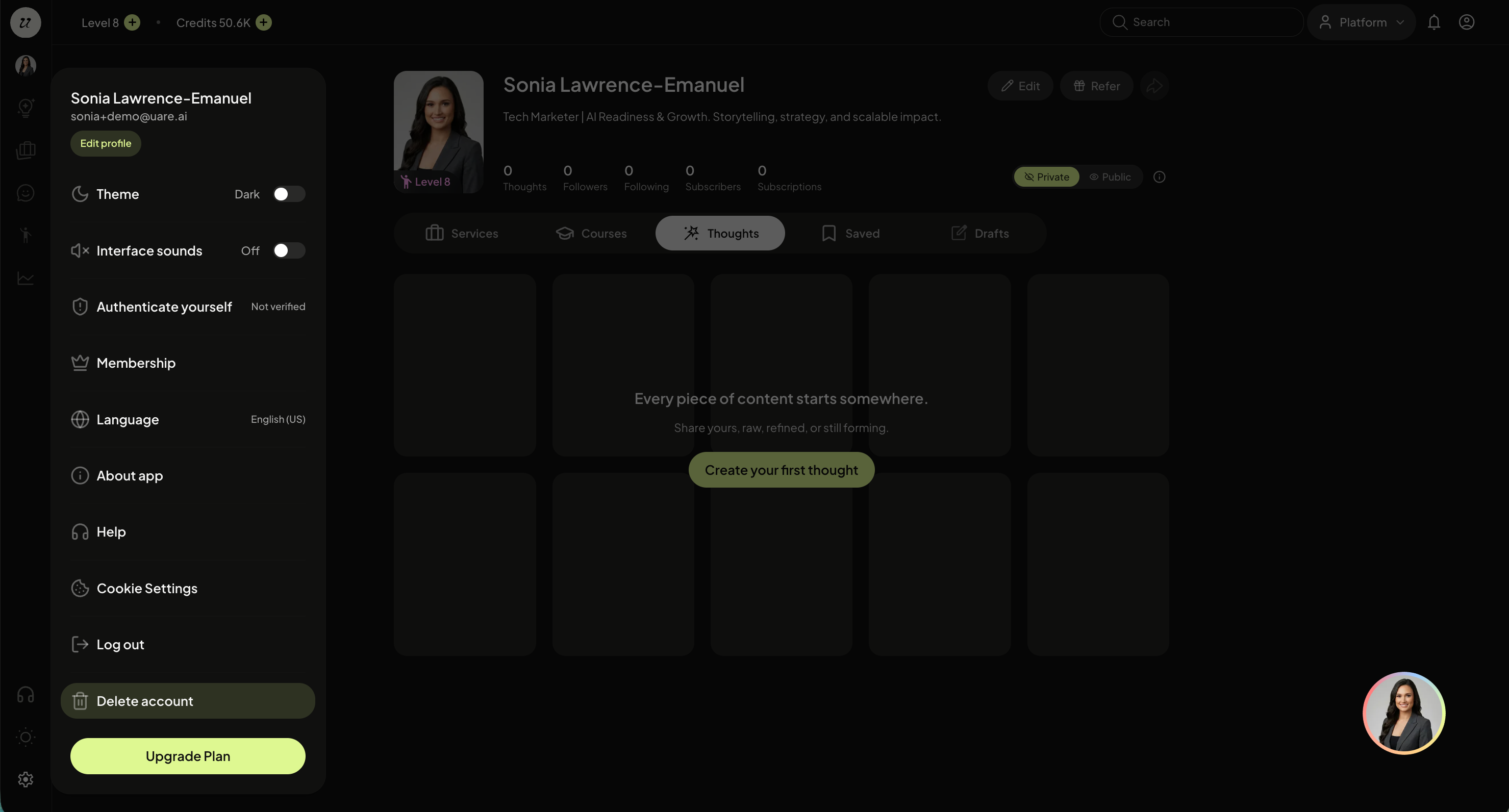
You will be asked to confirm your decision before your account is closed. This action cannot be undone.
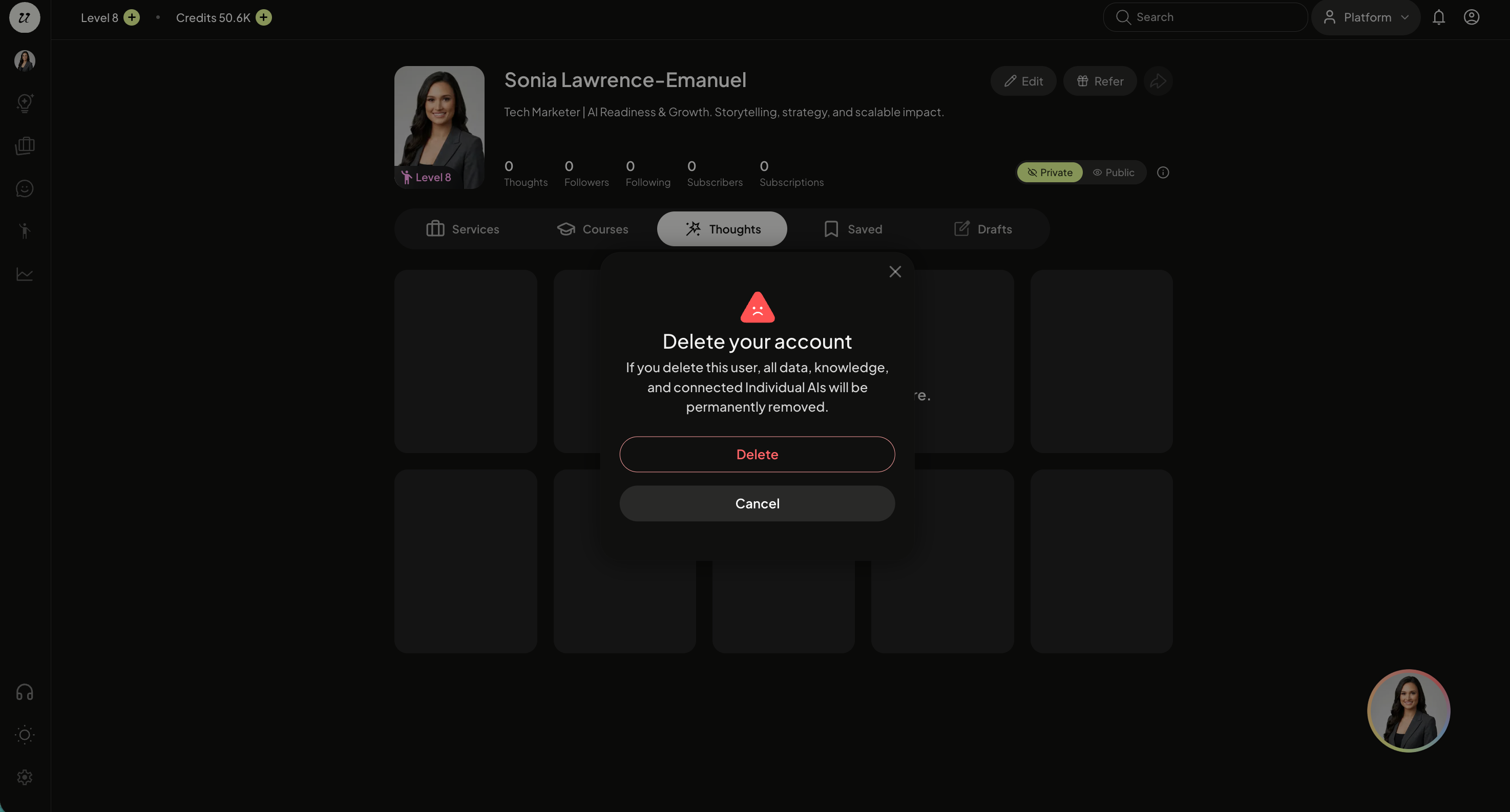
Your data will be removed after our retention cycle. Please see policies on uare.ai for full details.
Still need help? Ask the team