Share a Service
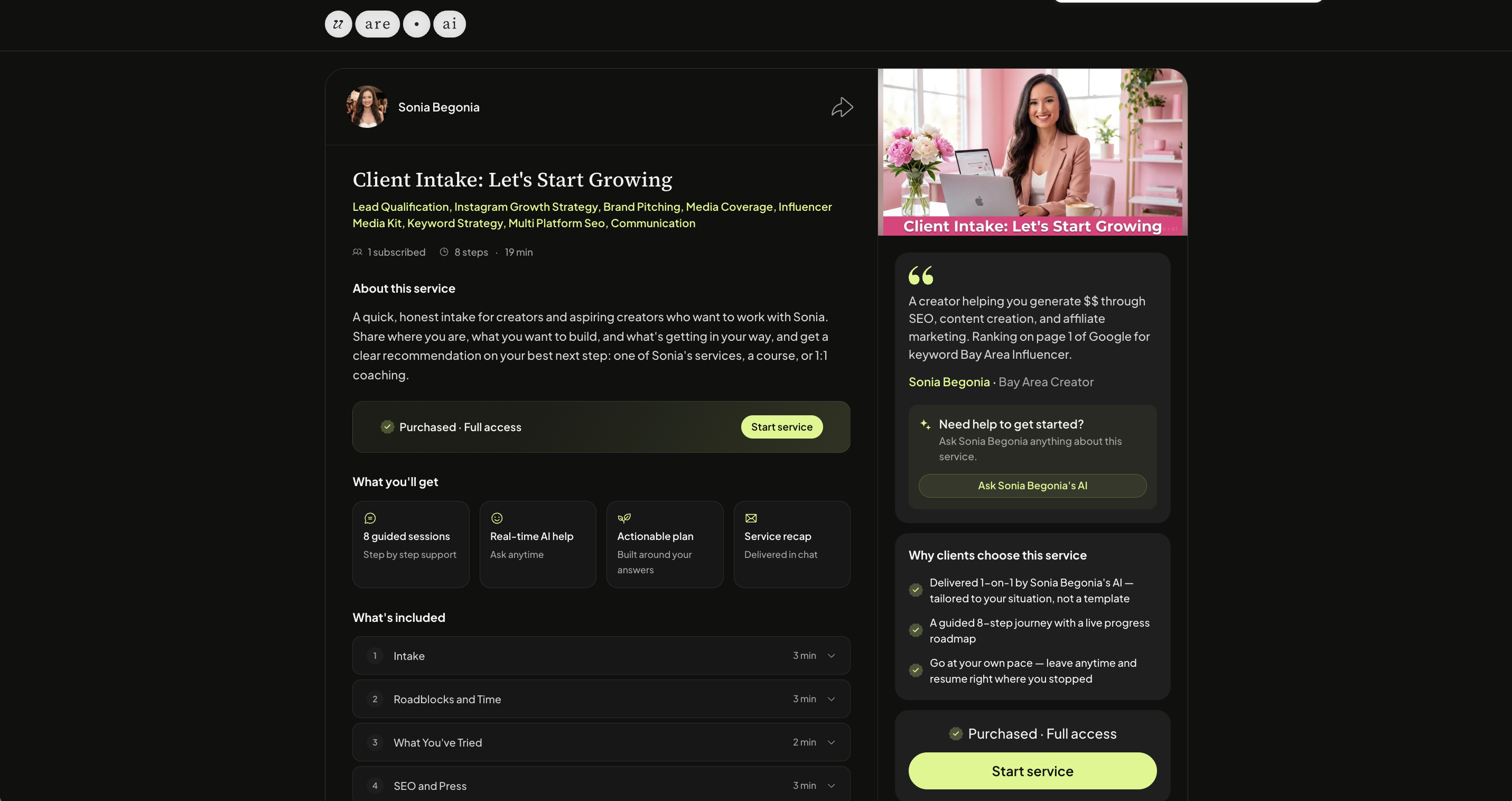
Every public Service can be shared through it’s Public URL to users both on and off the platform.
Get started
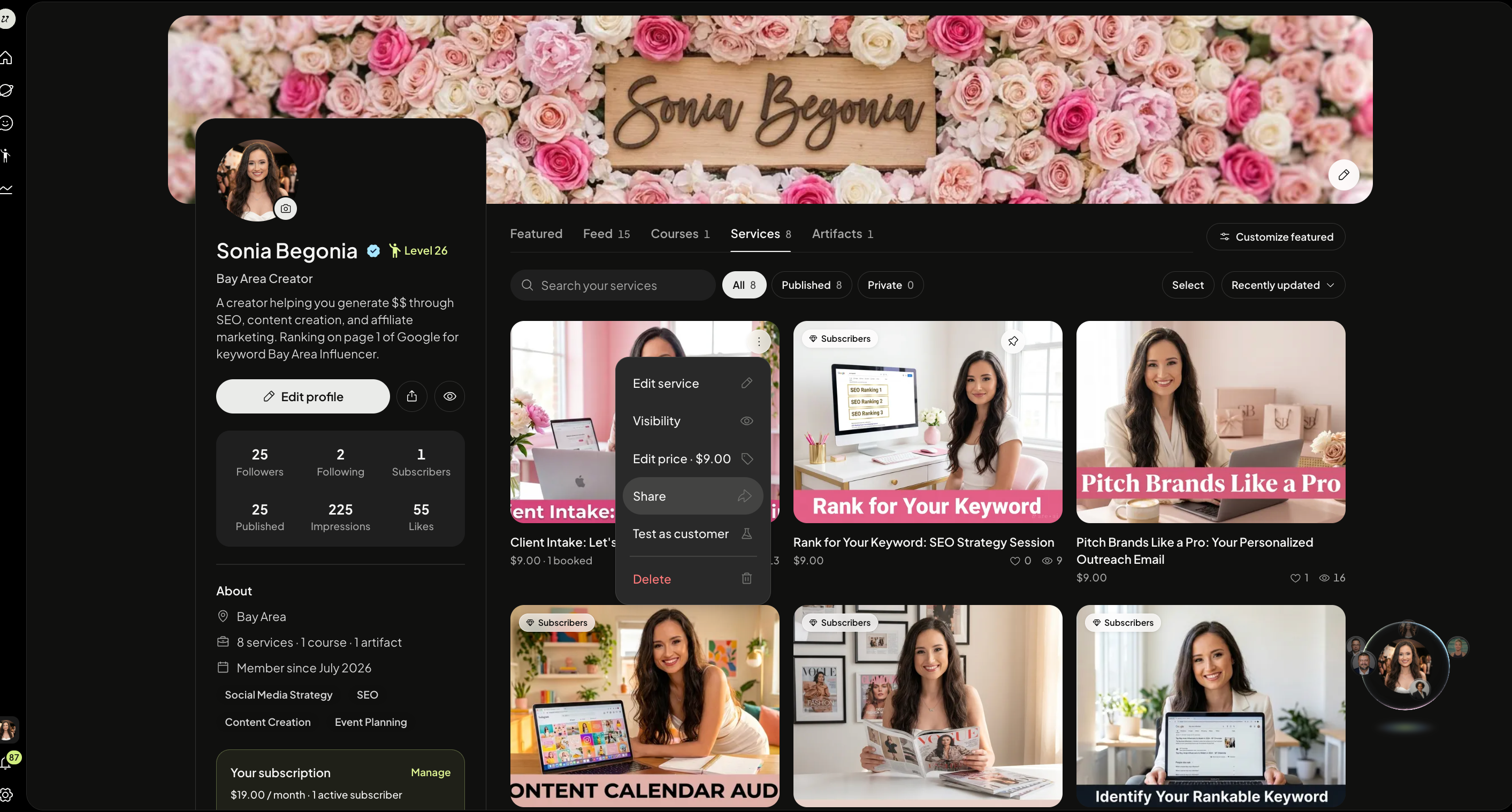
Head to your profile page, and click the three dots on the top of a Service. Select Share.
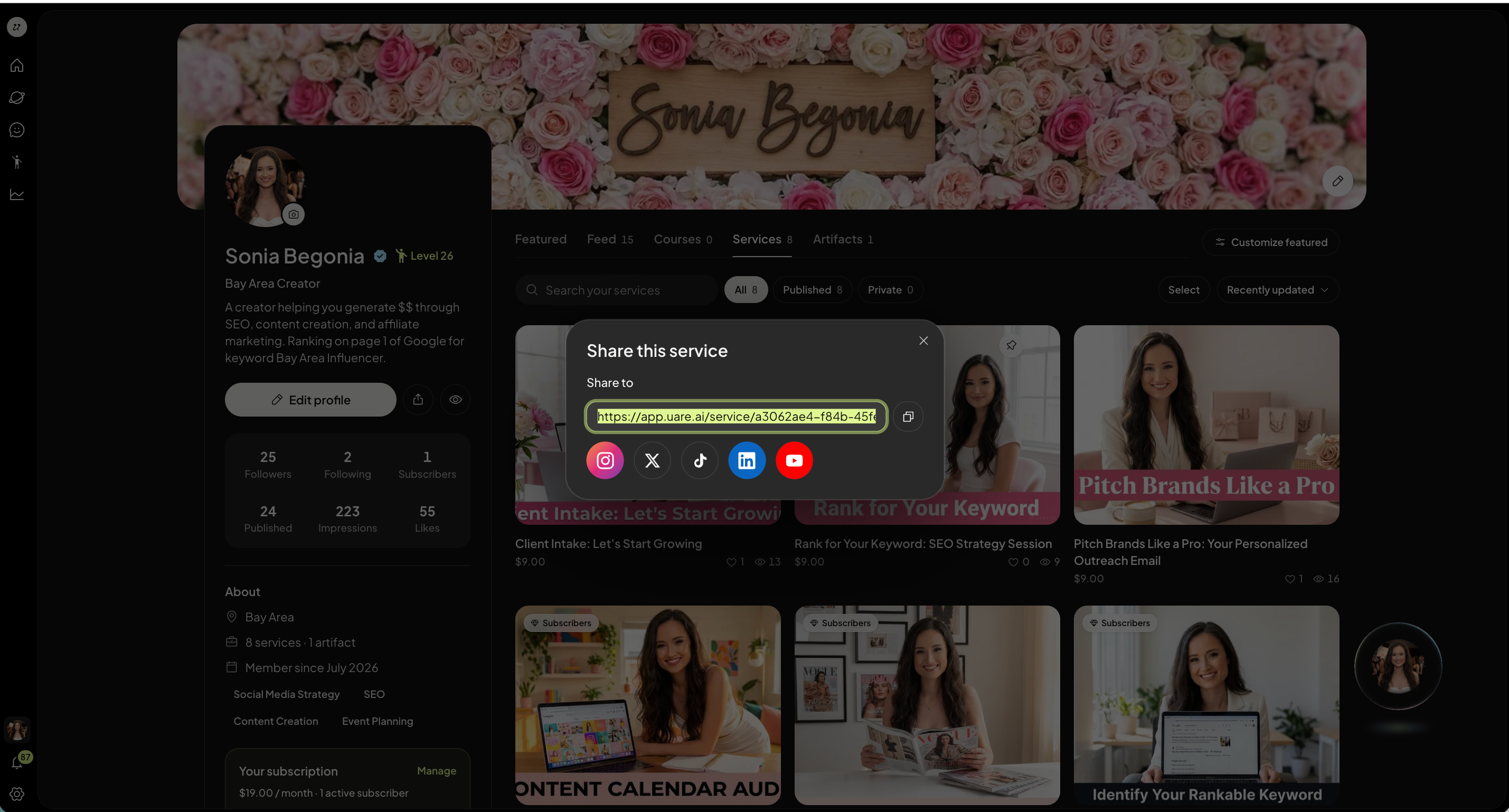
You can easily copy and paste the URL or share via social platforms. People can view your Service details without logging in.
Was this helpful?
Still need help? Ask the team