Manage an Artifact
To manage an Artifact, head to your chat with me, and select Artifacts.
Edit an Artifact
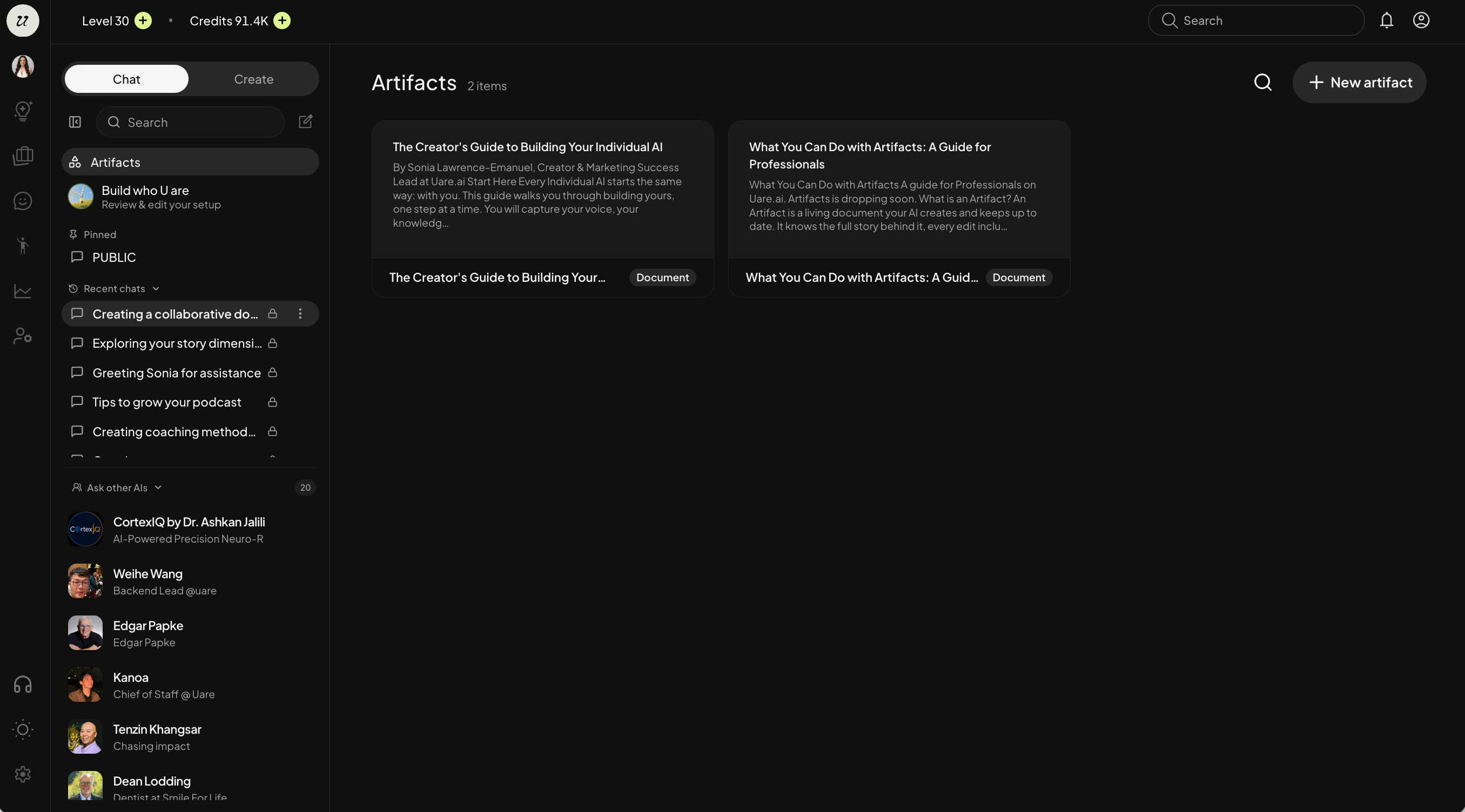
To manage or edit the Artifact, select it. You will be taken to the create page.
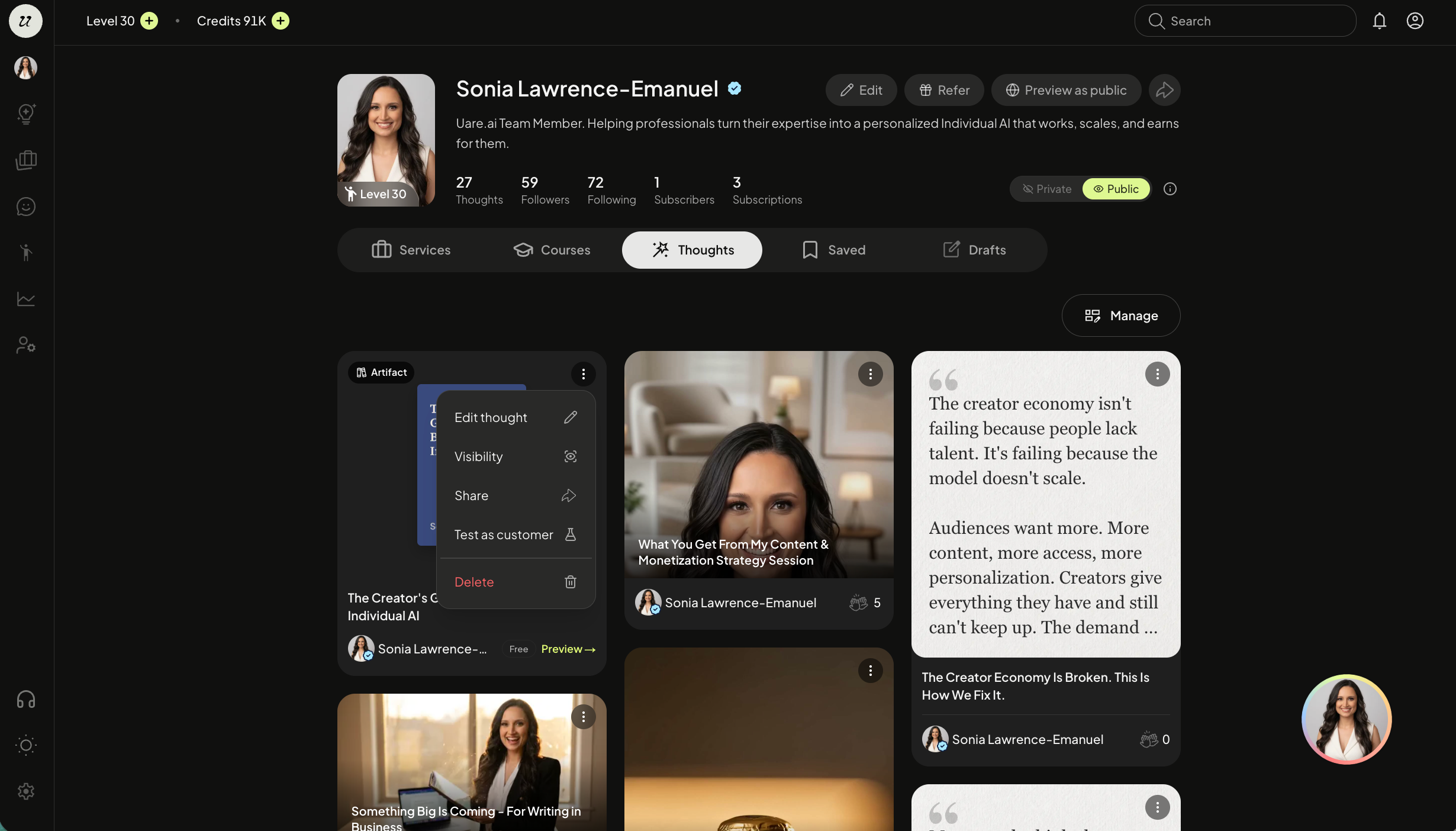
You can also edit the Artifact on your profile page by selecting the three dots on the top right and clicking edit Thought.
Edit Visibility
Edit the Artifact’s visibility on your profile page by selecting the three dots on the top right and clicking Visibility.
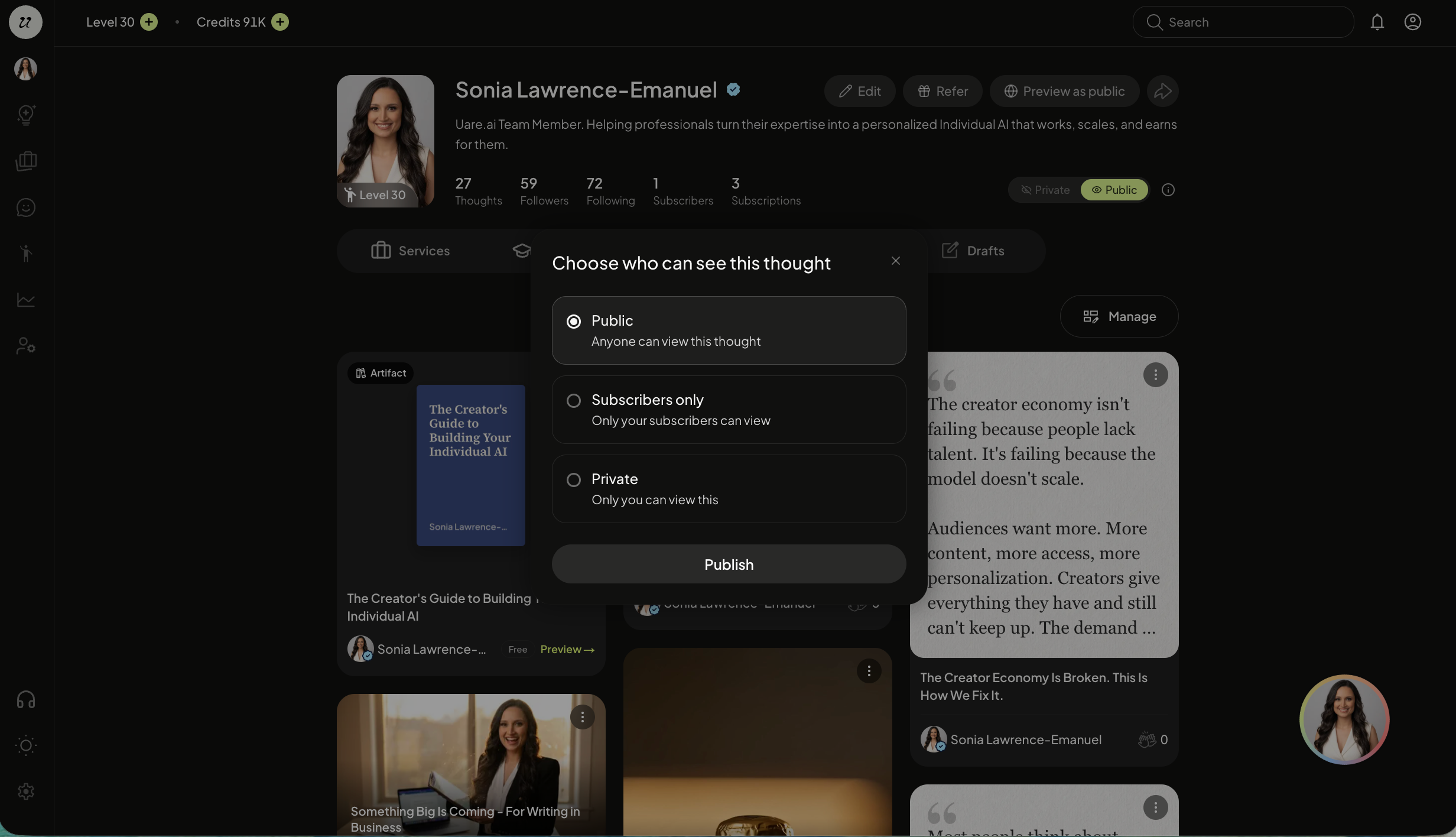
Select between public, subscriber only, or private. Click publish.
Delete an Artifact
To delete an Artifact, select the three dots on the top right and click delete artifact.
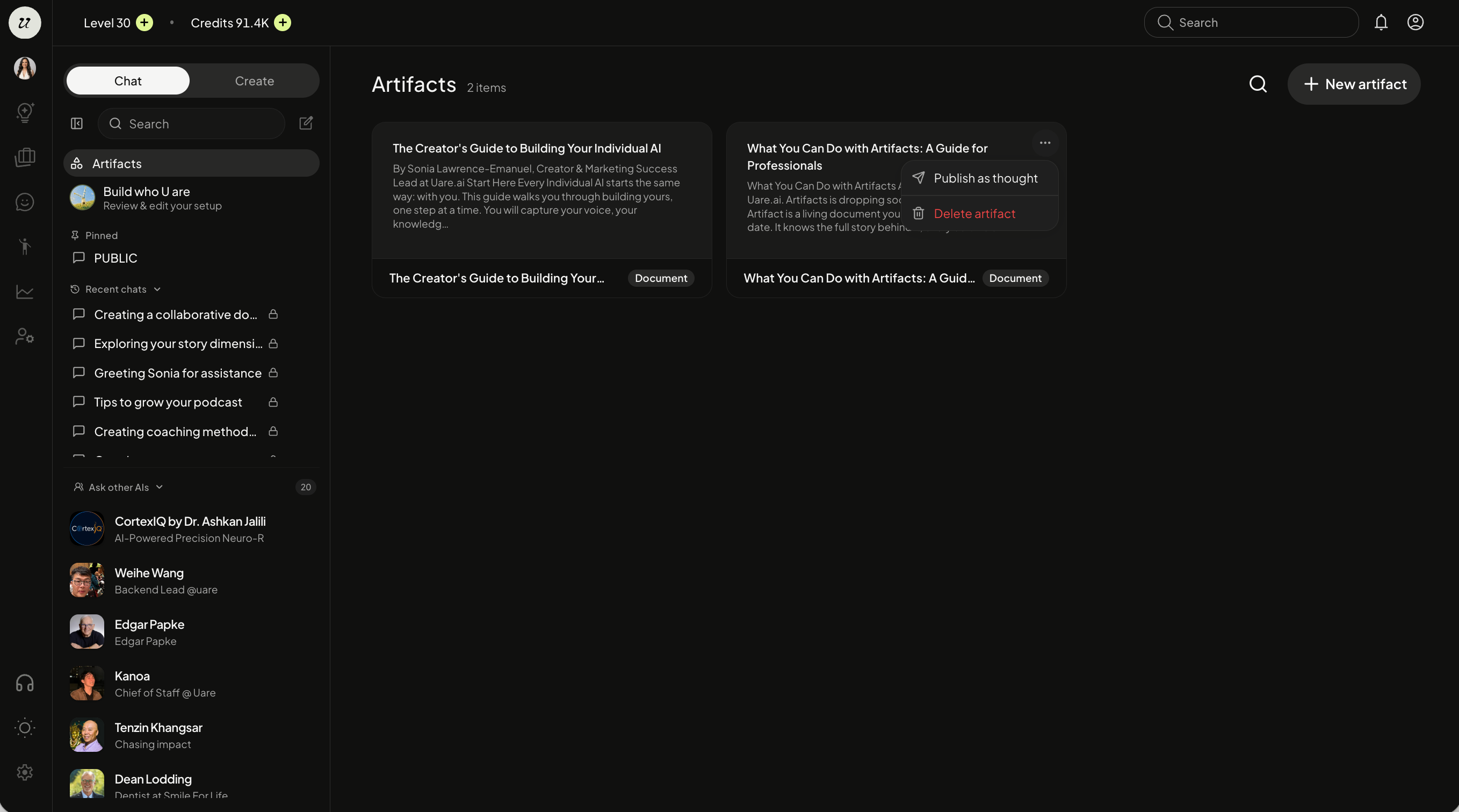
You can also delete an Artifact on your profile page by selecting the three dots on the top right and clicking delete.
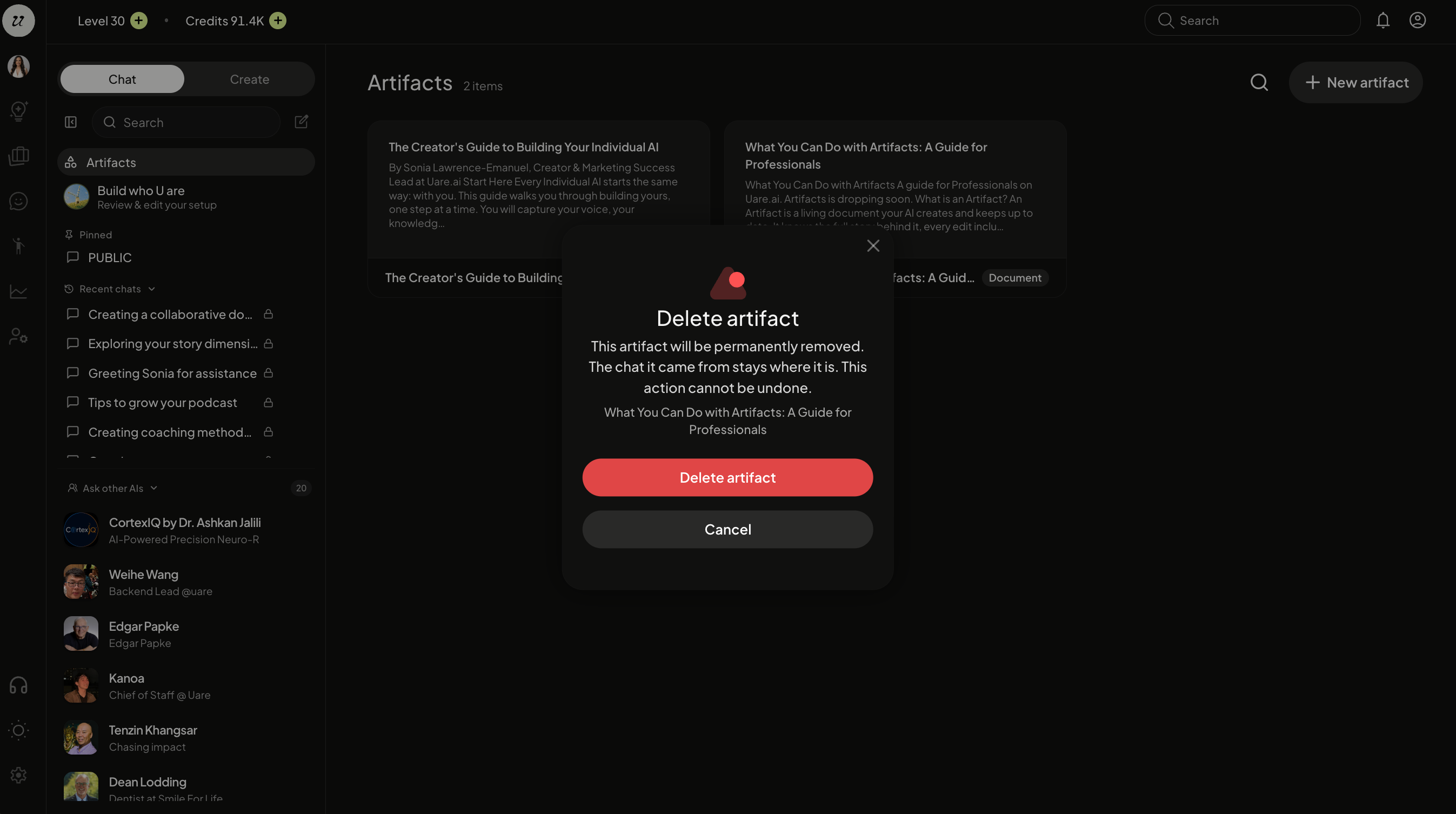
This artifact will be permanently removed. The chat it came from stays where it is. This action cannot be undone.
Was this helpful?
Still need help? Ask the team