Create an Artifact
An Artifact is an interactive, living document you can store, edit, share, and even sell. An Artifact can be turned into an audiobook, e-book, or podcast, interactive and dynamically tailored to the reader/listener.
Create an Artifact
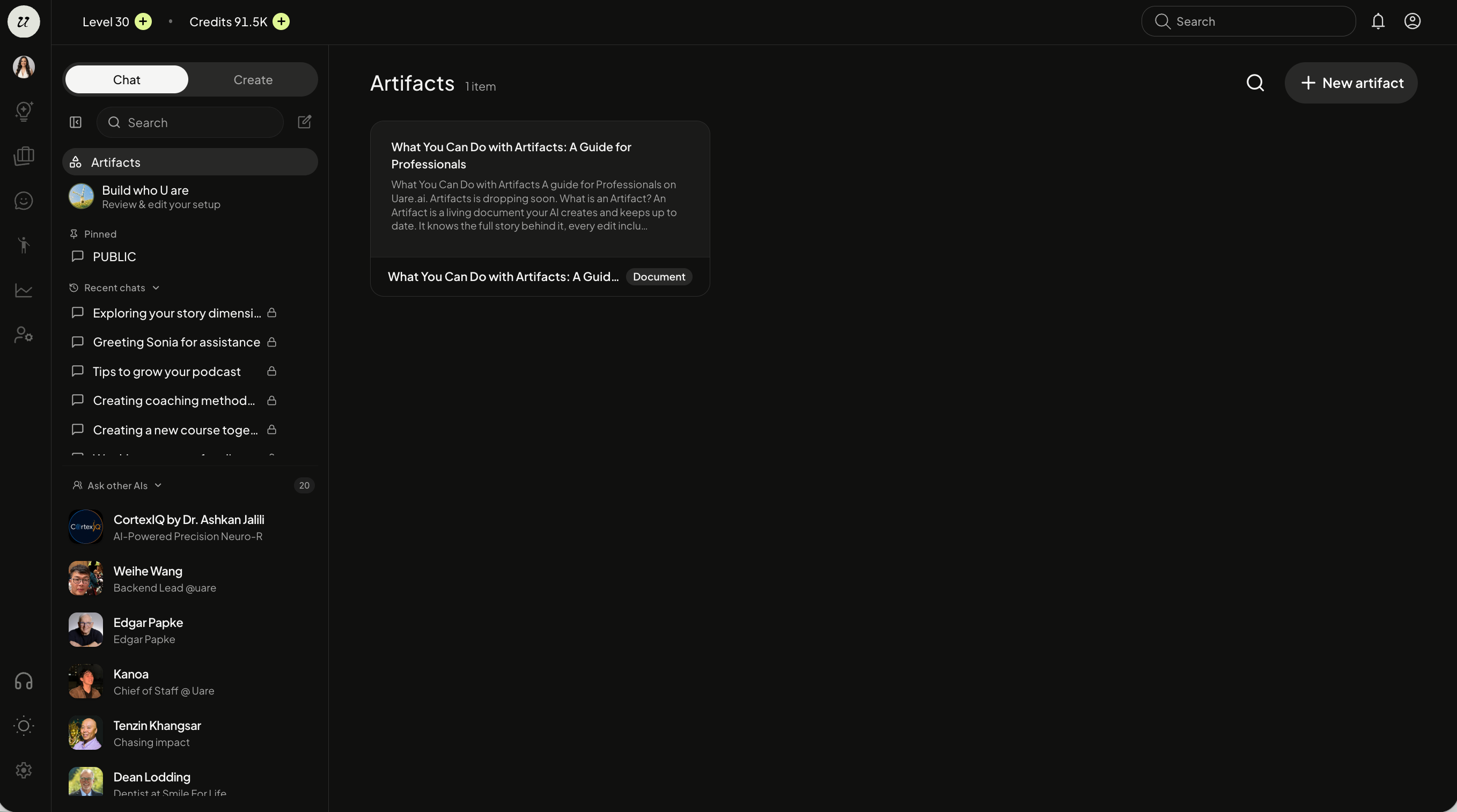
To create an Artifact, head to your Chat with me. On the left chat navigation, select the Artifacts tab. This is where all of your Artifacts will live, ones that you created yourself or other AIs have created for you.
Click the +New Artifact button.
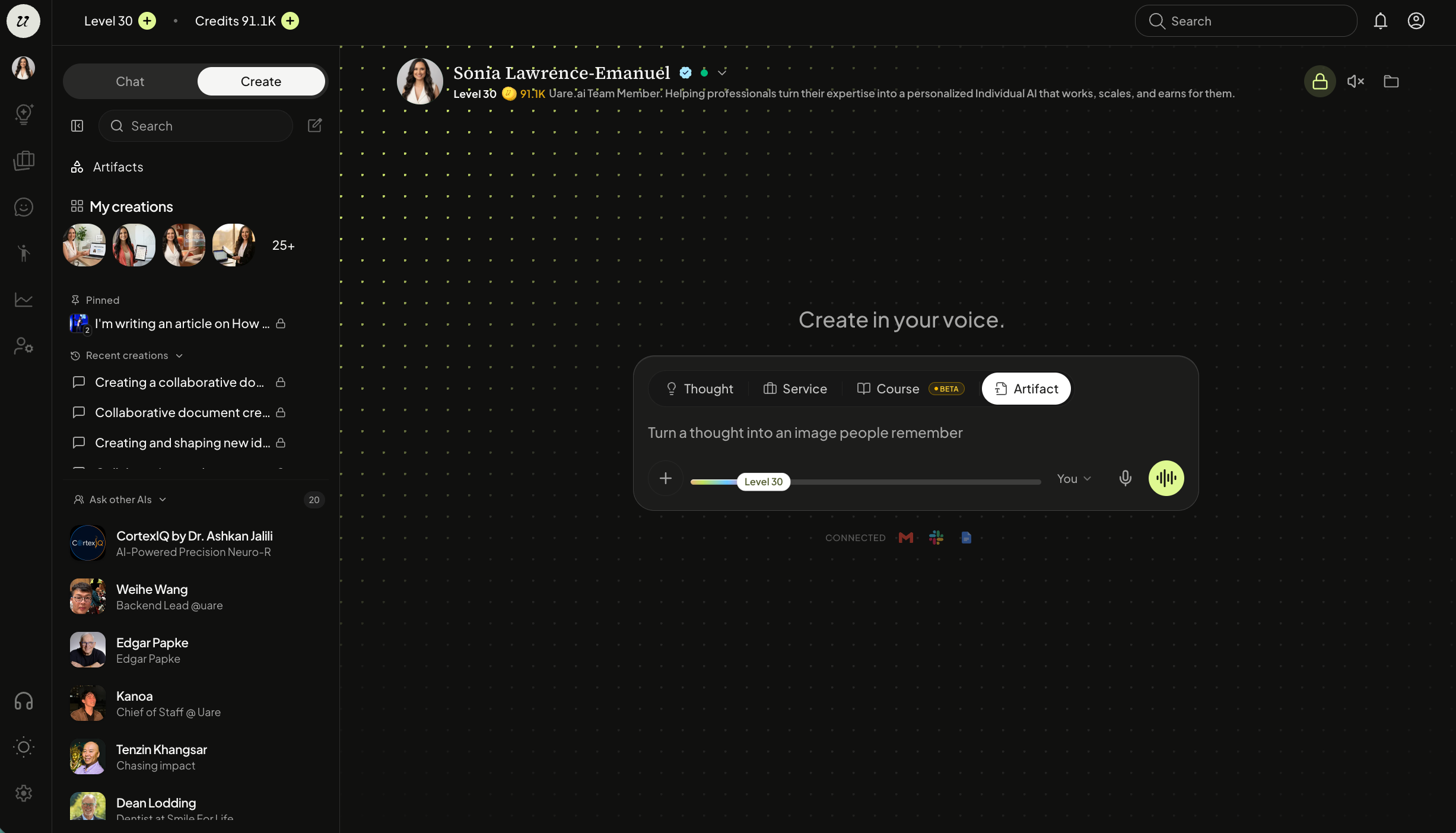
You can also create one by selecting Artifact in the create studio.
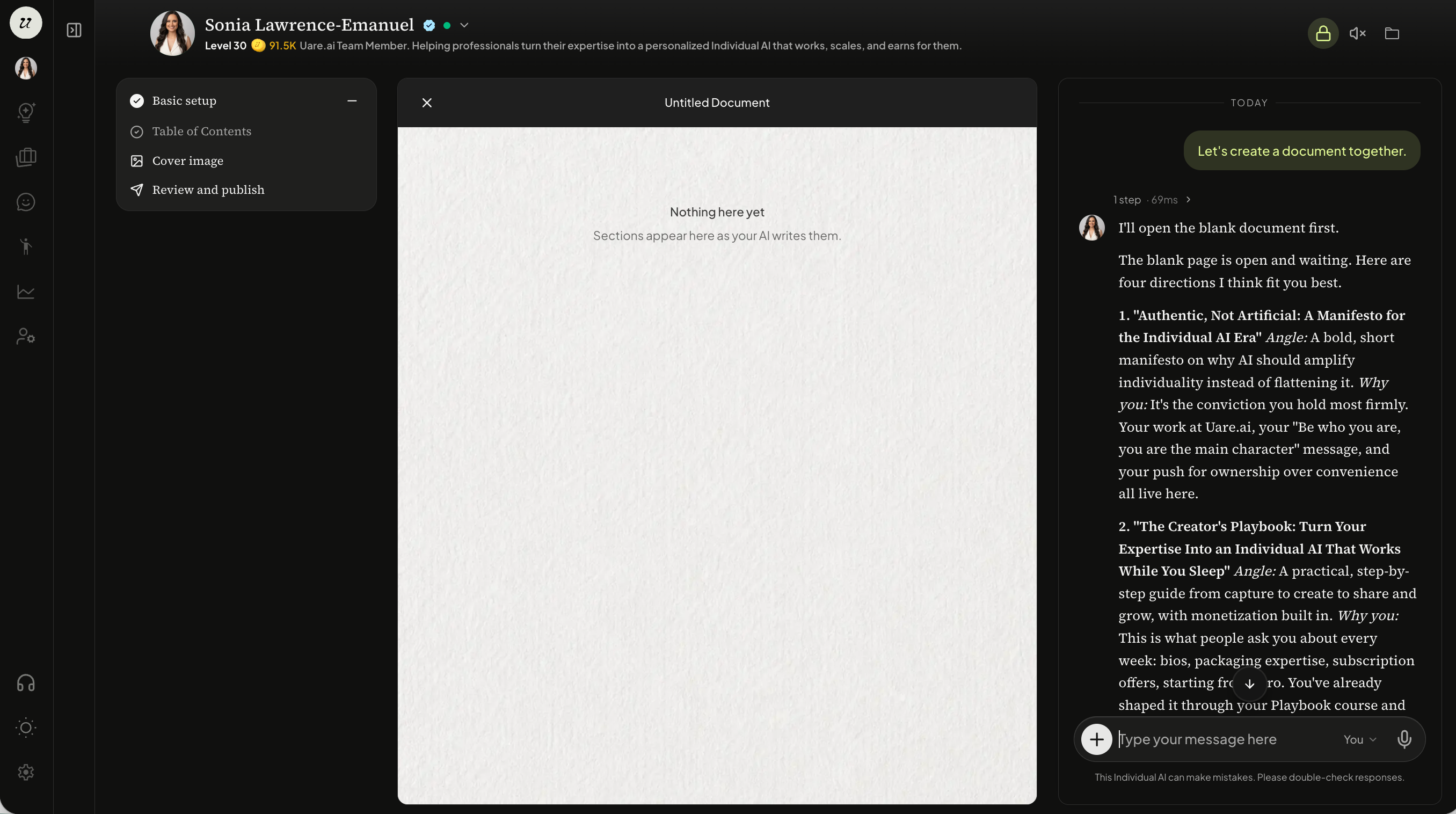
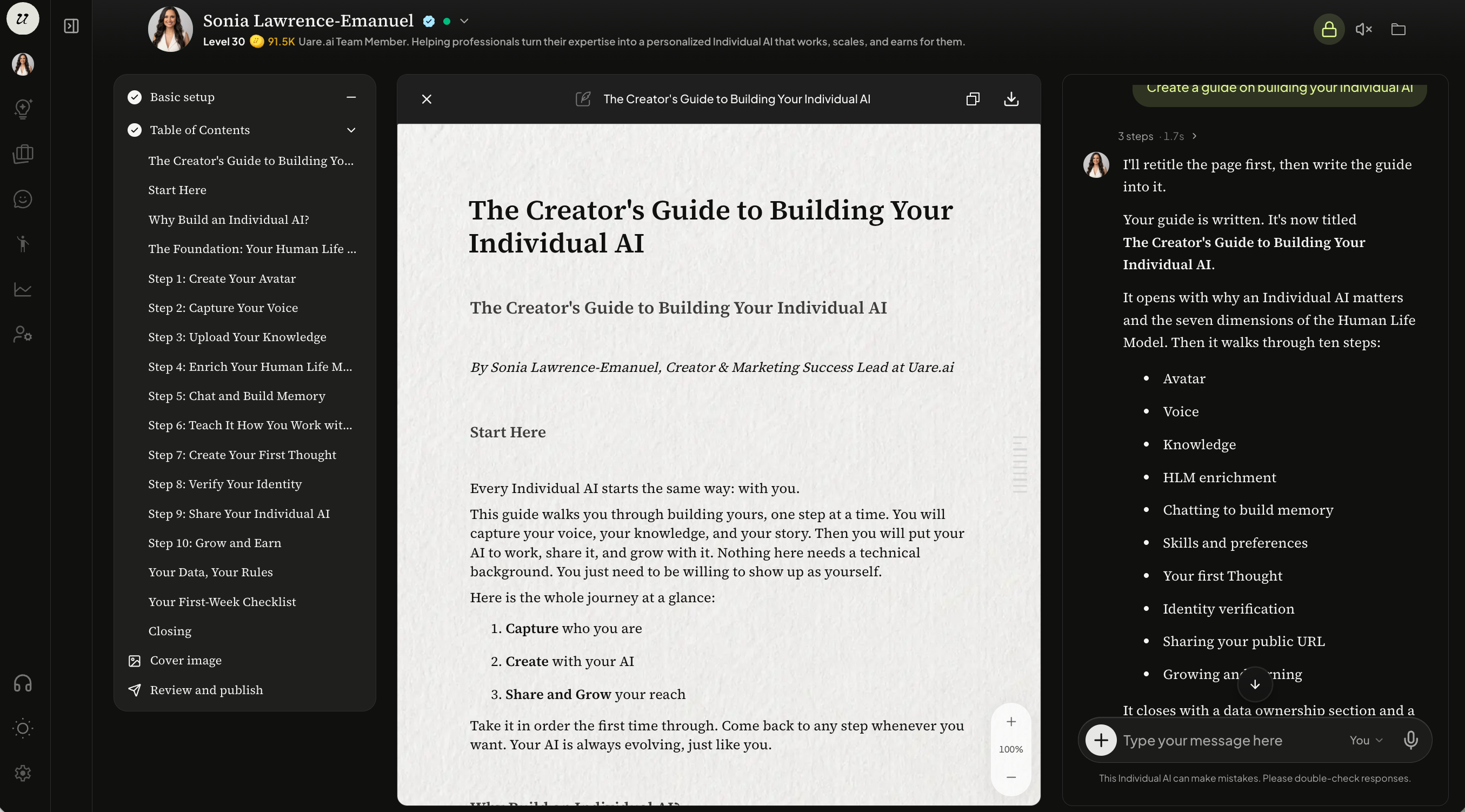
A screen will appear broken into three parts. The left hand side is the outline of the document, the middle is the document itself, and the right hand side is the chat.
Your AI will begin by proposing a few ideas for the Artifact. You can select one of the suggested or prompt your own.
Once you confirm the topic of the guide, your AI will pull from your Knowledge Hub and create the document. You will see the sections, content, and chat populate.
Edit an Artifact
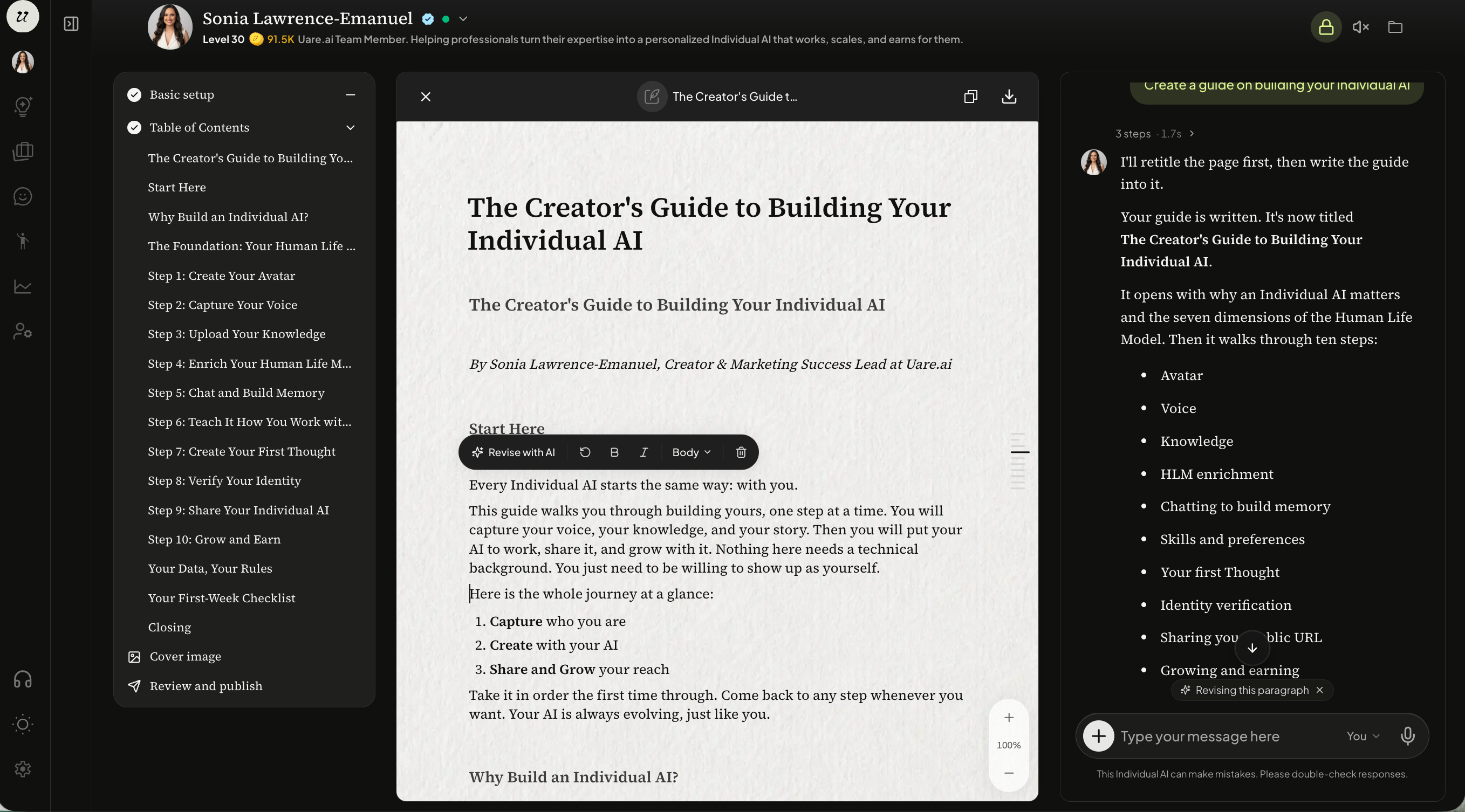
Edit the document content and it’s formatting in chat or directly within the Artifact by selecting the text and typing directly, or you can revise with AI.
Publish an Artifact
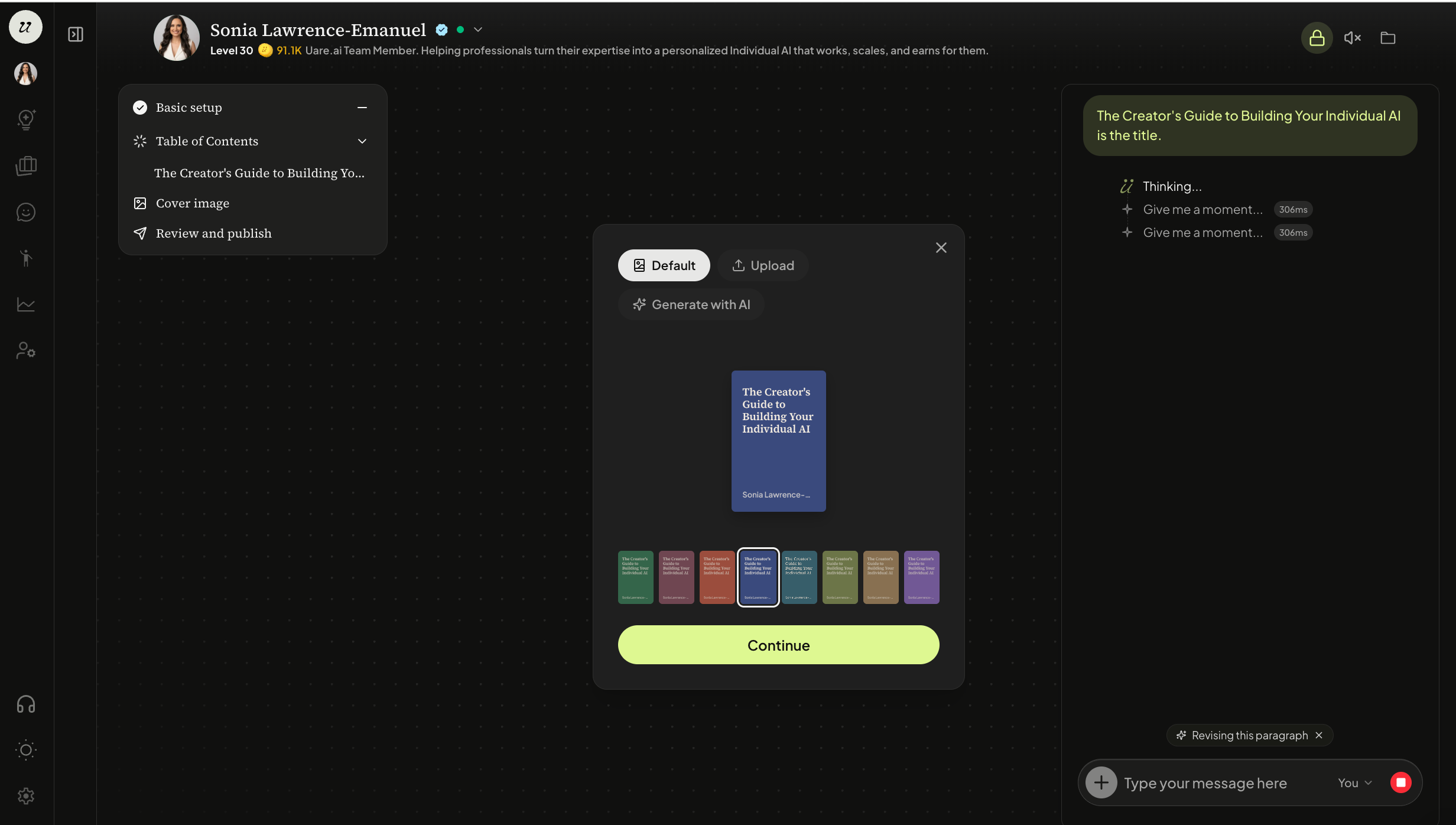
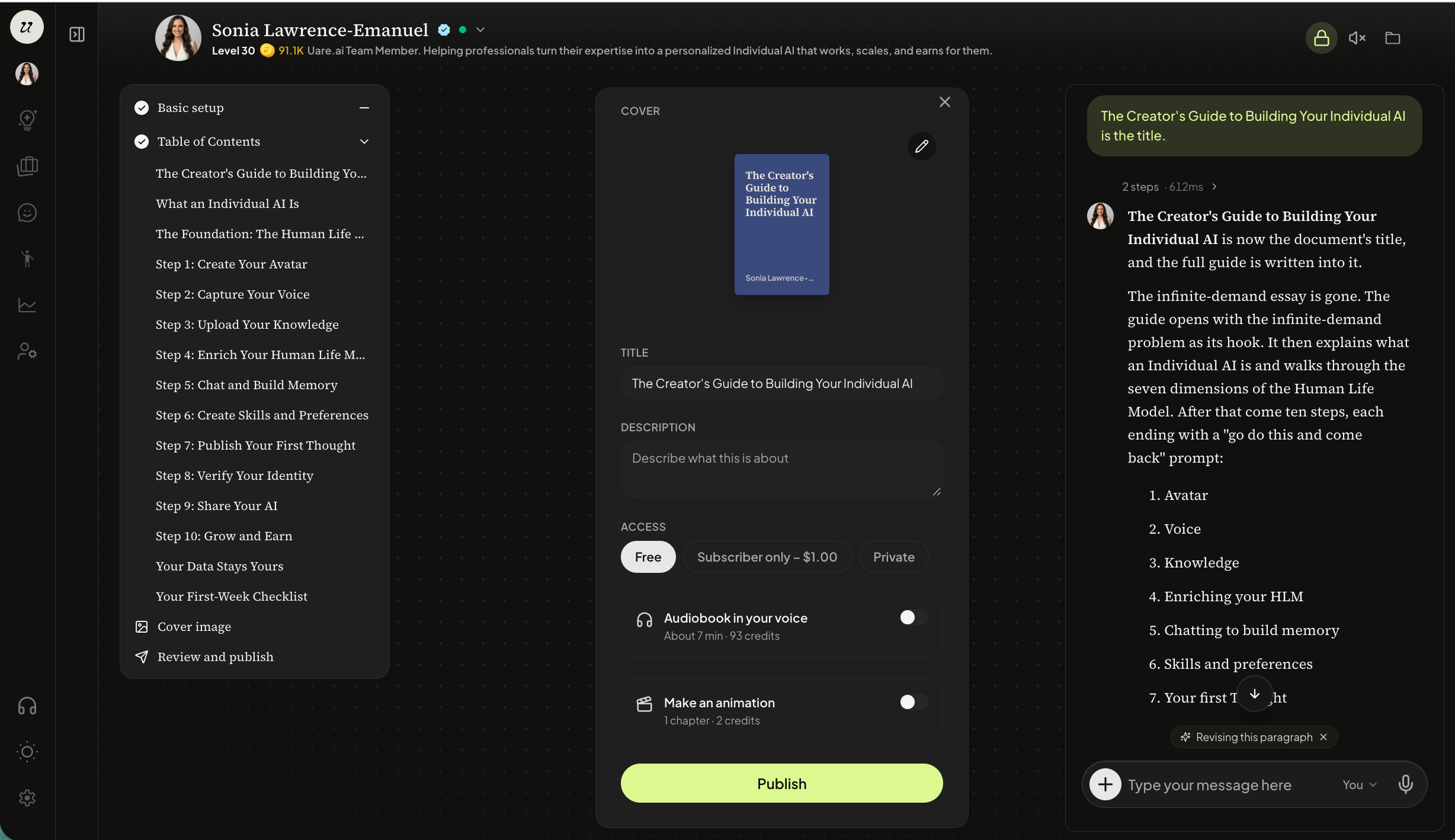
Once you have reviewed your Artifact, you will be asked to create a cover image. You can upload your own or generate with AI.
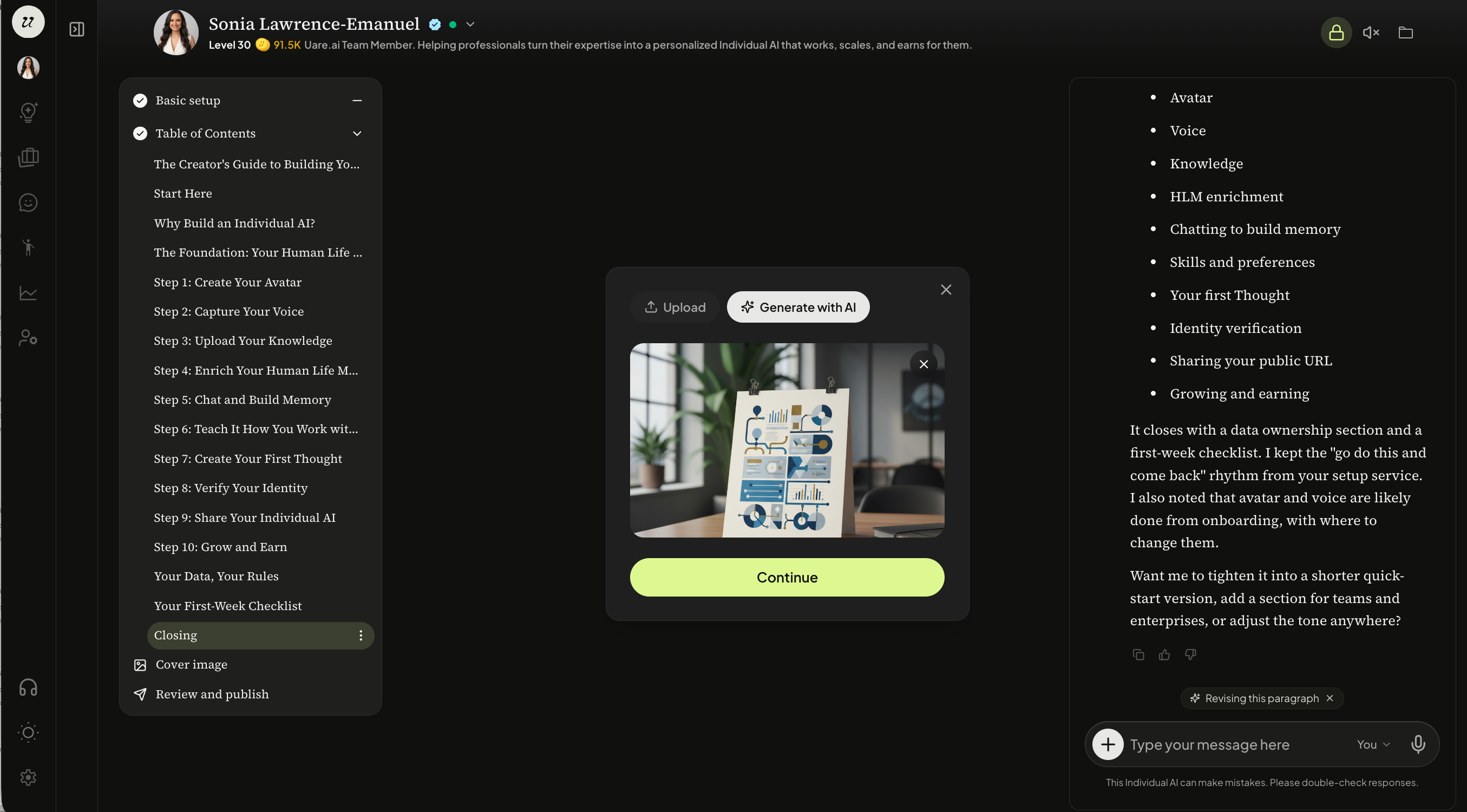
If you are generating with AI, select generate. Once complete, click continue.
The last step is confirming the title, description, pricing, if you would like it to be an audiobook read in your own voice, and to use it to make an animation. Select publish.
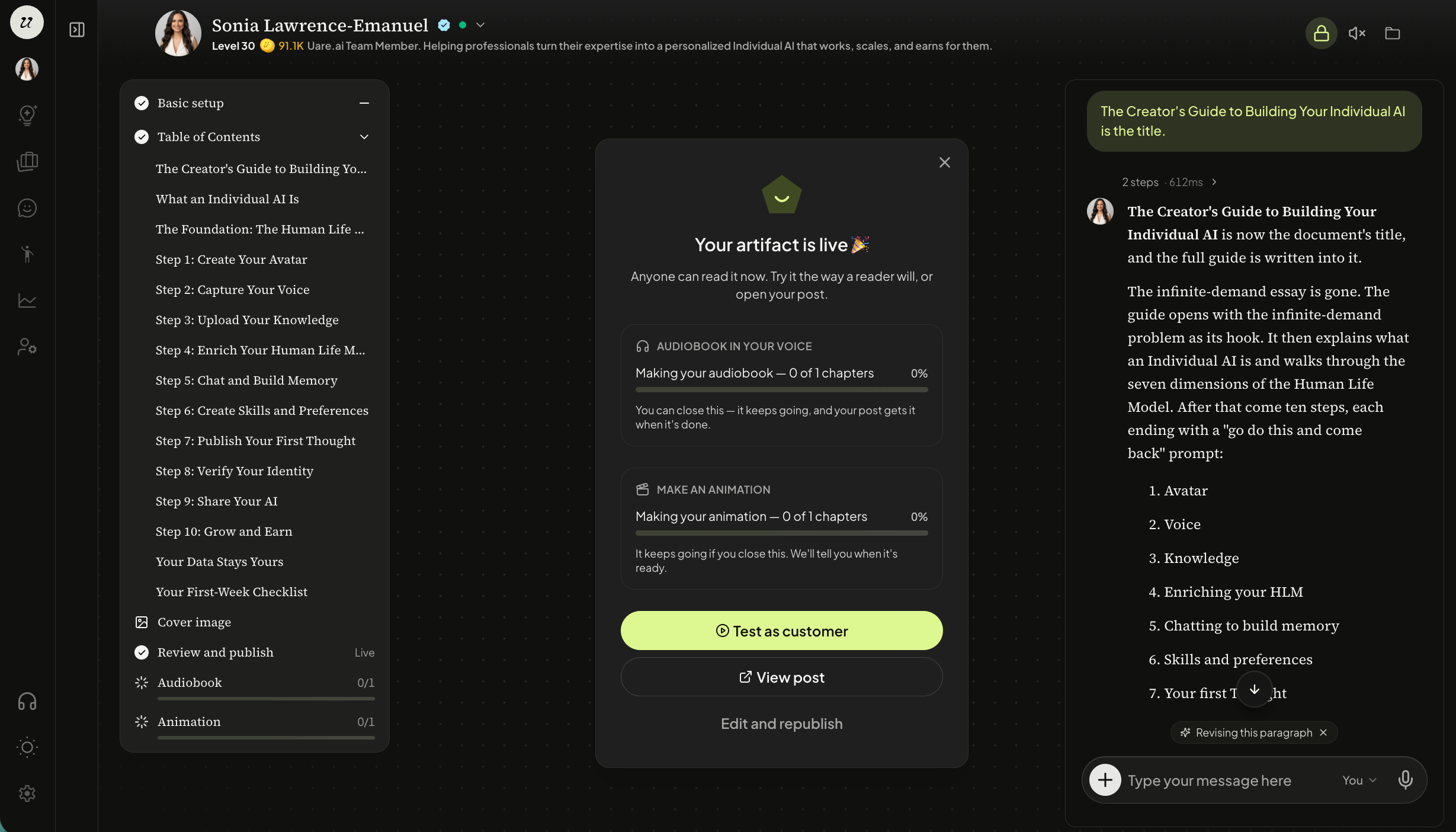
Once the Artifact is published, you are able to see the progress of transcribing the audio as well as creating the film. You will also be able to test as a customer (data will not be saved), or you can go directly to view the post or edit and republish.
Was this helpful?
Still need help? Ask the team