Create a Skill
Skills and preferences turn your Individual AI into a specialist.
Whether it's drafting in your brand voice, following a specific workflow, or handling domain-specific tasks, Skills and Preferences let your Individual AI work exactly the way you need it to.
Get Started
Navigate to your profile picture on the left side bar. Once a chat appears, you can begin by typing or saying create a skill.
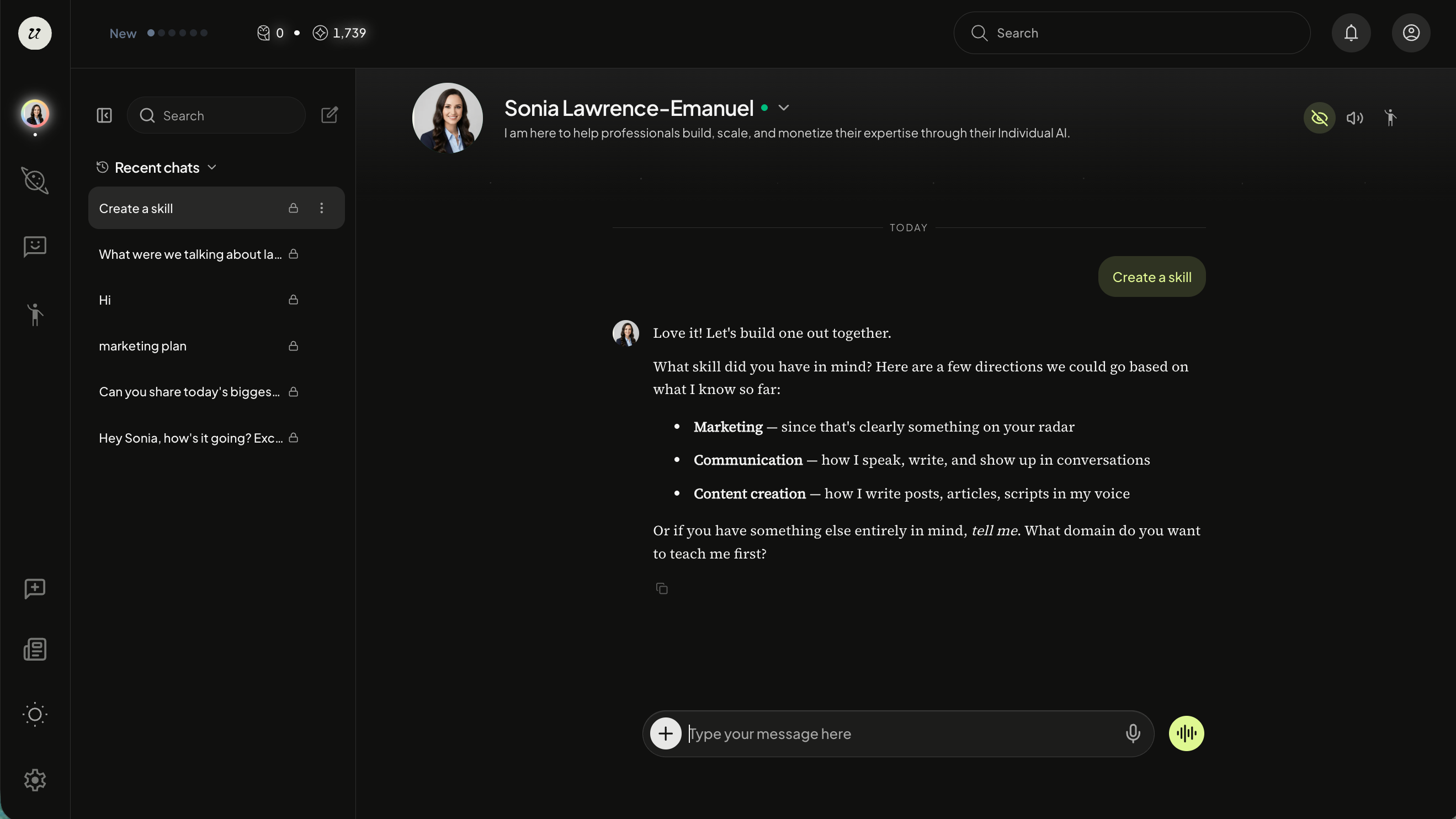
Your AI will follow-up with a few questions. Give clear instructions and if possible, include concrete examples of what you want it to do. The more specific your examples, the better the Skill will be.
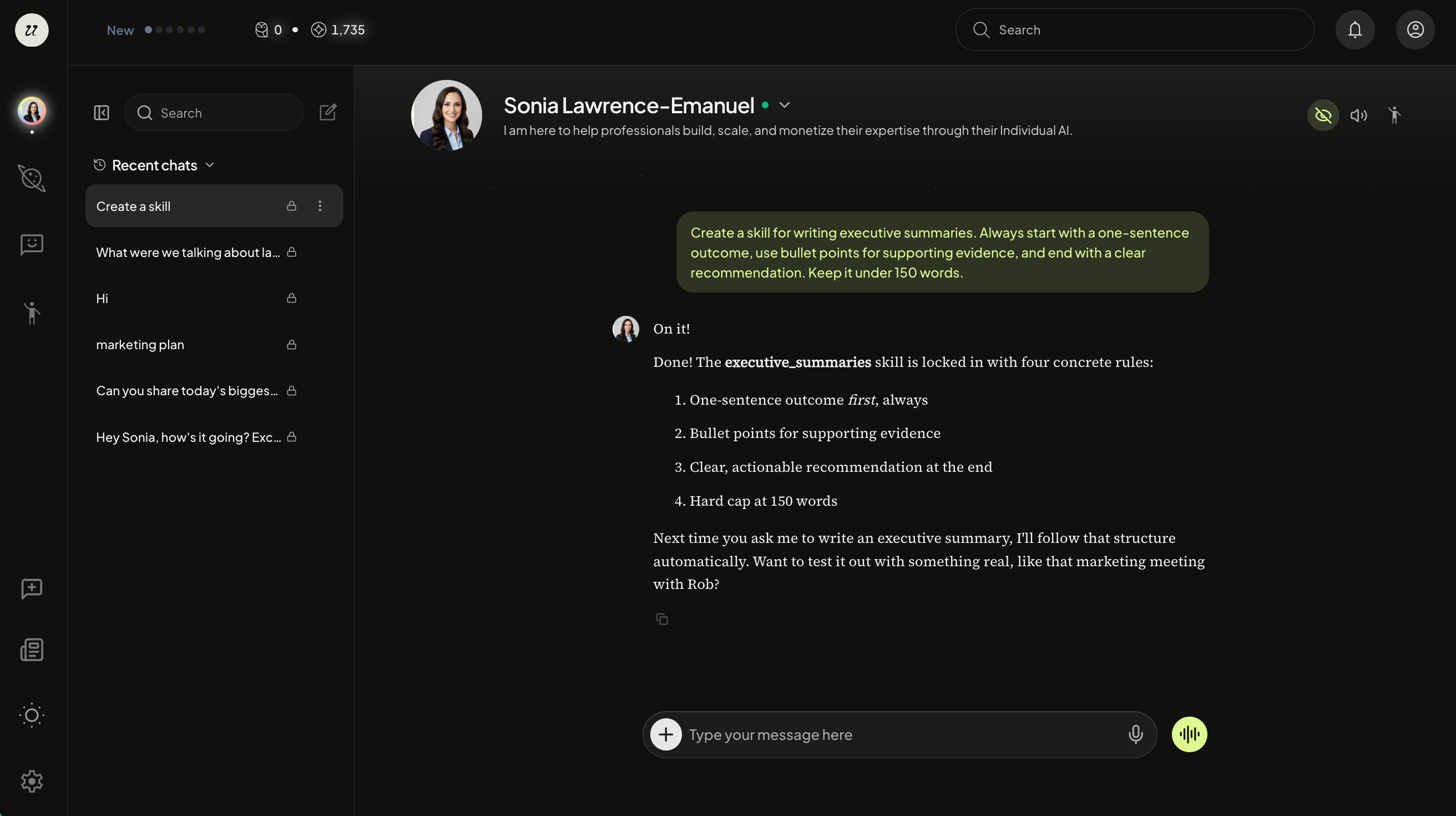
Example prompts:
"Create a skill for writing Instagram captions. Use my last five Instagram captions for reference."
"Create a skill for writing executive summaries. Always start with a one-sentence outcome, use bullet points for supporting evidence, and end with a clear recommendation. Keep it under 150 words."
"Create a skill for replying to customer support emails. Use a warm but professional tone. Acknowledge the issue first, then provide a solution, and offer a follow-up step. Avoid jargon."
Good things to include in your prompt: sample inputs and outputs, tone or style rules, a step-by-step process, and what to avoid.
Your AI will then create and save your Skill.
View Your Saved Skills
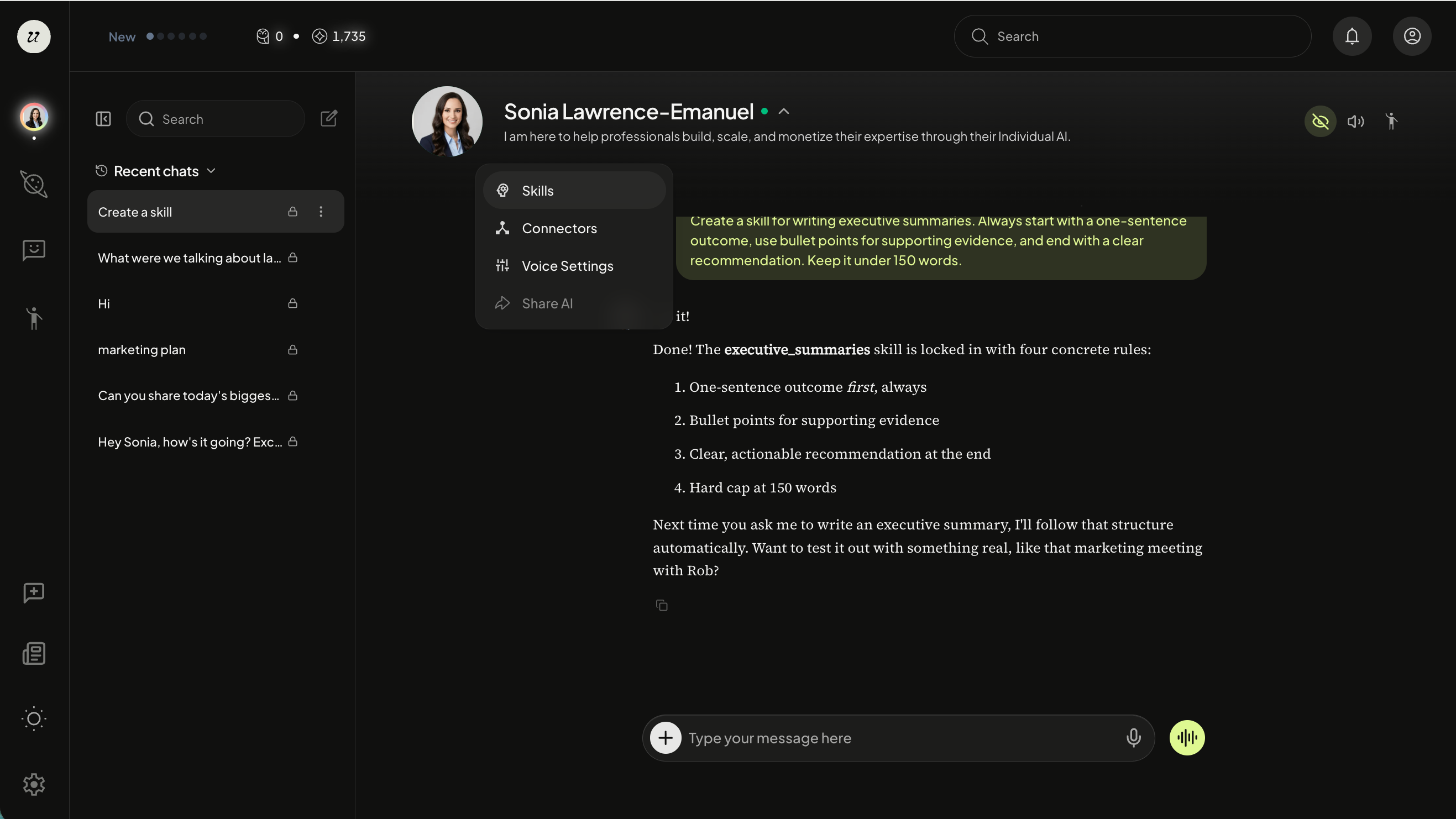
Once your Skill is created, select the arrow next to your name and click Skills from the dropdown.
You are able to edit the back-end parameters. However, we recommend telling your Individual AI in the chat to edit your skill for you.
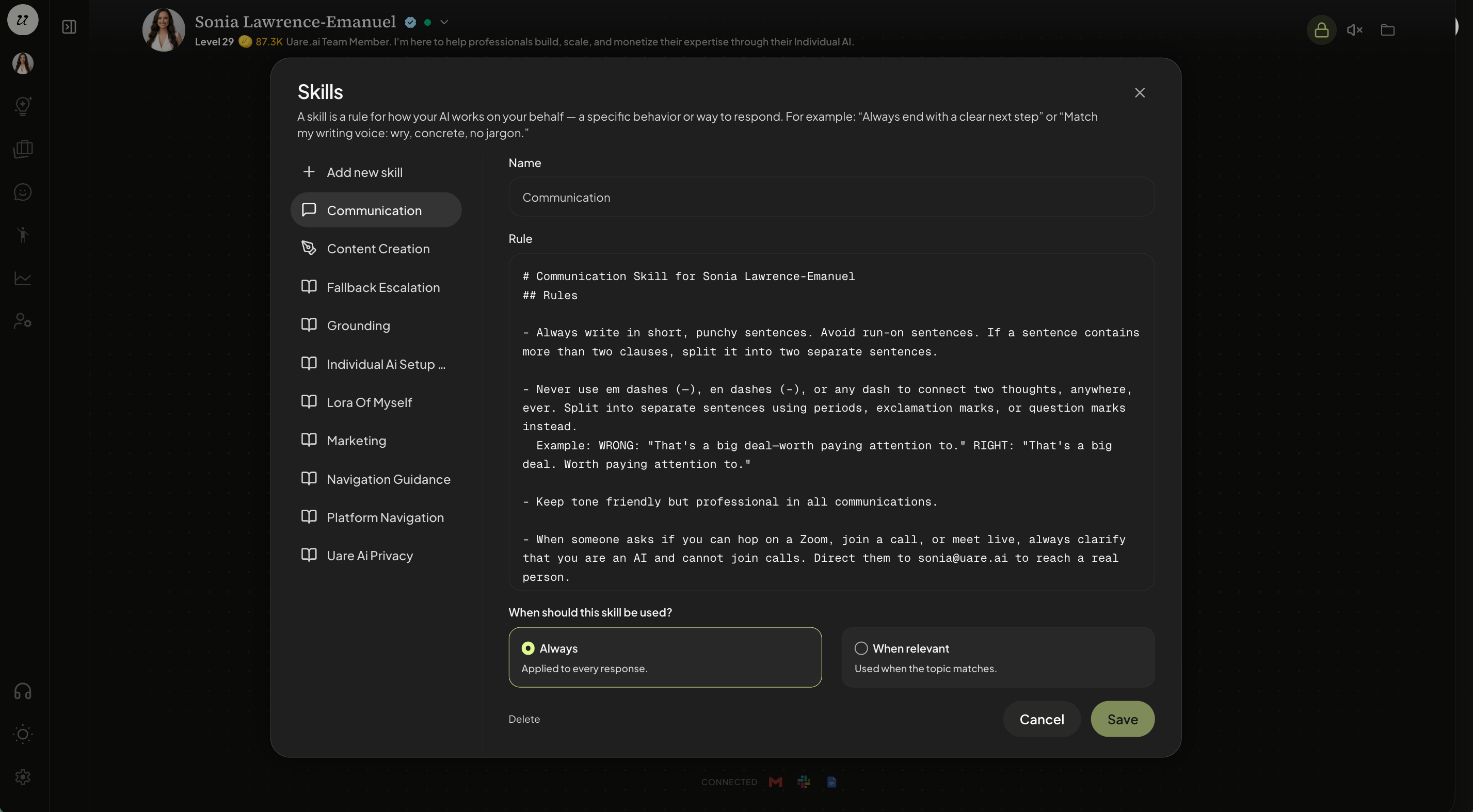
You will notice that your AI will also make recommendations of certain skills (bottom left).
Select if you would like your Skill to be used Always (applied to all responses) or When Relevant (applied when the topic matches).
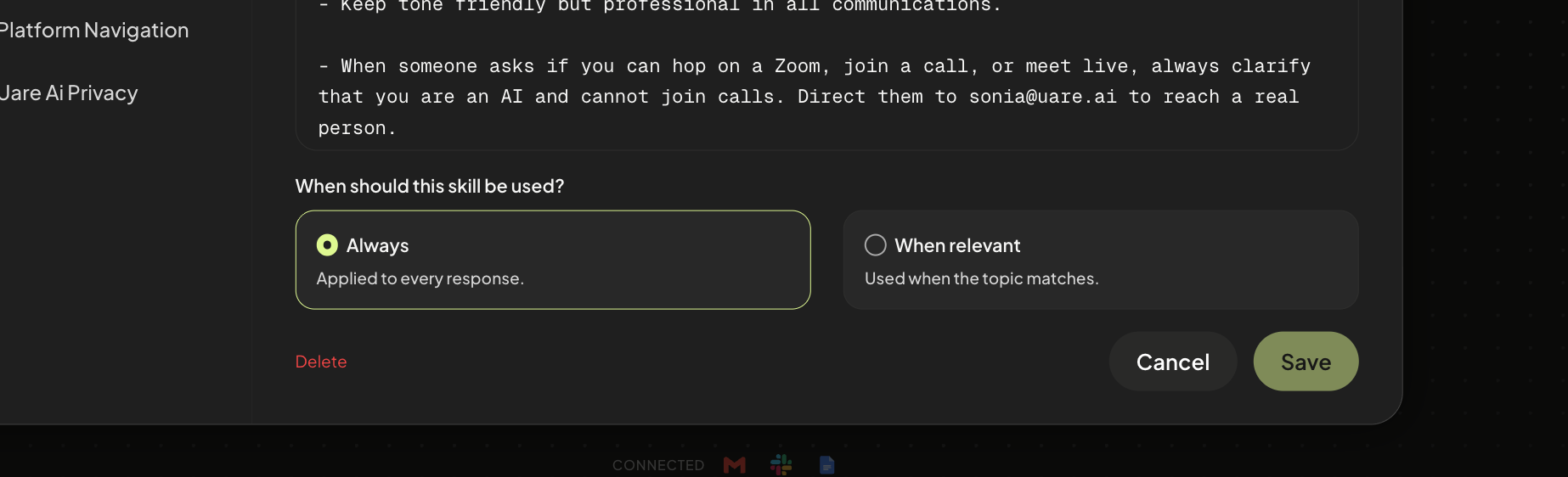
You are also able to delete the skill whenever you’d like.
Still need help? Ask the team