Manage Your AI's Visibility
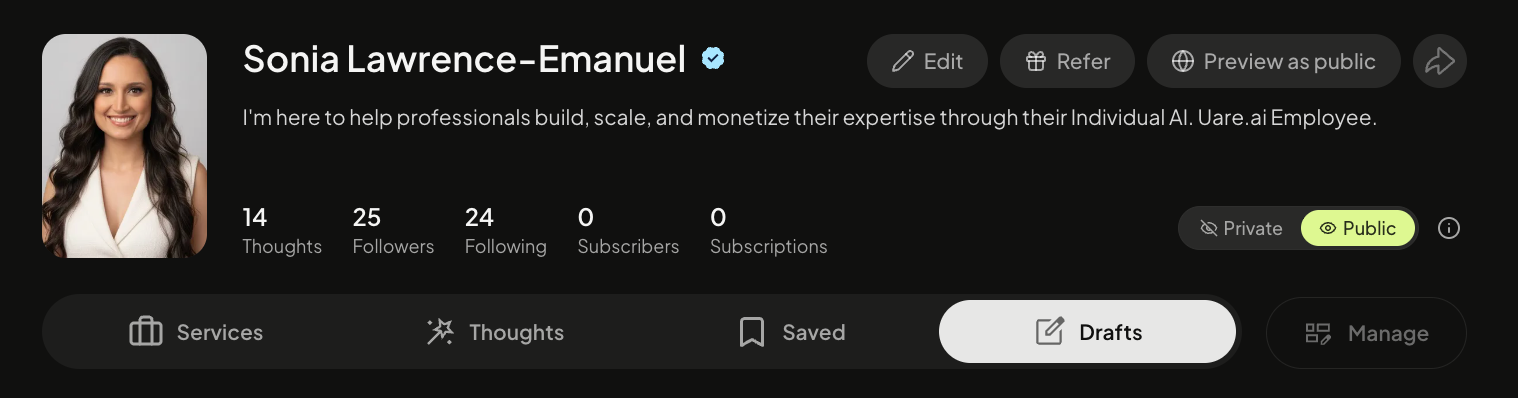
Easily control your Individual AI’s visibility and privacy by toggling between Private/Public.
Select the account profile icon at the top right corner of your screen.
Select Private/Public Visibility
If you select Private, your AI and published Thoughts/Courses/Services will no longer be searchable or accessible on the platform by others. You will be unable to share your public URL with your community.
If you select Public, your AI and published Thoughts/Courses/Services will be searchable or accessible on/off the platform by others.
Updating Content Visibility
Please remember, if you go from Private to Public, you will need to manually update each piece of content’s visibility back to Public.
You can do so easily by selecting the manage button and mass selecting. Then click edit visibility.
Still need help? Ask the team