Authenticate Yourself
Your Individual AI must be authenticated in order to be discoverable on the public feed or shared off platform.
This is to protect you and everyone on Uare.ai. Because your Individual AI is built to sound like you, think like you, and take action on your behalf, we want to help ensure that the person behind every model is exactly who they say they are.
Identity verification keeps the platform honest. Public profiles are never created on fictional characters, fakes, or anonymous personas.
Get Started
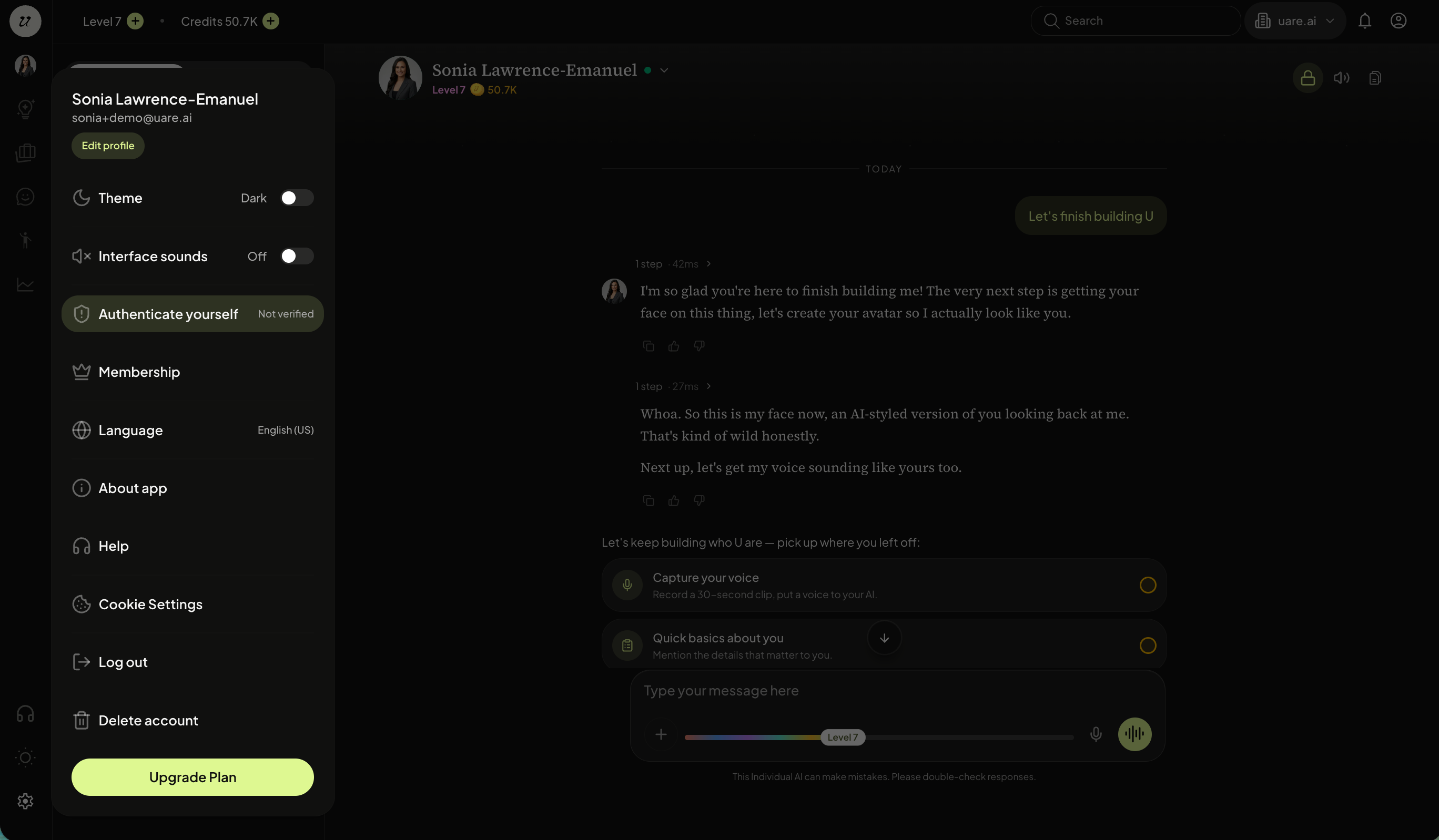
To begin the identity verification process, select settings (gear icon) on the left navigation.
Click authenticate yourself.
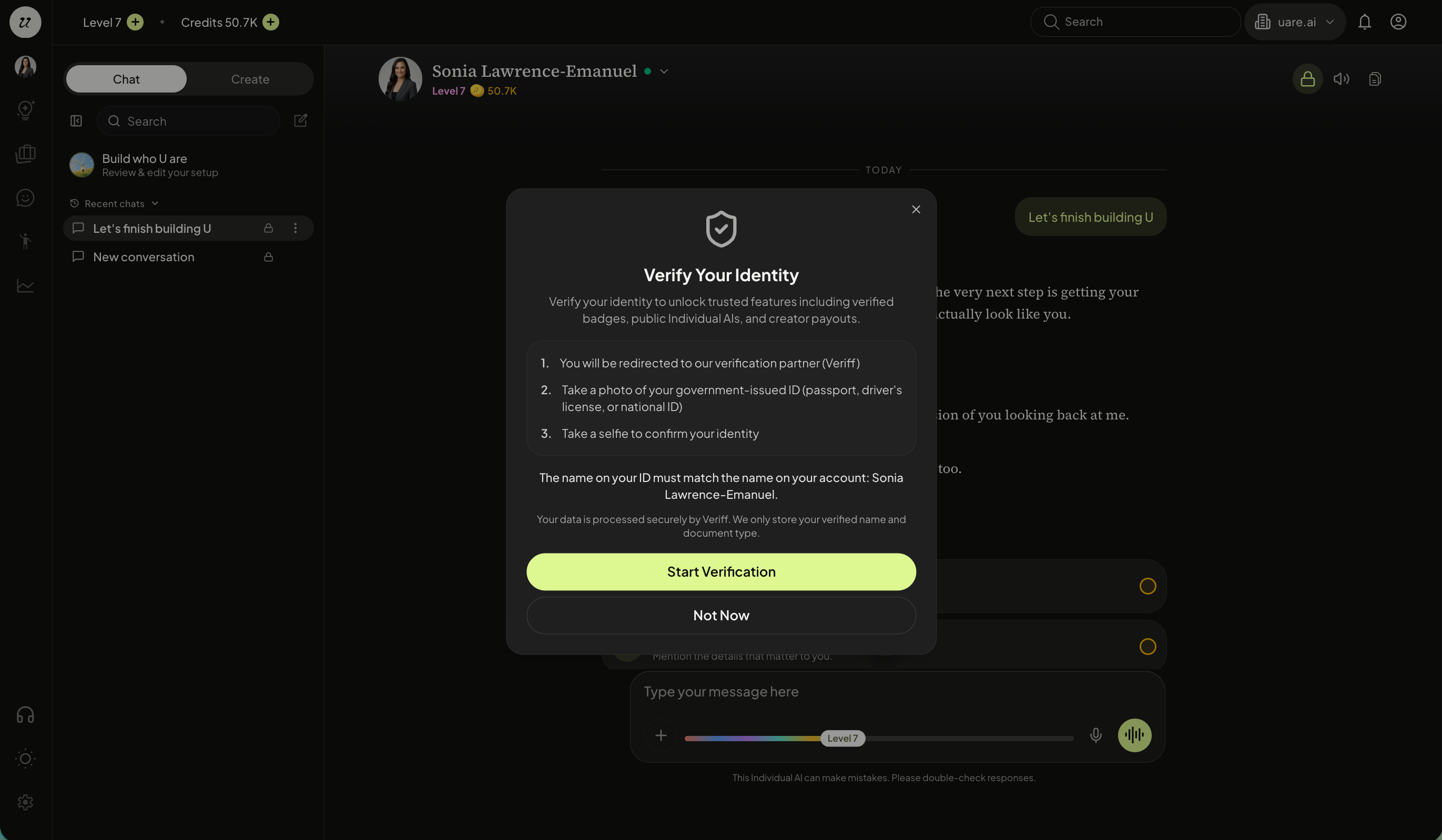
Click start verification.
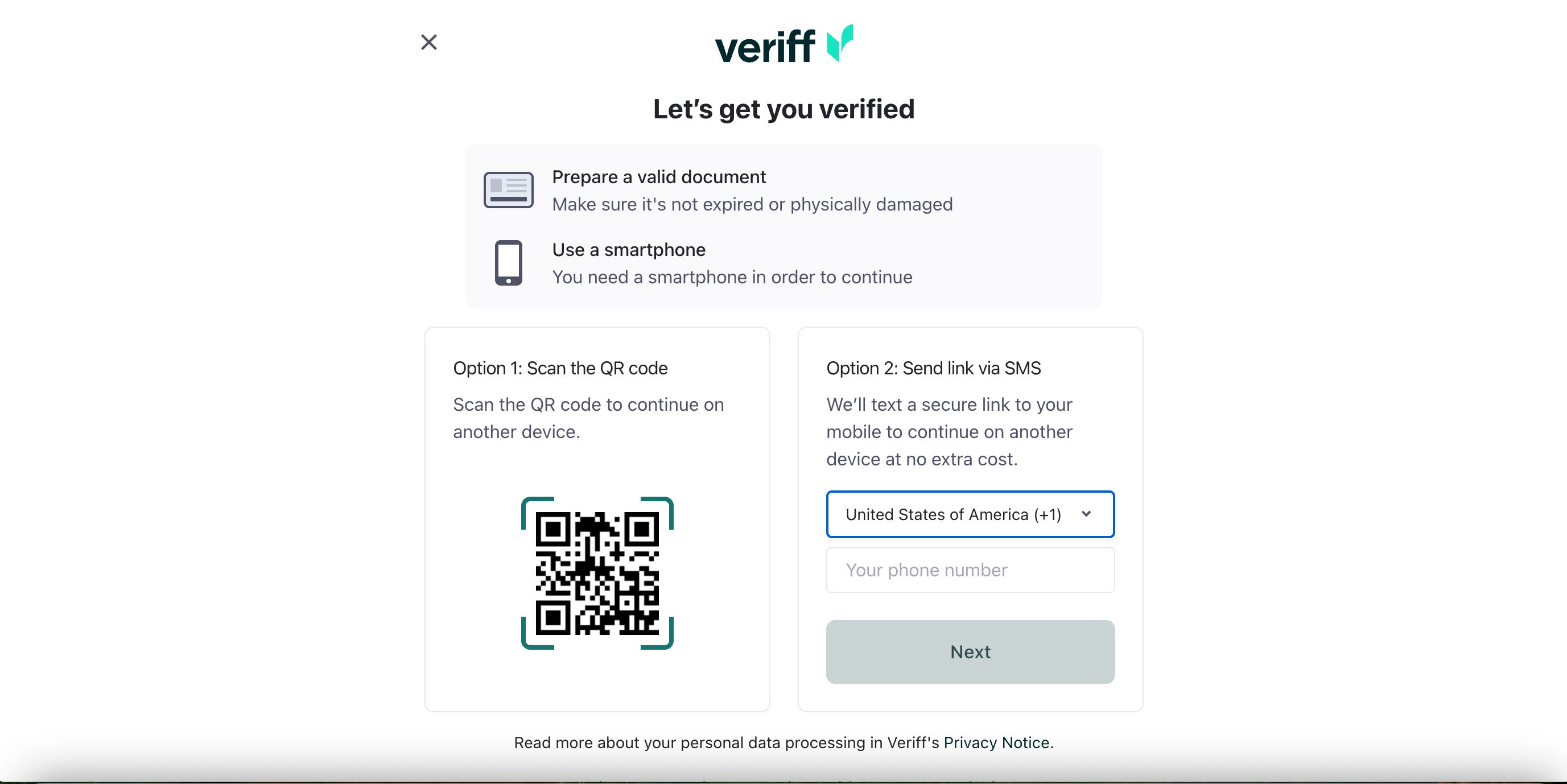
You will be redirected to Veriff, our trusted identity verification partner to complete the following:
Snap a photo of a government-issued ID (passport, driver's license, or national ID).
Take a quick selfie so Veriff can match your face to your document
Your information is processed securely by Veriff. We only store your verified name and document status.
Once you are authenticated, you will see the update on your account in the form of a blue checkmark next to your name.

Still need help? Ask the team