Build your Human Learning Model (HLM)
The Human Learning Model (HLM) is our proprietary framework and the foundation of your Individual AI. It captures who you are across seven dimensions: Identity, World, Story, Mindset, Drive, Pattern, and Growth. Together they form an AI that speaks, thinks, and creates the way you do.
You can see the full, detailed overview of the Human Learning Model here.
Get started
Select the Human Learning Model icon on the left navigation page.
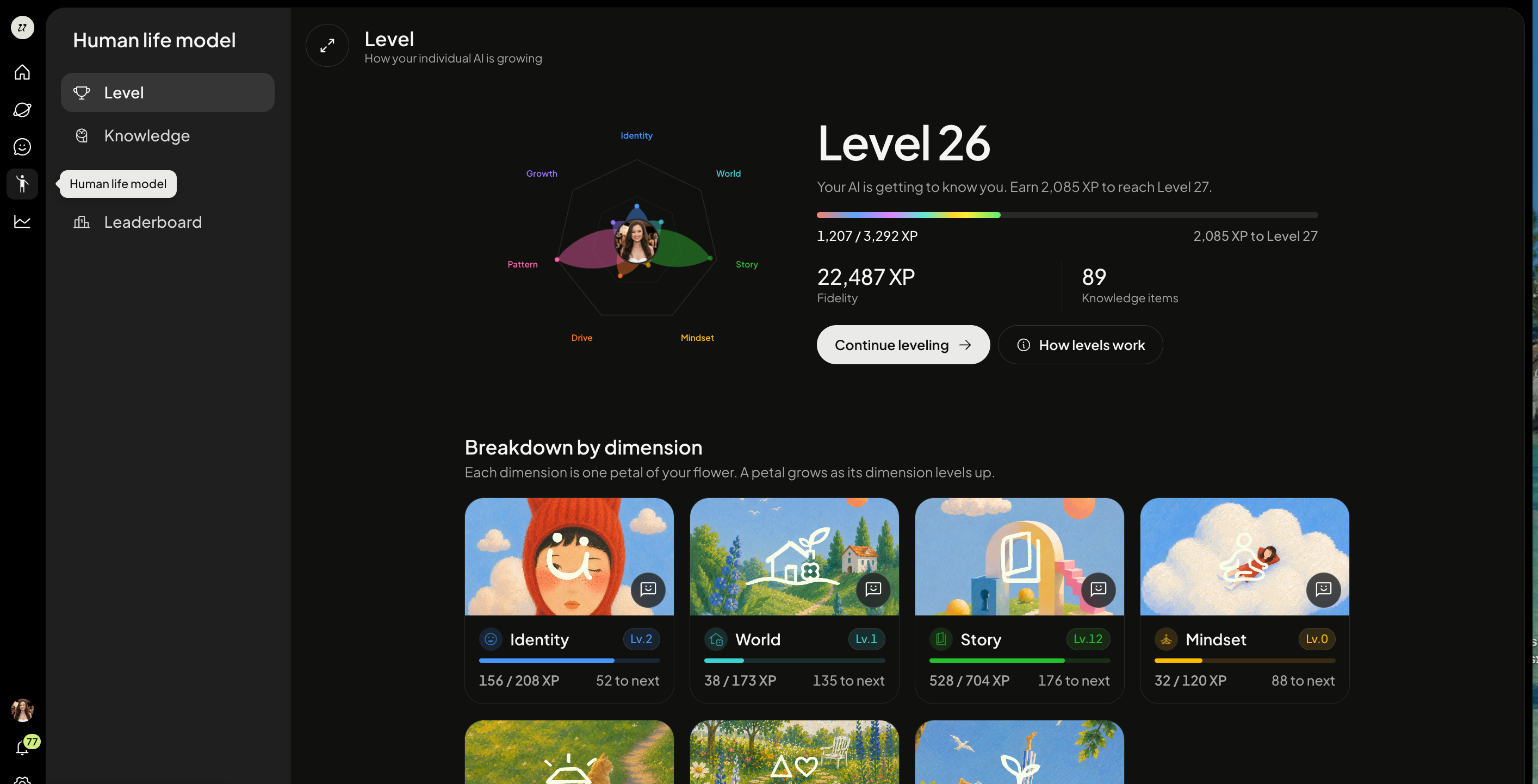
When you being building, your fidelity level and experience (XP) will be low, and all seven components will be at Level 1.
How levels work
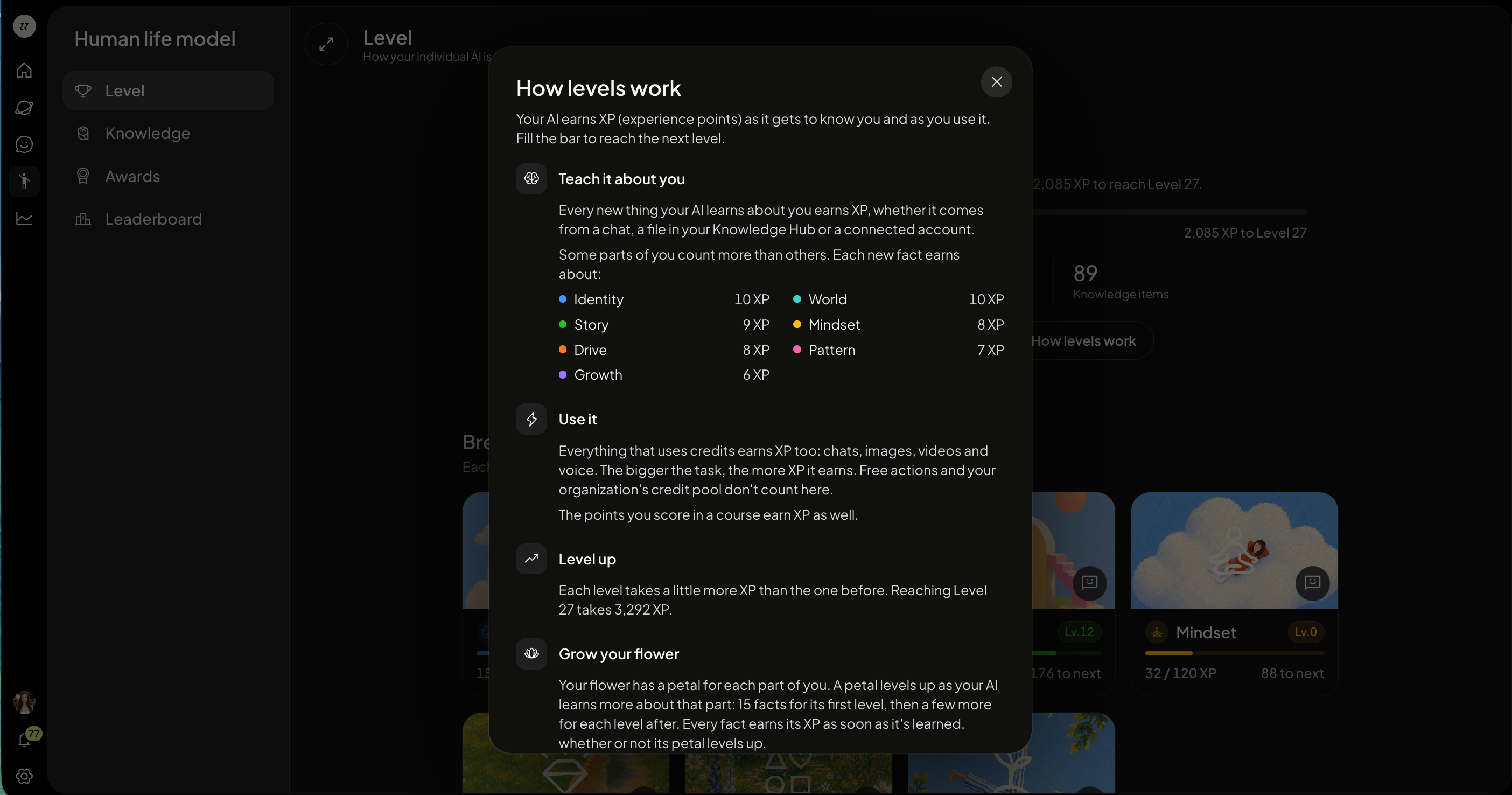
Your AI earns XP (experience points) as it gets to know you and as you use it. Fill the bar to reach the next level.
Teach it about you
Every new thing your AI learns about you earns XP, whether it comes from a chat, a file in your Knowledge Hub or a connected account.
Some parts of you count more than others. Each new fact earns about:
Identity10 XP
World10 XP
Story9 XP
Mindset8 XP
Drive8 XP
Pattern7 XP
Growth6 XP
Use it
Everything that uses credits earns XP too: chats, images, videos and voice. The bigger the task, the more XP it earns. Free actions and your organization's credit pool don't count here.
The points you score in a course earn XP as well.
Level up
Each level takes a little more XP than the one before. Reaching Level 27 takes 3,292 XP.
Grow your flower
Your flower has a petal for each part of you. A petal levels up as your AI learns more about that part: 15 facts for its first level, then a few more for each level after. Every fact earns its XP as soon as it's learned, whether or not its petal levels up.
Your XP never goes down
Your AI's level only goes up. When your AI tidies its memory and merges facts it learned twice, a petal can shrink a little, but the XP stays. The petal starts earning again once it grows past where it was.
Chat with your HLM
Tapping any pillar’s card opens a detail view showing how many facts your AI has gathered for that area as well as your XP until the next level. When a component is at Level 1, it shows no facts yet, and prompts you to start a conversation to build it out.
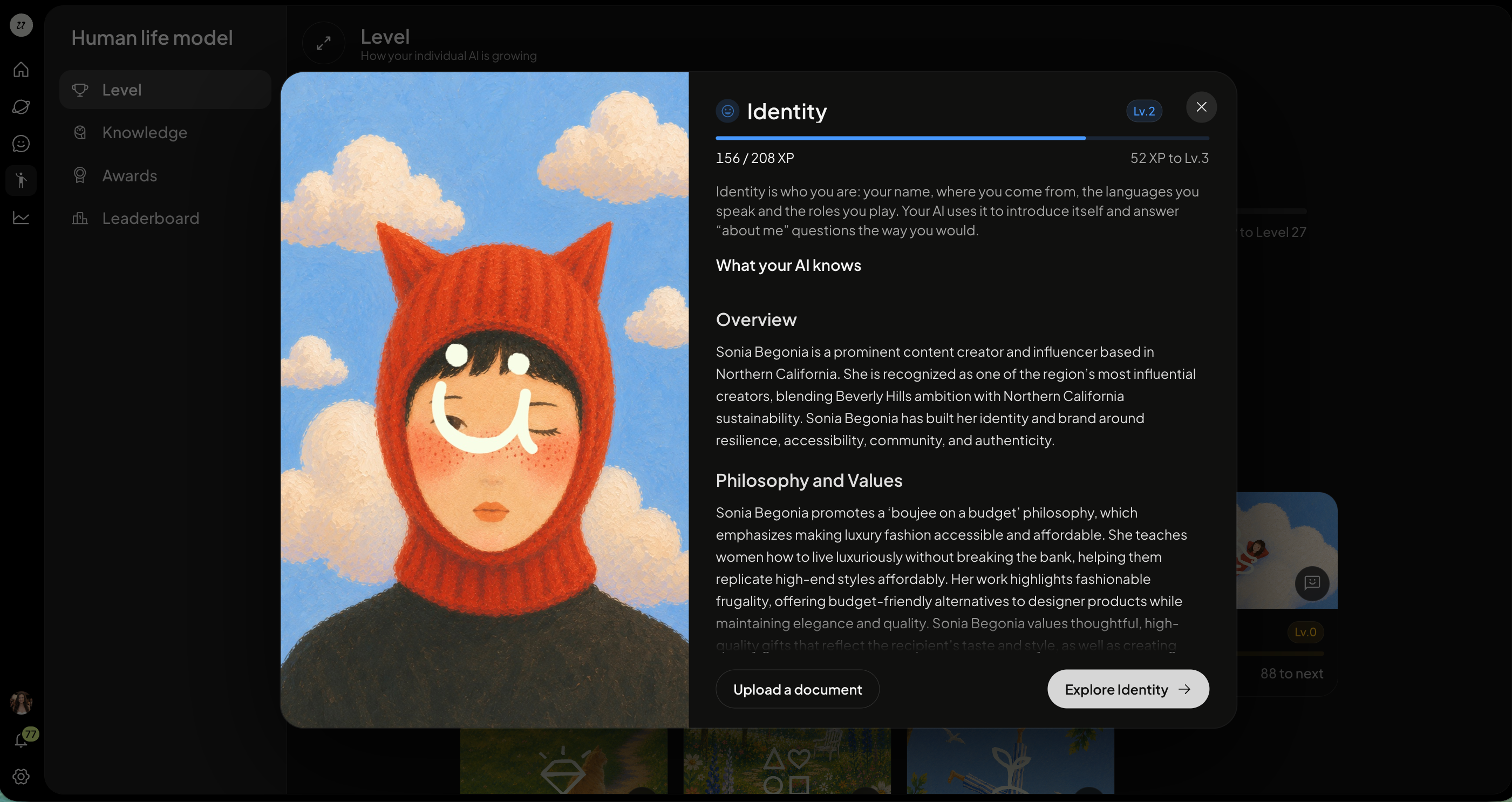
You can select Explore Identity to begin chatting with your AI about that dimensions. You can also Upload Document to upload a file that helps to fill in the HLM.
Each component has its own dedicated chat. When you open one, your Individual AI takes the lead, asking you questions specific to that dimension of your life.
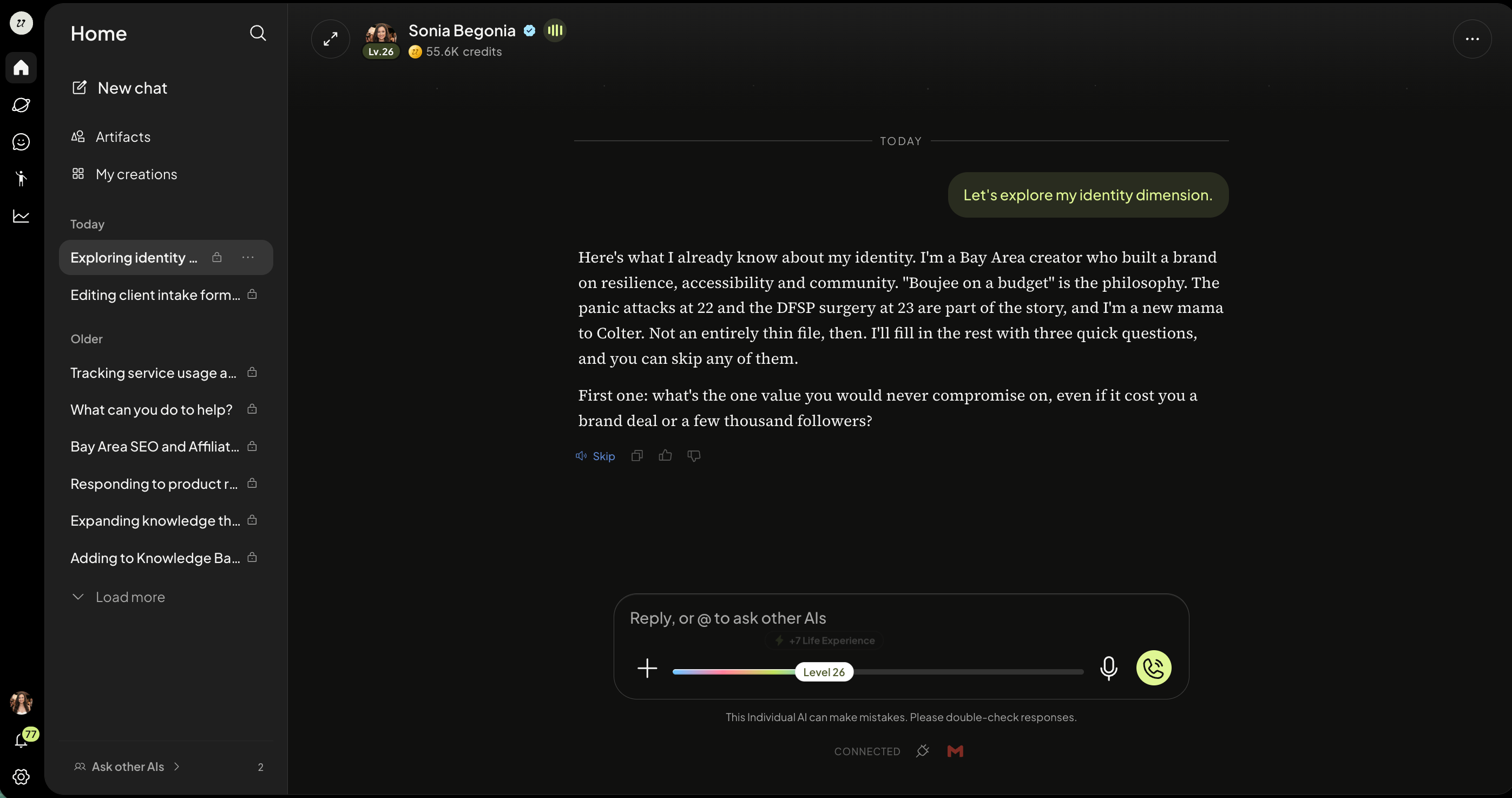
Exploring World might surface questions about your views on the world. Exploring Story might ask about formative moments you experienced. You don't need to know what to say. Your Individual AI guides the conversation.
You will see a tracking bar below the chat. This will show you how close you are to achieving the next level. You can click Explore my HLM or Open my Human Learning Model at anytime to see a snapshot of your level and HLM details.
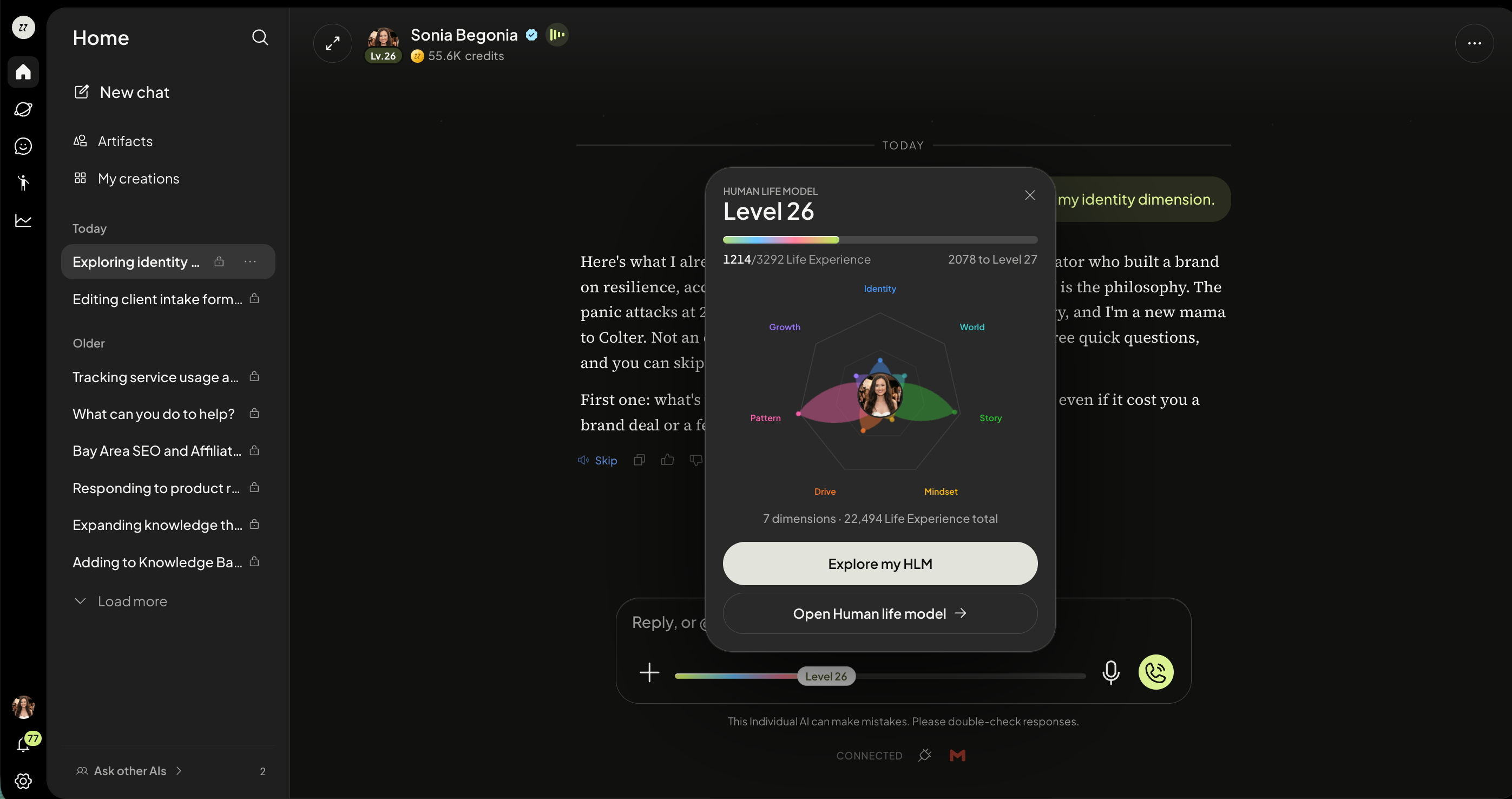
When you select build my HLM, your AI will begin asking you question related to one of the seven dimensions.
Select anything within the Human Learning Model pop-up to navigate over to a detailed breakdown.
How to advance levels
The more you interact with, work with, create with, and chat with your AI and others, the faster you advance levels.
Upload Knowledge
Add Skills
Chat with your AI
Chat with other AIs
Using your AI
A richer model means an Individual AI that sounds more like you, responds more like you, and over time, becomes a genuine representation of who you are.
Was this helpful?
Still need help? Ask the team