Changelog

Follow new updates and improvements to uare.ai.

August 19th, 2026

Your AI remembers the conversation you're in

Reopen a conversation on a different device, after a reload, or a week later, and your AI picks up where you left off.

Services now show you the actual offer

Opening a service used to show a title, a description and three generic pitch lines … a fraction of what the creator had actually described.

It now shows the following:

  • What's included — the full roadmap, step by step, with the number of sessions

  • What you'll get — written by the creator, not boilerplate

  • Skill tags and category, delivery format and turnaround — you know what to expect

  • The price — posted clearly

  • The cover art, the creator's own words about the service, and why their clients choose it

You can ask before you buy. There's now an "Ask <creator>'s AI" entry point right on the service page… so you can get a question answered about what the service actually involves before committing to anything.

This applies both in the app and on the public page anyone can open without signing in.

Your AI recalls things faster

When your AI searches its own memory to answer you, the answer surfaces quicker.

Files you upload stay put

Attaching several files at once used to make them disappear. Your AI no longer loses track of them.

You can attach as many files as you like. Chat used to stop at 10 per drop and silently discard the rest.

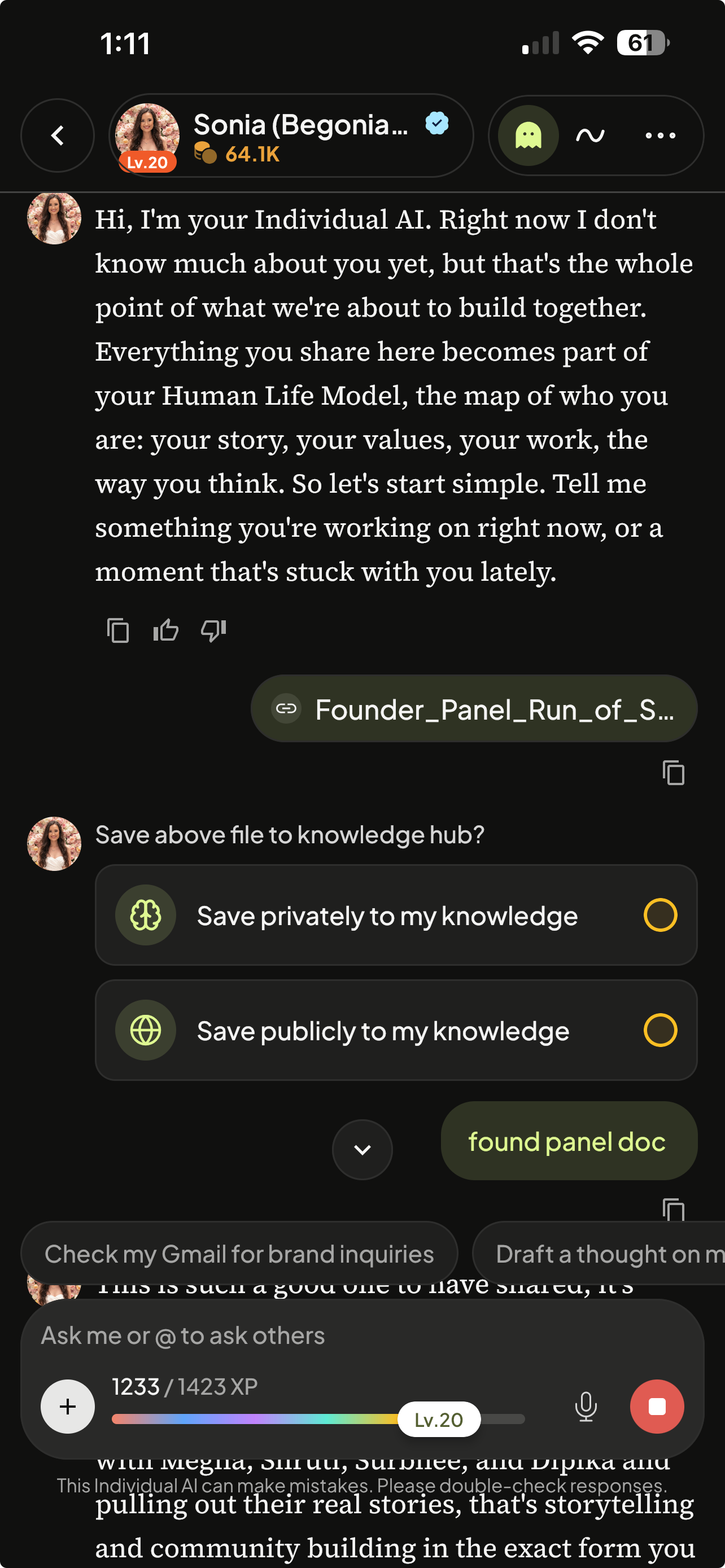
A file you send now starts a conversation. Sending a file with no message got you silence. Your AI had nothing to reply to, so it said nothing, and you couldn't tell the file had arrived. Now it responds.

"Save to Knowledge Hub?" appears after your AI replies, not before your own message.

Photos work properly

A large photo no longer breaks the chat. Large images are now resized automatically.

iPhone photos work. HEIC files, what your iPhone camera saves by default, is accepted and readable.

Your AI can help you use uare.ai

Ask your AI how something works (how to build your Human Life Model, how to publish a Thought, how to get started) and it now answers from our actual help center instead of guessing.

Deleting things from your AI's memory

If you asked your AI to forget something and it kept coming back, there's a good chance an uploaded file was the reason. Chat can't remove content that lives in a document (the fix is to make the file private or delete it in the Knowledge Hub) but your AI didn't know that, so it deleted everything it could reach, told you it was done, and the document quietly put it back.

Your AI now names the file, tells you if visitors can see it, and won't tell you something is fully removed when it isn’t.

If you were invited to an organization

If you have an invitation to an organization that never worked, it is working now.

Your organization's messages are separate from your personal ones

A conversation belongs to the space you started it in. Talking to your personal AI while you're in an organization is a normal thing to do, and it doesn't move the conversation.

Smaller fixes

A valid PDF is no longer called corrupt. A problem on our side was being reported to you as "this file is corrupted, check it opens on your device."

A file that can't be processed now says so instead of appearing to have uploaded successfully.

Your AI stops answering its own questions. When it showed you a set of choices it was supposed to wait for your click. Sometimes it didn’t, but now it always does.

Your AI doesn't introduce itself to you. If you're its owner, it knows that.

August 12th, 2026

If you subscribe to a creator, or people subscribe to you

Subscriptions stopped renewing properly, and we've fixed it.

Renewal payments were going through, but the record of them wasn't updating. Once a subscription's paid period ran out on paper, it stopped counting as active — so subscribers lost access to the subscriber-only posts they were paying for, and creators saw their subscriber count read zero.

Nothing was charged incorrectly. If you were affected, your access comes back as your subscription renews. If anything still looks wrong on your account, tell us — we'd rather hear it than not.

Your AI's sources actually show up now

Ask it for a link and it'll point you at the source instead of apologizing that it can't share links, or inventing a URL that goes nowhere.

Your AI's memory of long conversations

Your AI keeps a running memory of a long conversation so that something you explained weeks ago doesn't just disappear.

The memory has more room, and when it does run long it now tightens what's already there rather than giving up.

Deleted things stay deleted

If you told your AI to forget something, it will remove it from all places.

The most surprising one: confirming a deletion could recreate it. Saying "I've removed the note about X" mentions X — and everything your AI says becomes part of what it remembers. Those confirmations are now excluded from memory, and your AI has been told not to repeat an incorrect fact while telling you it's gone.

Two other changes: if something came from a document you uploaded, your AI can't erase it from chat and now says so honestly instead of claiming it's done — it'll offer to correct the text instead.

And it no longer tries to fix a wrong fact by saving the opposite ("X is not about Y"), which just put the two things back together and let the wrong idea creep back in.

Chatting with someone's AI as a visitor

Sitting idle no longer locks you out. If you left a conversation open for a while and came back, you could hit a dead end with no way in short of reloading the page. It now quietly gets you a fresh connection.

A reply that came back after a dropped connection goes to the right conversation. It could previously turn up in whichever chat you happened to have open — or not turn up at all.

A reply that stalls now offers a Retry button, instead of a message telling you to try again with nothing to click.

Your own posts show up in your own feed

Publish something and it's now at the top of your feed straight away, instead of waiting for the feed to rebuild before you can see your own post.

Search results are reordered

Individual AIs first, then Thoughts, then Services.

Your organization and your personal space

If you belong to an organization, the line between it and your personal space is sharper.

  • Your message history is separate. Switching into an organization used to still show your personal conversations in the Messages list. It doesn't now. Each space has its own history.

  • Your profile is separate. Your thoughts, drafts, and saved items belong to the space you made them in. Personal drafts don't follow you into an organization, and your organization's work doesn't leak back out onto your personal page.

  • A profile is about the person. When someone else looks at your profile, they see your personal work — the same thing a guest sees, whether or not they're in your organization. Organization material is found through organization spaces, not through someone's profile page.

  • Subscribing happens from your personal space. A subscription to a creator belongs to you, not to your organization, so you start one from Personal. It keeps working everywhere afterwards. You don't lose access to what you've paid for when you switch into an organization.

One thing to expect: a brand-new organization starts with an almost-empty profile. Existing posts belong to your personal space and deliberately stay there rather than being swept into a new organization. It fills up as work is created inside it.

Uploading files

Upload ten files with one unsupported format and the other nine go through, with the rejected one named and the reason given. Previously the entire batch was refused, and the message telling you why never made it to your screen.

You're told before the upload, not after. Files are checked the moment you pick or drag them in, so you're not waiting through a long upload to be told a file was never going to work.

The counts are honest. A batch with a duplicate in it no longer reports uploads as lost when nothing failed.

Setting up from your LinkedIn profile

Several things about it got better:

A neighbouring city no longer hides you. Searching your name with a location could leave you out of the results entirely if you live in the next town over from the one you typed. It doesn't now.

Your bio fits. The bio we set up for you sometimes came out longer than the profile field allows, leaving you to trim it by hand before you could save. It's now taken from your LinkedIn headline and sized to fit.

A private profile tells you. We can't import a profile that's set to private. Previously that failed silently and you ended up with an empty AI. Now you're told up front, and if an import does fail you get a notice with a link to the Knowledge Hub, where you can try again once your profile is public.

Signing in on your phone

A new mobile sign-in screen.

Fixes worth calling out

Photos and videos you upload keep working. A save that failed to store your file used to say it had saved anyway, leaving a broken link that later stopped working entirely.

Coming soon

Automatic content checks before publishing. We've built a system that reviews text before it goes live and explains clearly if something is refused. It's not switched on, and it won't be until we've measured it against content we've already accepted.

Courses. A lot of work went in this month, we can’t wait for you to see what’s next.

August 8th, 2026

Your AI remembers the whole conversation

Long conversations used to fade. Your AI could see recent messages and not much else. So, something you explained weeks ago was simply gone, and you'd end up saying it again.

That's fixed, in both directions:

  • Older parts of a conversation are kept, not dropped. As a conversation grows, the earlier stretch is folded into a durable summary of what matters … facts about you, what's still open, what's settled, what you made, how you like to be spoken to. It's rebuilt from the real conversation from time to time, so it doesn't blur over months.

  • Your AI reads it back. That memory now travels with your conversation, refreshes while you're still talking, and comes with you into voice.

  • Something you said once stays stored. It doesn't need repeating to survive.

Together with last month's fix to how recent history is assembled, a long-running conversation now holds its thread instead of losing it.

Your organization is now its own space

If you belong to an organization, you can have two AIs: your own personal AI, and a separate one inside your organization.

Switching between them switches everything. Inside your organization you see your organization's posts, services, people and AIs. In Personal you see the wider platform, the way you always have.

  • You sign in to Personal. Every sign-in lands you in your personal space. Use the switcher at the top to step into an organization.

  • A quick setup, not the whole wizard. The first time you switch into an organization where you don't have an AI yet, you'll be asked for a name and, if you like, a line about who this AI is. No photo step, no voice recording. It's prefilled from your profile.

  • Your organization's AIs recommend each other. When an organization AI suggests someone to talk to, it suggests AIs from your organization.

  • New AIs start private. An AI you create in Personal is private until you decide otherwise.

  • Roles and access. Your Team page shows every role and what it grants, and lets you create, edit and remove your own custom roles. Built-in roles are marked read-only rather than offering an action that can't work, and a role someone still holds can't be deleted out from under them. Invitations are locked to the address they were sent to.

Your AI shows its sources

When your AI searches the web to answer you, the pages it used appear as chips you can click, right there in the reply — and they're still there when you come back to the conversation later.

Suggestions that come to you

Your AI's suggested prompts now float just above the message box. They drift gently, grow a little when you hover, and disappear once you've picked one. You'll see them in your own chat, on Connect, and on anyone's public profile.

On a public profile, the intro now also shows how complete that AI is and its full bio, so you know who you're about to talk to.

Talking to someone's AI

  • You land in the conversation. Opening a public profile puts you straight into chat instead of a page you have to click through.

  • A gentle nudge, not a wall. As a visitor you'll get a dismissible invitation to sign up partway through your free messages, so the conversation doesn't just stop without warning.

  • Voice counts fairly. Speaking counts as one message per turn, the way typing does. Voice to voice shows credit usage clearly.

Your AI is more honest

  • It stops claiming an app isn't connected without looking. And when something genuinely isn't connected, it starts connecting it for you instead of telling you to go find Settings.

  • It won't promise what it can't check. Fewer confident answers about things it has no way of knowing.

  • A compliment isn't a request. Saying you like an image no longer makes it generate another one.

  • Editing an image edits that image. Asking for a change now changes the picture you're looking at, instead of quietly making a new one from scratch.

  • A short reminder under the message box that your AI can get things wrong.

Knowledge files

Select several files at once and the visibility (who can see them) in a single action, instead of one at a time.

Fixes worth calling out

  • Conversations don't stall when you hit a limit. Reaching a paywall or a free-message limit used to leave the conversation hanging with no explanation. Now it tells you.

  • Dropped connections are noticed. If your connection quietly dies, the app detects it instead of talking to nothing.

  • Missing conversations come back. A conversation that failed to save is recovered rather than lost.

  • Voice doesn't hang. A reply that stalls, or speech that goes silent, now ends cleanly instead of leaving you waiting. And a pause is no longer recorded as if you'd said something.

  • Your credit balance tells the truth. If it can't refresh, it says the number may be out of date instead of showing a frozen figure.

  • Uploads settle correctly. A multi-file upload charges exactly what it used — over-estimates are refunded, and nothing is marked paid until it actually is.

  • Photos aren't sideways. Images you upload keep the orientation you took them at, and uploaded videos show a preview instead of a grey box.

  • Your AI stops saying "nothing found" when something broke. Failures in the knowledge behind your AI surface as failures rather than looking like an empty result.

  • YouTube live links work. Sharing a youtube.com/live/… link behaves like any other video link.

  • Sign-up errors tell you what to do. The two rejections you're actually likely to hit now explain themselves.

  • Mobile. The top bar no longer overlaps its own buttons, and the keyboard drops away after you send.

  • Saved and recommended posts. Unverified authors and non-public items no longer appear in recommendations; posts you have a subscription to still do.

  • Services need a cover. A service can't be published without a thumbnail, so nothing goes out looking broken.

A note on wording

We've retired the word "twin" everywhere you can see it. It's your Individual AI.

Coming Soon

Getting started from your LinkedIn profile. A new way to set up your AI: search for yourself, pick your LinkedIn profile, and your AI starts out already knowing your role, your background and the things you've written. Your photo becomes your avatar and your bio is trimmed to something readable. We're finishing testing.

Courses and RBAC. Stay tuned.

August 1st, 2026

We launched a new release this week with a bunch of exciting updates for your Individual AI.

One quick note: Our video generation feature has been in the beta stage. Based on your feedback, we are temporarily removing it so we can improve its fidelity and quality. If you have any questions or special requests, please email me.

Now, back to the updates!

Your AI remembers the whole conversation

  • Your recent history is now one continuous stretch with nothing missing from it. The real opening of the conversation is read from the actual start, it stops treating distant messages as if they'd just been said

Published media appears right away

  • Publishing an image, article, or video now appears almost immediately. It used to sit there for about fifteen seconds before the result showed up.

A clearer view of what your AI is doing

  • See the work. While your AI is working, a live trace shows each step it's actually taking — searching, reading, generating, saving. Longer background work like video generation is narrated for as long as it really takes, instead of flashing past in a second.

  • Your model at a glance. Opening a chat with your own AI now starts fresh, rather than an automatic greeting.

  • A calmer voice mode. Voice-to-voice now shows a soft reactive halo around the composer instead of a rainbow waveform, and the panels fold away so the conversation has the whole screen.

  • Interface sounds. Subtle audio feedback on interactions, off by default — turn it on if you like it.

Paste a link and your AI just reads it

  • Drop a link into chat and your AI reads it without being asked. If it's worth keeping, a Memorize this suggestion appears under the reply. One tap and it becomes part of what your AI knows. You'll get a confirmation when it's saved.

Better on your phone

A broad pass across mobile:

  • The chat header is a single clean row.

  • The keyboard drops away after you send.

  • The composer sits clear of the bottom edge, and its placeholder fits on one line.

  • Voice mode works from the profile chat.

  • Your fidelity score and credit balance are visible.

  • The search dropdown and notifications are no longer cut off by the top bar.

  • The sidebar icons have more room.

  • Private-mode lock, sticky profile tabs, and the service progress roadmap all match the desktop experience.

  • No more sideways scrolling on the Create screen.

Download the mobile app in the AppStore and Playstore.

Public profiles

  • The page holds still. The header, the tabs, and the discover more stay put — only the feed scrolls.

  • Chat without leaving. Start a conversation with someone's AI right on their profile, in place. The chat bar now sits on its own backdrop, so it stays readable no matter what's scrolling behind it.

  • Share from anywhere. Sharing works from the profile and from inside the chat overlay, and copies the full link.

  • Photos on people cards are framed above centre. Faces aren't cropped.

  • Profiles without posts still show suggestions for who to meet next.

Create Tab brings ideas to life

The Create tab is now its own home for making things.

  • Chat and Create are separate. Two tabs in the sidebar, each with its own recent conversations. Nothing bleeds between them, and switching tabs starts you fresh.

  • My Creations lives in the sidebar as its own section, with the same actions you get on your profile — edit, change who can see it, delete.

  • Services are made in chat. Creating or editing a service happens in the conversation, with a publish card at the end. Editing opens a canvas that updates live as your AI changes a field.

  • Nicer to look at. A "Create in your voice." greeting that fades in, a drifting halo tracing the dot grid, and panels that fold away once you start.

Discovering people and AIs

  • The Connect sidebar is upgraded. View Messages and Following tabs.

  • The directory opens on Professionals rather than everyone. Sort to Individuals if you’d like.

  • An AI you just followed shows up in Ask other AIs straight away. No more waiting.

  • Switching between AIs no longer drops you back into the previous conversation. Now, refreshing keeps you where you were.

Credits and billing

  • Single file uploads and web imports now check your balance before starting. The same way batch uploads already did.

  • After voice to voice message, you'll get a note of what it consumed. So it’s easy to identify where your credits are going.

  • Charges that went through correctly are no longer reported as failures.

Fixes worth calling out

  • Your AI speaks again after answering a question. Answering an in-chat question could silence the voice for the rest of the turn.

  • Voice stops promising things it can't do. It tells you up front what it can and can't generate, instead of committing to something that never arrives.

  • Greetings are faster. The opening message no longer waits on background lookups.

  • Publish cards stay visible. They stay at the bottom of the conversation instead of jumping above their own image, and dismissing one keeps it dismissed.

  • Fewer stalls. If the model provider is briefly overloaded mid-reply, your AI retries instead of failing the turn.

  • Uploaded photos work more often. iPhone HEIC photos are recognized properly, and an undecodable photo says it can be retried instead of claiming it's the wrong type.

  • Long documents. Your AI no longer treats a shortened excerpt as if it were the whole file.

  • Saved posts now include subscriber-only posts you have access to.

  • Deleting a conversation is immediate and no longer waits on background cleanup.

Ready and Coming Soon

  • Courses. Everything needed to create and take a course is built and ready — a guided creation flow, a lesson editor where you and your AI write together, and a player where the creator's AI teaches you lesson by lesson, personalizes what you read, quizzes you, and picks up where you left off.

  • Deeper memory across long conversations. Groundwork shipped this release; your AI will start drawing on it soon.

  • Roles and access, properly. Your Team page shows every role, what it grants, and lets you create, edit, and remove your own custom roles. Built-in roles are marked as read-only rather than offering an action that can't work, and a role someone still holds can't be deleted out from under them.

  • More than one organization? You'll get a picker at sign-in and a switcher inside the app. Invitations are locked to the address they were sent to.

  • Enterprise sign-in is smooth. Single sign-on now shows one continuous loading screen through the whole redirect, with your organization's own artwork.

July 23rd, 2026

Two releases in one! We keep improving your experience - everything from onboarding to uploading your own media.

A Guided Welcome When You Start

  • Your AI walks you through setup — new to the app? Your AI now guides you through getting started right inside the chat.

  • Smoother avatar and voice setup — cleaner photo cropping and more intuitive voice capture.

Post Using Your Own Photos and Videos

  • Your upload, your post — when you say "make a post with this," your AI now uses the image or video you uploaded.

  • You choose — use your upload as-is, tweak it, or create something brand new. It's your call.

  • Drafts you can actually use — talking to your AI by voice now produces a real, saved draft you can publish.

Chat and Voice That Just Work

  • No more hanging — if a reply stalls, it recovers in seconds instead of leaving you waiting.

  • "Looks great!" means yes — approving something no longer accidentally starts it over.

  • Better memory — your AI keeps track of the conversation even when it runs long.

  • Natural links in voice — your AI reads the words of a link, not a long web address out loud.

Sharing and Privacy

  • Clean, name-based share links — sharing your AI creates a tidy link with your name and a nice preview when you paste it anywhere.

  • Private means private — set your account to private and your public link stops working right away.

Try Before You Sign Up

  • Guests can jump in — visitors can try free public services without creating an account first.

Media, Pricing, and Discovery

  • Your media sticks around — generated images and videos no longer disappear from your library.

  • No double images — a generated image shows only once.

  • Lower video pricing — generating video now costs less per clip.

  • Cleaner browsing — AIs with a photo show first in the directory.

July 20th, 2026

This week, we launched a variety of improvements to make creation and sharing more seamless.

Improvements

Widgets and Publishing Work After a Reconnect

If your connection blips mid-chat, the app no longer loses what you did.

  • Your choices always go through — tapping an option no longer gets stuck lighting up green with nothing happening. Your selection is held and delivered as soon as you're back online.

  • The publish card comes back on its own — no more refreshing to get the review-and-publish card to open, and it stays put instead of jumping up the conversation.

  • No double-publishing — creating a post that has both an article and an image publishes cleanly, once.

Create and Publish Video Right in Chat

  • Video, inline — generating a video now happens right in your conversation instead of a separate panel, and a finished video is ready to publish as a post.

  • Cleaner choice buttons — the option buttons your AI shows are now tidy, tappable pills.

  • Full-size preview — your image shows at its real shape in the publish preview.

Share Your AI with a Real Link

  • Shareable links with previews — sharing your Chat-With-Me now creates a clean, name-based slug that shows a rich preview when you paste it anywhere.

  • Old links still work — previously shared links automatically redirect to the new format.

  • Verified sharing — sharing is available once your name is verified, so shared links always point to the real you.

Discover Related AIs

  • Related AIs in search — when you search and one creator's posts dominate, you'll see related AIs to explore, including on the Individual AIs tab.

Clearer Uploads

  • No silent failures — if an upload or a pasted link can't be processed, we tell you why instead of quietly dropping it.

  • Mixed batches don't get thrown out — upload several files at once and the good ones go through even if one isn't supported.

  • Word docs — older .doc files are no longer supported; you'll be asked to save them as .docx first.

Better Multi-AI Conversations

  • Bring in other AIs, your way — a cleaner picker for inviting other AIs into a chat, remembered per conversation.

  • Guests speak for themselves — when several AIs join, the host no longer talks over or re-summarizes them.

Smarter Creation Flow

  • Grounded ideas — when you start creating, your AI pulls from your own knowledge to suggest real topics.

  • Accurate setup steps — service-creation steps are labeled to match what's actually being asked.

  • Thumbnails handled right — a generated thumbnail is saved to your draft, and every service (private or public) now needs one before publishing.

  • Fewer interruptions — onboarding tips stay out of the way while you're creating or viewing a post.

Voice & Chat Polish

  • Natural spacing — your AI’s text keeps proper spaces between sentences.

  • No stray tags — generated articles no longer show leftover voice cues like [pause].

  • Rename sticks — renaming your AI updates it everywhere, including the chat header.

July 15th, 2026

A few weeks ago we launched publicly, and we continue to make updates that improve your user experience every step of the way.

New Features

Pronunciation

You can now edit how your AI pronounces names and words right in the app and your changes apply instantly, even to conversations already in progress.

  • In-app pronunciation editor — add and edit pronunciations from your AI Voice Settings.

  • Live updates — changes instantly apply to open chats with no reload or restart.

Improved Voice

Your AI sounds cleaner and more human.

  • No stray sounds — we removed breaths, throat-clears, and filler at the start of replies.

  • No spoken cues — your AI no longer reads expressive tags (like "[chuckle]" or "[pause]") out loud.

  • More reliable transcripts — voice conversations transcribe more accurately, turn by turn.

  • Better training audio — if a voice sample is silent, we tell you right away instead of failing quietly.

Stronger, Clearer Verification

The verification process became a whole lot clearer.

  • Precise name matching — identity verification now matches your account name exactly, so approvals are trustworthy.

  • Know what to fix — if verification doesn't line up, we tell you the specific reason instead of a generic error.

  • First & last name — profiles now use separate first and last name fields.

Nothing Lost, Ever

Chat is far more resilient when your network hiccups or you reload the page.

  • Cards and conversations survive reconnects — interactive widgets, service cards, and your chat history come back exactly where they were.

  • Your formatting is kept — line breaks and spacing in your messages are preserved.

  • Media isn't dropped — anything you're publishing is queued through a reconnect instead of lost.

  • No awkward re-intros — your AI won't greet you again when you resume an existing conversation.

Controlled Recommendations

Owners can now turn recommendations on or off for their AI’s chat.

  • Control if your AI will suggest other AIs, Thoughts, and Services.

Guest Conversations

  • Saved and reviewable — guest chats can now be saved and shown in your Professional Dashboard, clearly labeled so you can see anonymous conversations at a glance.

Better Knowledge Hub

Navigate more easily through. your knowledge hub.

  • Search everything — search now covers your entire hub, not just what's loaded on screen.

  • Clear status — uploads that hit a snag show an honest status instead of a confusing "No insights."

  • Word documents — tables and headers in DOCX files are now read correctly.

Faster Media & Instant Services

Services get better everyday.

  • Faster image previews — images load quicker with lightweight thumbnails.

  • Video posters — videos now get a proper cover frame.

  • Instant roadmaps — service roadmaps appear immediately instead of loading in.

Multi-device Sign-in

You asked, we delivered.

  • Multi-device sign-in — cleaner session handling and per-device logout across your devices.

  • Security hardening — a wide range of account-security and access-control improvements, plus routine security updates.

June 30th, 2026

We heard your asks, and we delivered. Here’s what just dropped.

New Features

Discover Featured AIs, Thoughts, Services

We've added a curated, rotating Featured AIs, Featured Thoughts, and Featured Services sections at the top of the Connect, Thoughts, and Services pages. Featured carousels spotlight the most interesting AIs and content on the platform.


Tell a Longer Story with Series

You can now group videos into a Series.

  • One tidy card — a series shows up as a single cover in feeds instead of flooding them with every episode. Open it to watch the full collection.

  • Create from your posts — turn existing videos into a series from your profile in a couple of clicks.

  • Subscriber-only series — gate a full series behind your subscription; non-subscribers see the cover and a prompt to subscribe.

  • Smoother viewing — your volume and mute settings now carry across episodes, and you can tap any episode in the carousel to jump to it.


Your AI Recommends What's Next

Your AI is more helpful and proactive in conversation.

  • In-chat recommendations — when it's relevant, your AI surfaces neat little cards for Services, Thoughts, and other AIs right inside the chat. Video previews play inline.

  • Smarter greetings — your AI opens with something grounded in what you've actually connected (Gmail, Slack, Notion, and more) and remembers details about you instead of asking twice.

  • Helpful next steps — quick suggestions offer where to go next without interrupting your flow.

  • Ask how things work — your AI can now answer "how do I use uare.ai?" questions directly.


Improvements

Better Group Chats with Other AIs

Bringing other AIs into a conversation (@mention) is cleaner and smarter.

  • Redesigned layout for guest-AI replies and a tidier top bar.

  • Guests now build on each other's answers, and you no longer repeat yourself after bringing someone in.


Document Uploads

  • Upload bigger files — the attachment limit is now 50MB, and large PDFs are read reliably so your AI can actually use them in the conversation.

  • Better document understanding — documents are processed with a more capable engine, so your AI gets the full text.


Voice Improvements

  • Mute your mic — a mic-mute toggle in voice chat, and it remembers your choice when you come back.

  • More natural speech — numbers, names, and "uare.ai" are pronounced correctly, with fewer awkward filler sounds.

  • Smoother voice ↔ text — switching between typing and talking now keeps the full context of your conversation.


Photos and Profiles

  • iPhone photo support — upload HEIC photos (the default iPhone format) for your profile and avatar; we convert them for you.


More Creative Control

  • Find services in search — your published Services now show up in search and Discover, and search forgives typos with a "Did you mean?" suggestion.

  • Publish with a nudge — when a Service looks ready, your AI can offer to open the review-and-publish step for you (it never publishes without you).

  • Clearer subscriber controls — your profile correctly shows when you're not accepting new subscribers, instead of letting someone hit a wall at checkout.

  • Heads up — video pricing — generating video is now billed by the second.


Sign In Your Way

  • Enterprise single sign-on — teams can sign in through their company's SSO, routed automatically by email domain.

  • Notifications — get notified about credit purchases and membership upgrades.

  • Privacy choices — a new cookie-consent banner lets you control your data, with region-aware options.


June 18th, 2026

As we quickly approach our public launch, we have published a few exciting updates!

Get Verified, Go Public

Trust matters. To keep your Individual AI discoverable and shareable, we now require quick identity verification through Veriff.

Complete identity verification to:

  • Make your AI Public

  • Publish a Public Thought on the feed

  • Share your Individual AI / Public Thoughts (public URL)

Because your Individual AI is built to sound like you, think like you, and work like you, we require verification to confirm that the person behind every model is exactly who they say they are. It keeps the platform trusted, authentic, and worth sharing on.

Details on the verification process are here.

Upgrade Your Membership Tier

You can now upgrade your membership for additional credits and access.

The membership tiers include:

  • Freemium

  • Basic

  • Premium

  • Professional

Re-discover the Thoughts Page (formerly the Discover Page)

The Thoughts page has a new look and feel (and a new icon). 

  • Easy Thought creation — directly from the page (create button now lives at the top right)

  • Browse category tags — easily sort content

Discover Free and Subscriber-only Services

There’s now a separate Services page, where you can browse offerings with categories, prices, and infinite scroll.

  • Subscriber-only services — discover and gate your own premium services behind your subscription; visitors see a clear subscribe prompt.

  • Build with less friction — your AI can open the service builder for you. Additionally, you can jump straight into it from chat.

You Control Your Renders

You now have more control on your storyboard and video renders.

  • Render on your terms — videos only render when you want them to. Storyboard and video cards now have Render and Report buttons with clear progress.

  • Publish and report — publish a finished render straight to a Thought, or flag a bad one to support.

  • Watch it build — multi-shot videos fill in shot-by-shot, live on the canvas.

  • Auto-sorted media — your generated images and videos get categorized automatically.

Smoother Chat & Voice

Experience more seamless and natural chat and voice.

  • No clipped first words — voice replies start cleanly.

  • No interruptions — the message box locks while your AI is replying instead of cutting it off, and reconnecting drops you back into the right conversation.

Skills

Skills are more intuitive for your Individual AI.

  • Recognition improved — Your AI now recognizes Skills you create by hand, and pasted Skills content stays clean.

Profile & Onboarding

Easier onboarding and profile creation is here.

  • Skip the avatar step if you want — AIs without a photo get a tidy initials fallback.

Roleplay and Test Services

You can now test out your AI’s responses, interactions, and even Services without saving data to your knowledge.

  • Preview as Public — head to your account profile (top right icon) and select Preview as public.

  • Test Services as a customer — try out each Service before your customer does

Other Updates

  • Access your chat history with other AI’s with the History button (formerly the clock icon).

  • Back in Settings Clearer birthdate handling, refreshed article previews, and Personal API Keys

June 15th, 2026

If you want to your Individual AI to continue to be public and discoverable on the platform, as well as shareable with your public URL, identity verification is now required.

Your Individual AI can stay private without it for personal use, creation, and work.

Details on the verification process are here.

Why Do We Require Identity Verification

Because your Individual AI is built to sound like you, think like you, and work like you, we require verification to confirm that the person behind every model is exactly who they say they are. It keeps the platform trusted, real, and worth sharing on.

How to Complete Identity Verification

Login to your Uare.ai account. Go to Settings (bottom left gear icon) and select Identity Verification.

Verification is handled through Veriff, our trusted identity partner. You simply snap a photo of a government-issued ID and take a quick selfie so Veriff can match your face to your document. Your information is processed securely, and only your verified name and document type are stored.

Once complete, a blue checkmark appears next to your name, signaling to everyone on the platform that you are who you say you are.