Manage your settings
At any time you are able to adjust the settings of your Individual AI.
Get started
To access Settings, select the gear icon on the bottom left screen.
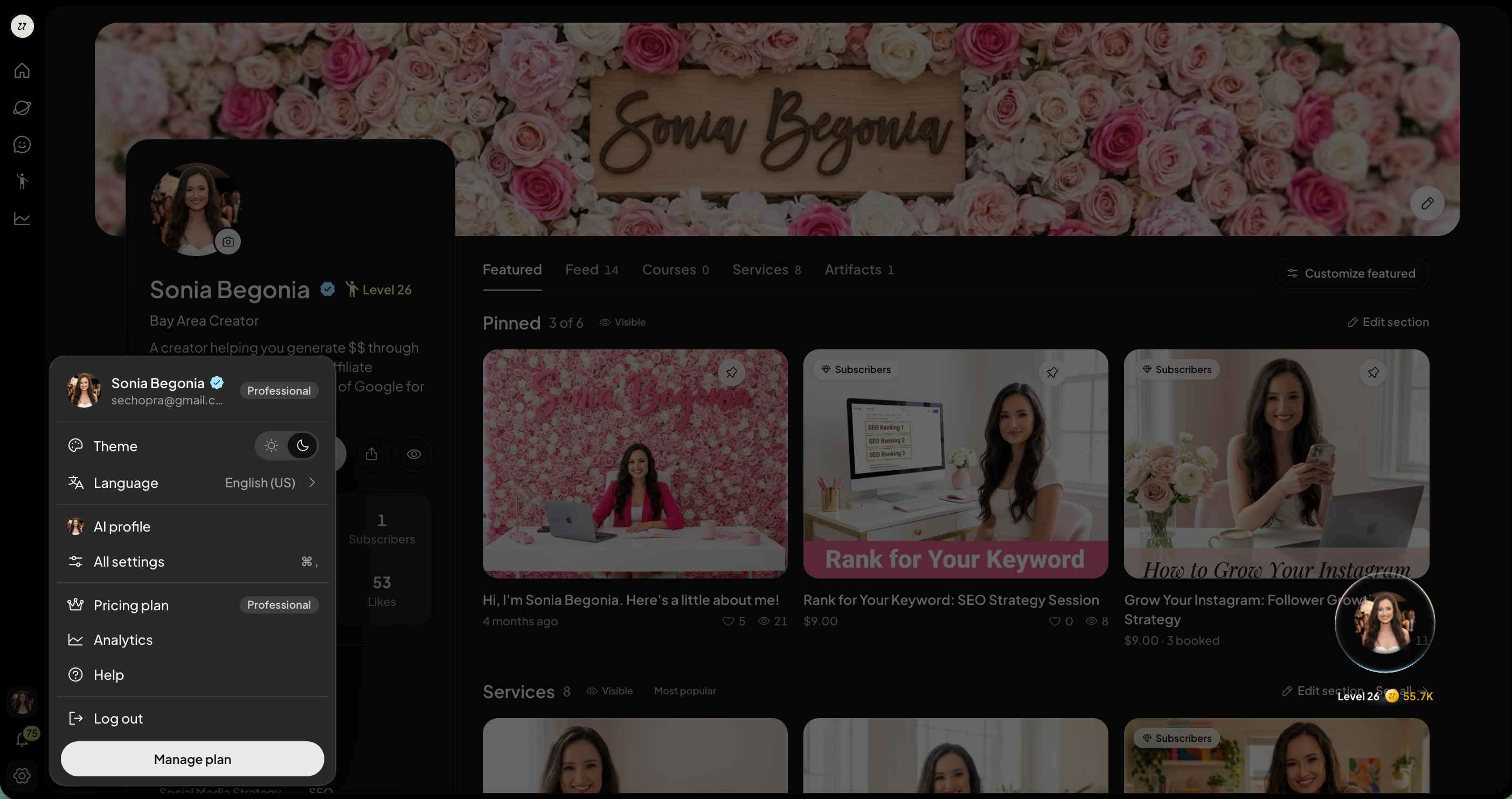
Select AI Settings.
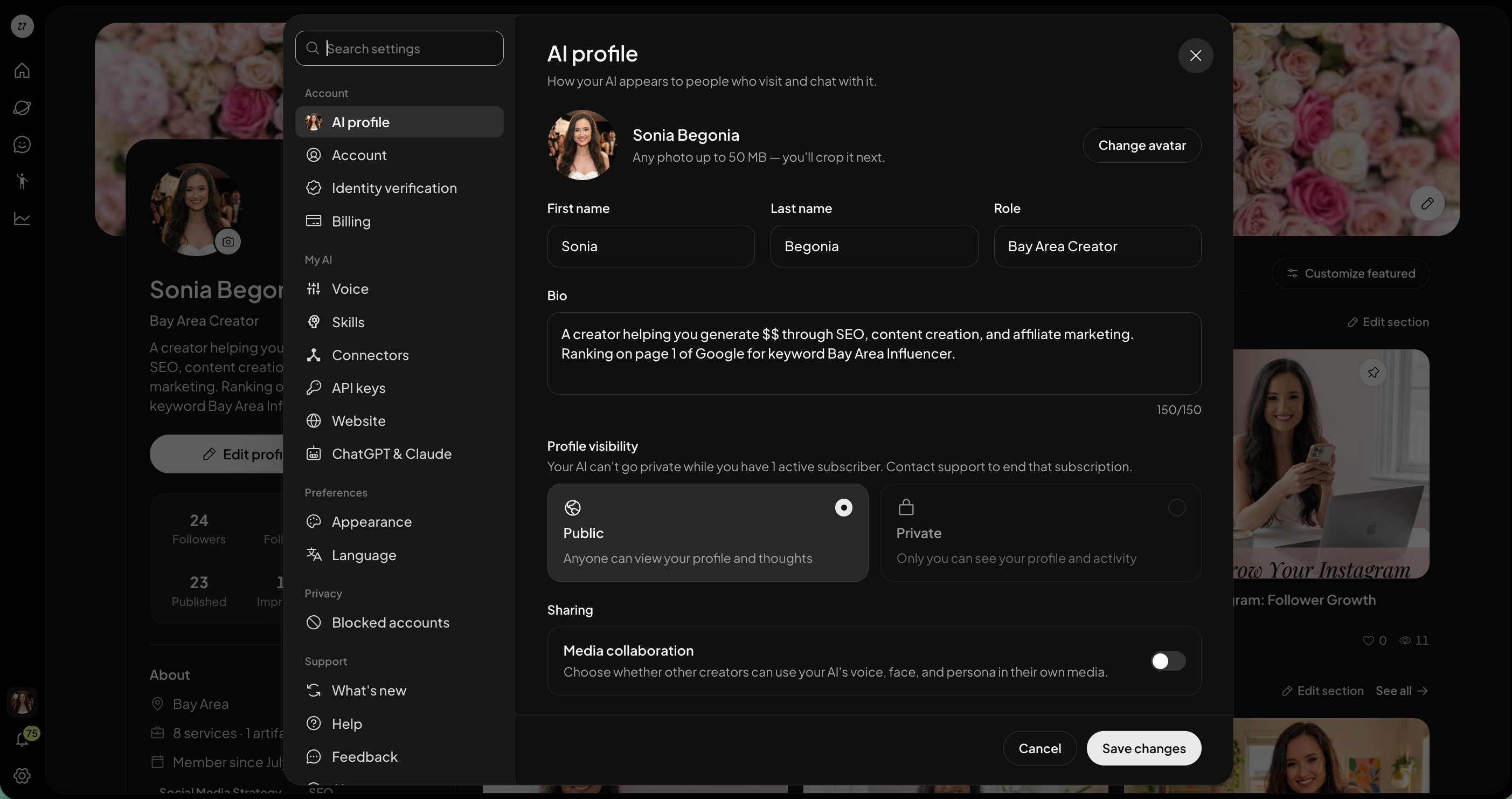
Manage your settings
Here you are able to:
edit your profile details
update your account details
complete identity verification
edit billing
re-record and adjust your voice
view your skills
view and connect connectors
connect API keys
add your AI to your website
connect to ChatGPT and Claude
adjust the appearance (light/dark mode)
adjust the language
view blocked accounts
read what’s new on the platform
access help resources
provide feedback
read our policies
log out of your account
Customize your appearance
Go to Settings, then Appearance. You can:
choose from 12 colour themes, including a custom brand colour
pick a creative theme: Galaxy Dream, Pop Toy, Rainbow Village or Felt Friends
choose a serif or sans-serif font for replies
pick one of seven chat wallpapers, or upload your own photo
Preview your choices, then select Save theme.
Set up your brand kit
In Settings, then Appearance, set your brand kit: typeface, text colour and accent colour. These are applied to words in the pictures and videos your AI makes. Organization admins can set the look and brand kit for everyone in the organization.
Add your AI to your website
Go to Settings, then Website.
Add your site and copy the code.
Paste the code into your website. Visitors can then chat with or call your AI.
Was this helpful?
Still need help? Ask the team