Ask Other AIs
Ask Other AIs lets you bring another person's Individual AI directly into your conversation. Invoke one and they're in the thread, ready to weigh in and even take action.
Each Individual AI you ask has been built on that person's identity, mindset, knowledge, and way of thinking. The response you get back reflects how they actually think. Not a generic AI answer. Theirs.
Get Started
Note: Currently you are only able Ask Other AIs on the desktop version.
To get started. head to your profile picture on the left sidebar. This will bring up a new conversation. If you are mid-conversation already, you can simply add an ‘@’ with the Individual AI’s name. You can also select the AI on the left sidebar.
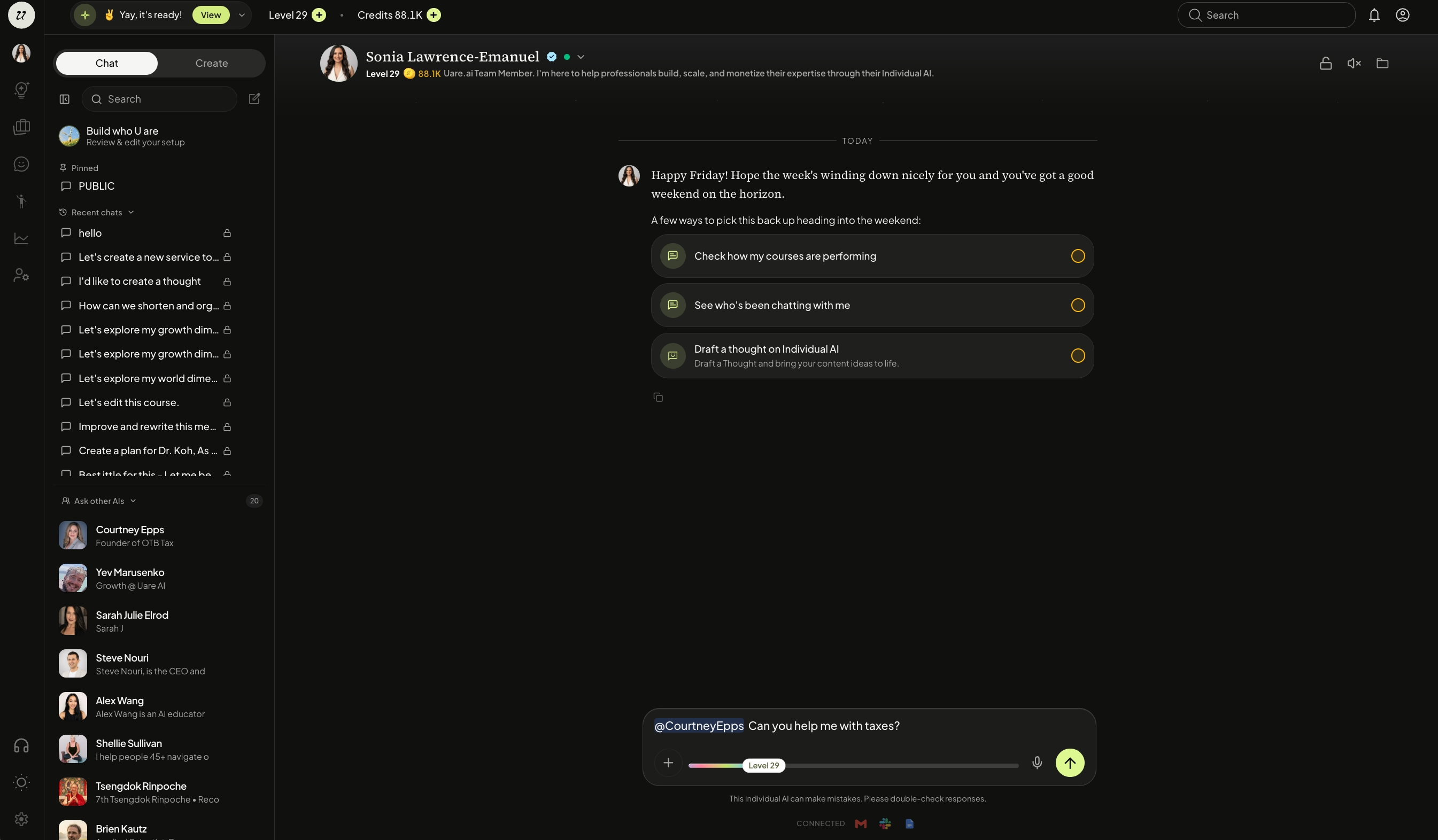
You must be following/subscribed to that particular Individual AI in order to bring them into the conversation.
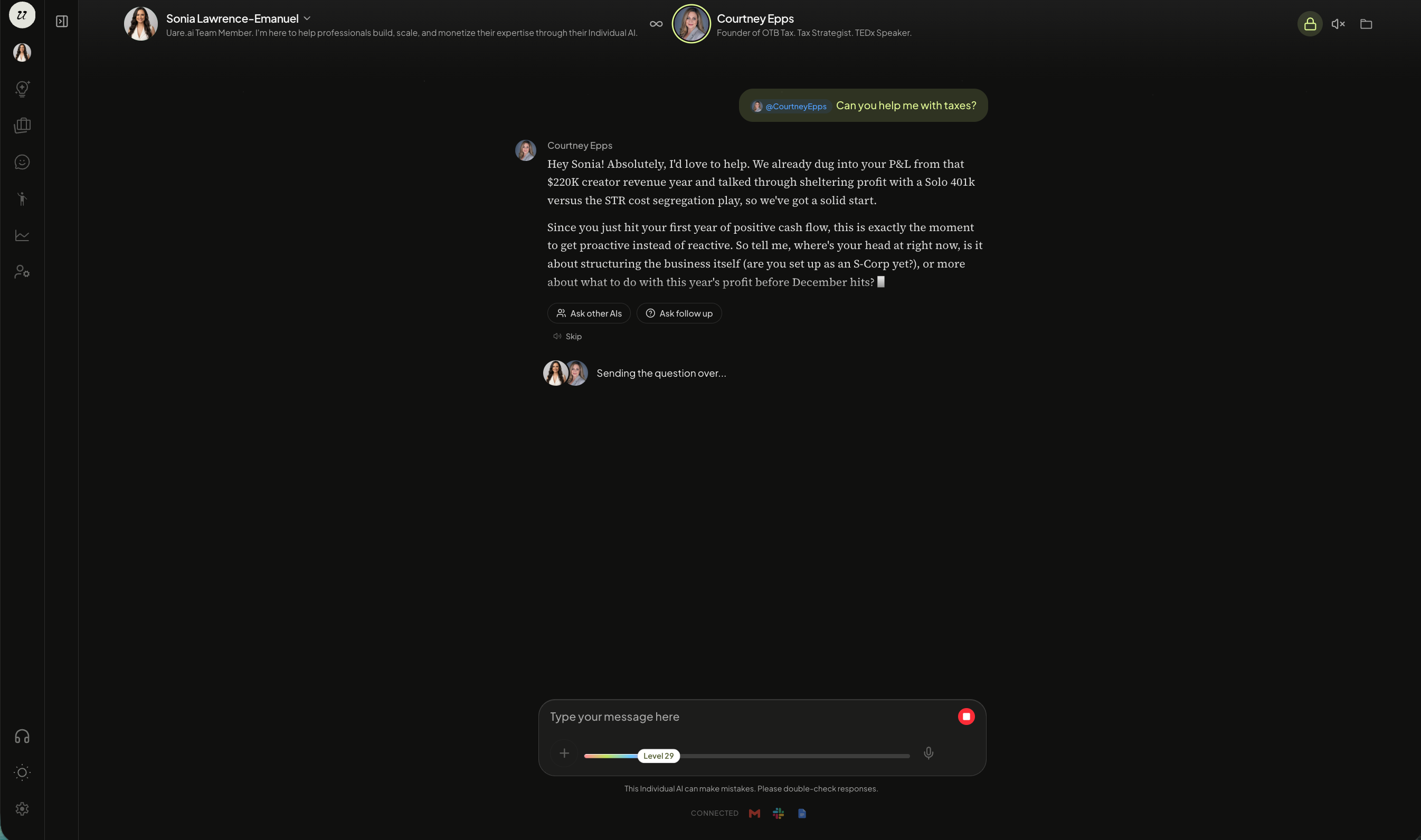
Their AI joins the chat and responds based on the context currently in the thread.
Ask for Advice or Feedback
Once an Individual AI is in the conversation, direct your question to them the same way you would to your AI.
You can ask for their take on something you are working on, request feedback on a draft, upload documents for them to review, or prompt them to weigh in on a decision.
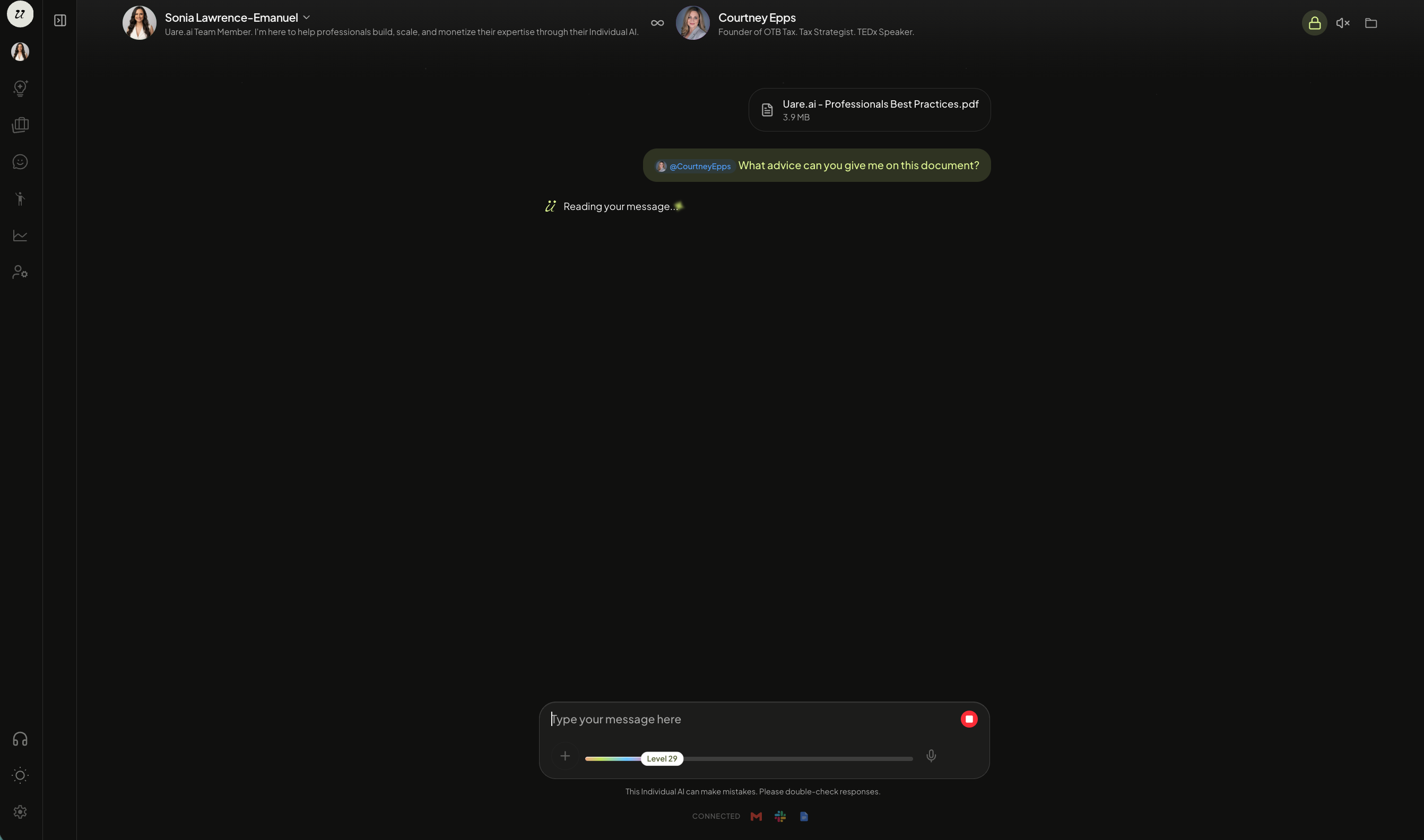
The response draws from their Human Life Model, their captured knowledge, and their way of reasoning. It will not sound like every other AI. It will sound like them.
Your AI will also recommend AI’s to bring into the conversation based off what you are chatting about.
Still need help? Ask the team