Read an Artifact
When you select someone else’s Artifact, you will be taken to an interactive experience. We call this the Author’s Edition, where you can hear the book in the Author’s voice while interacting with them as you flip the pages.
Get Started
Select the Artifact you would like to read. This will open it.
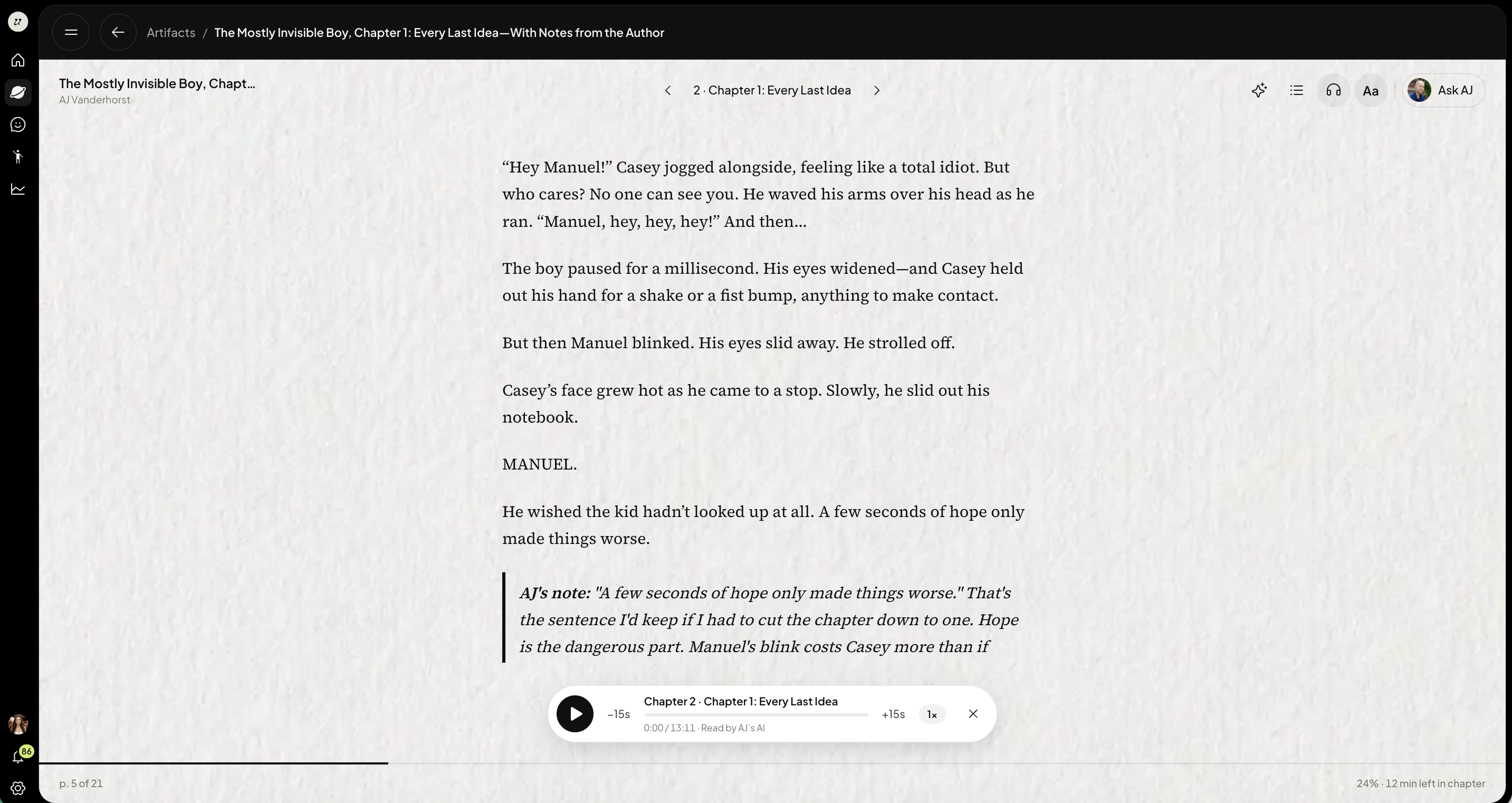
Flip the pages by clicking the arrows on the top center of the page.
Adjust settings
The top right icons include:
Ask the Author
Adjust text size
Turn on/off audiobook features
Open table of contents
Personalize the document to you
To enable it as an audiobook, select the headphones icon on the top right. You will see the audio tool bar appear below where you can adjust speed, skip to certain sections, or mute the author’s voice.
If animations are available, each page will have one.
If you leave the Artifact and come back later, the Author’s AI will pick up where it left off.
Save passages and add notes
Select words in the book.
Choose to save the passage, and add a note to it if you like.
Find your saved passages in the Notes tab, each with its page number.
Your notes stay in place when the author updates the book.
Ask about a passage
Select words to ask the author's AI about them, or to copy them.
Get a personalized version
You can ask for a version of the book written for you. The author's AI rewrites it using what it knows about you, from your own files and with your permission.
The author's book is never changed. Your version belongs to you, and only you can read it.
You get one version per book. Asking again replaces the old one.
You pay for your own version and see the price before it starts.
If the author republishes the book, your version stays readable and you're offered an update.
What the AI was told about you is used only to write your version and is never shown to anyone, including the author.
Personalized versions can be read in the author's voice when narrated.
Was this helpful?
Still need help? Ask the team