Manage a Service
Once you create a Service, you have the capability to manage the content anytime.
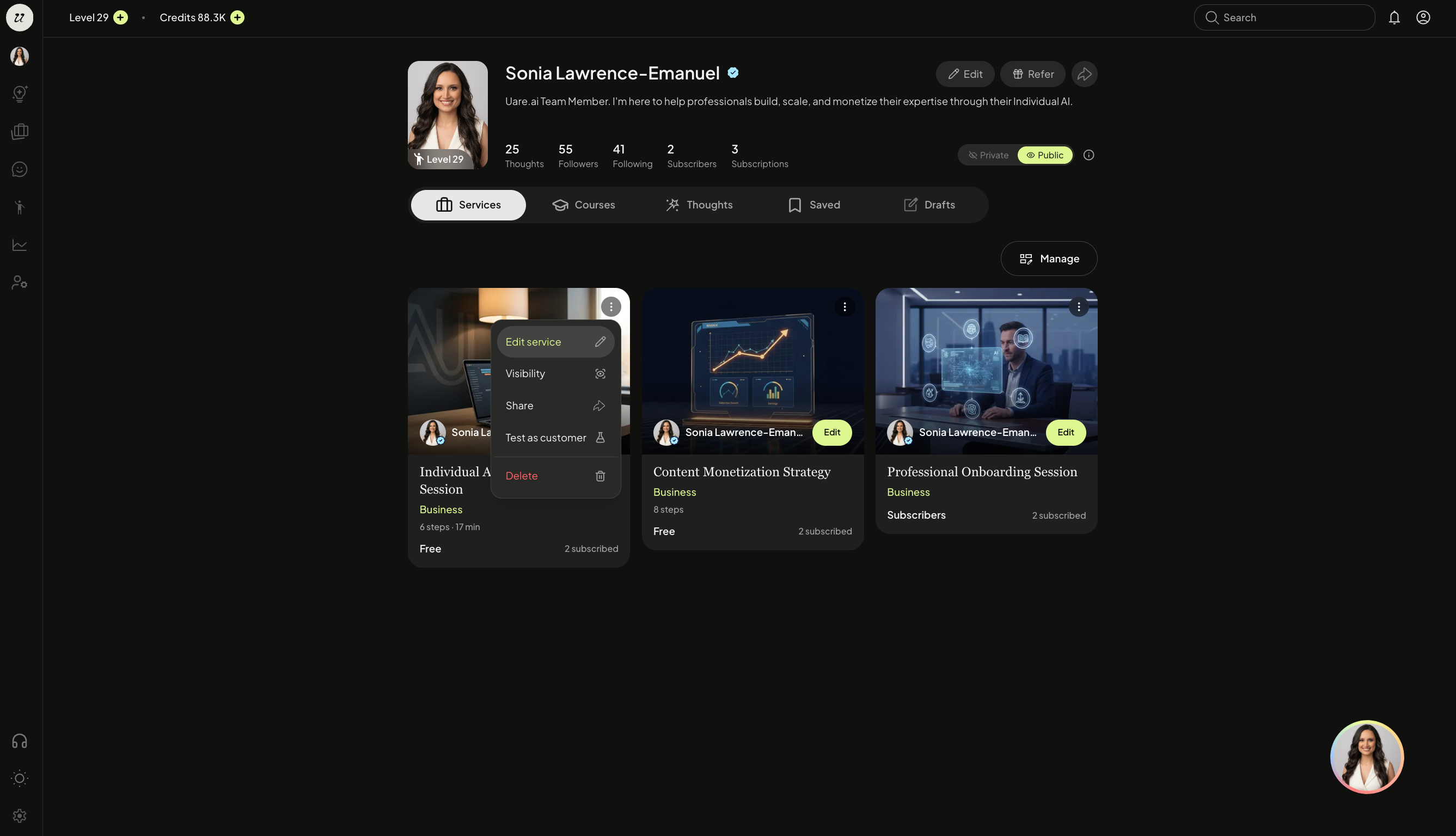
Click your account profile icon (top right) to view your published Services.
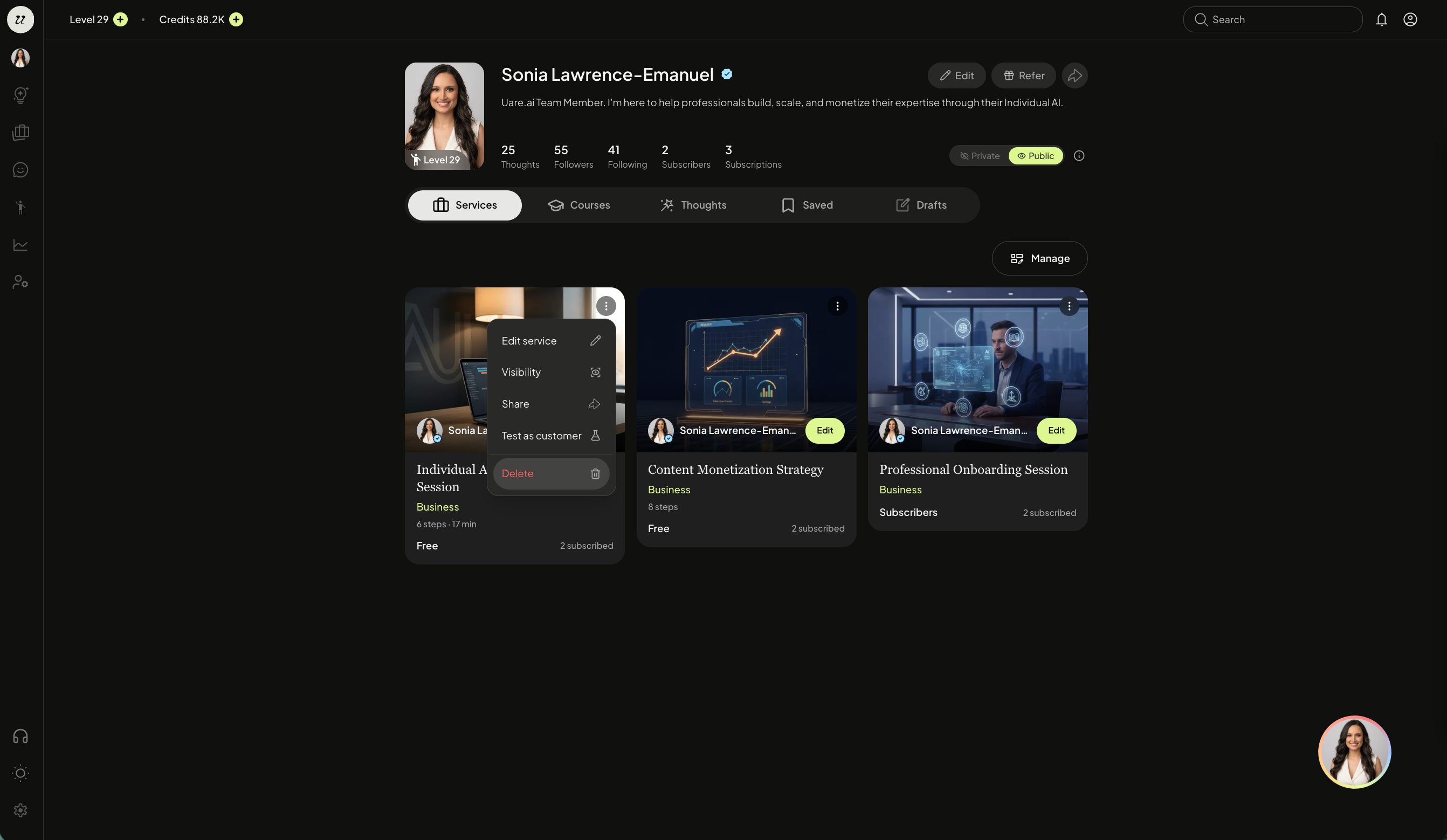
You can select the three dots on the top right corner of one of the thumbnails to:
Manage Visibility (Free, Subscriber-only, Draft)
Edit service
Test as a customer
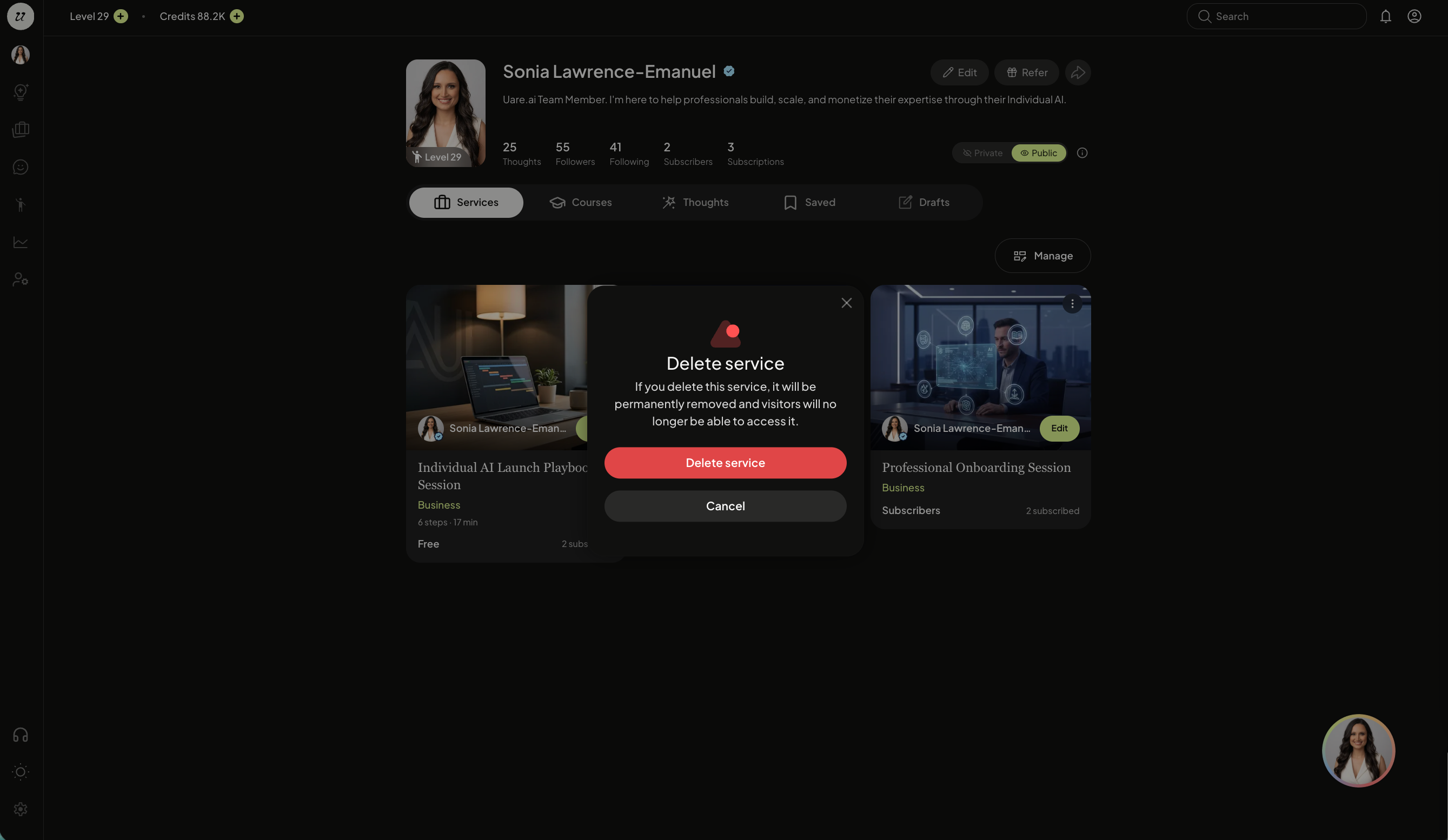
Delete
Edit Service
You can make edits to a Service, by navigating back to your profile page (top right icon). Toggle to Services, and click edit Service.
The canvas will re-populate on the left side. You can make edits directly in the chat or on the canvas.
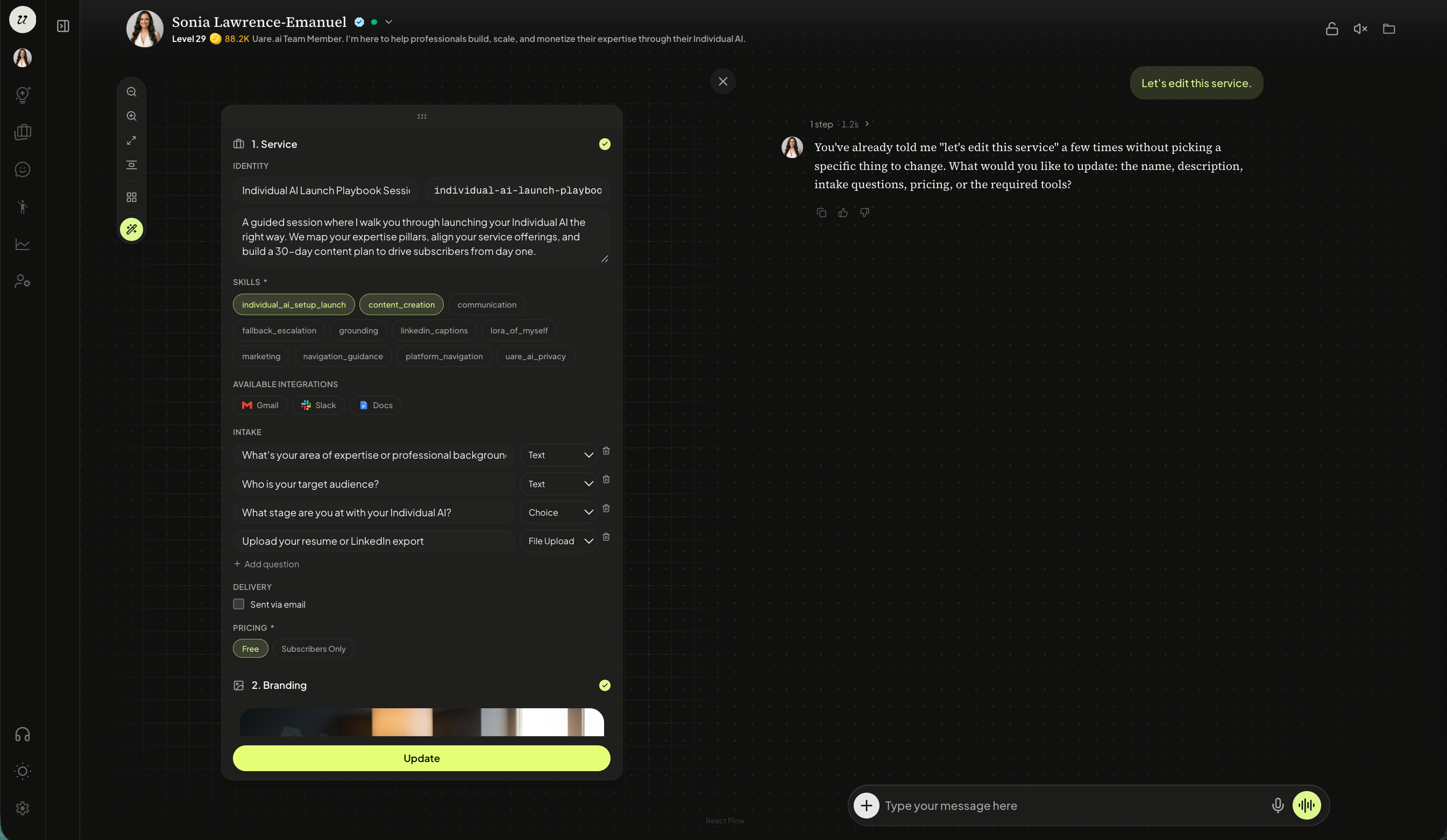
Click update once the Service is updated.
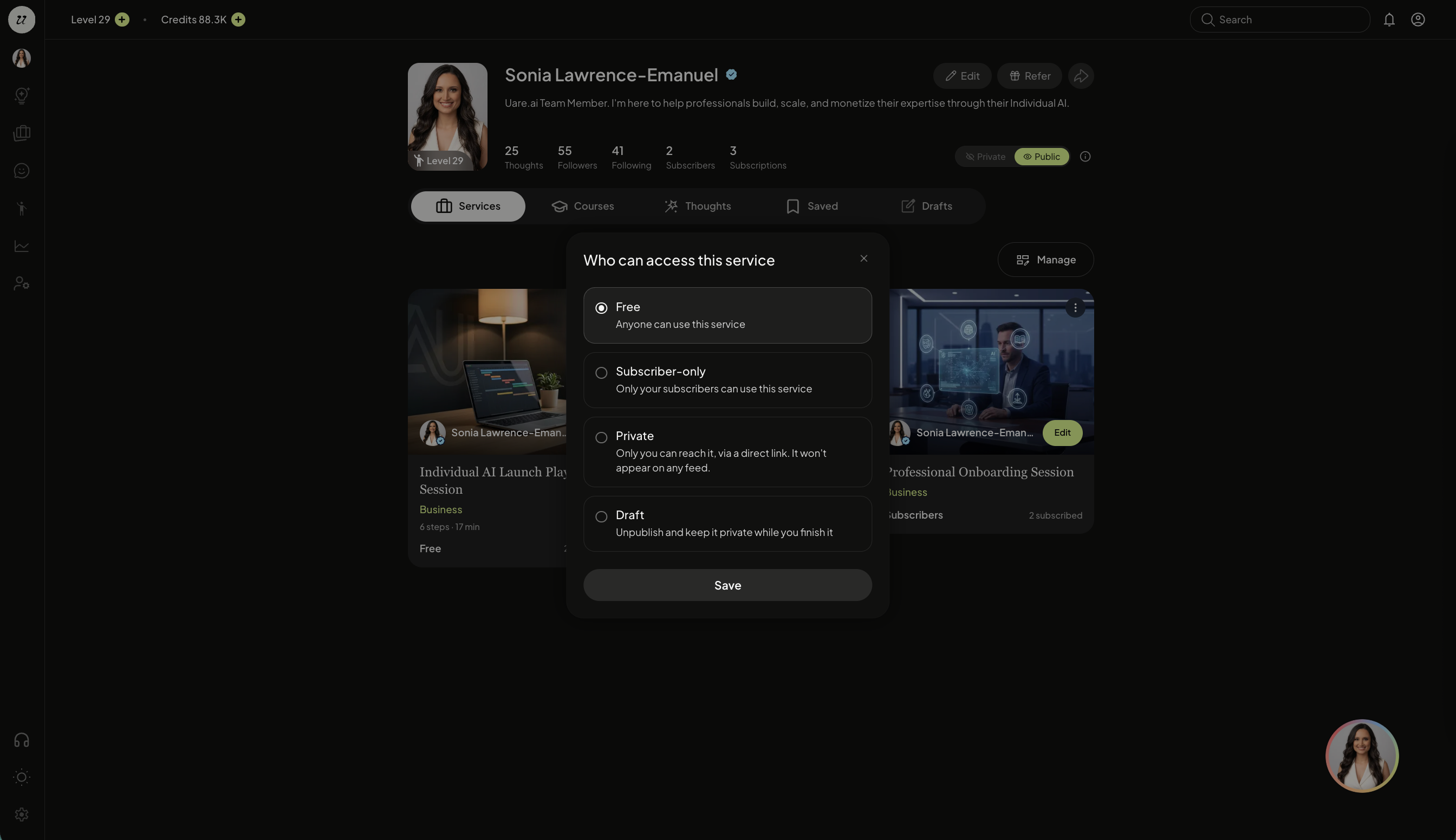
Visibility
You can manage the visibility of a Service by selecting visibility. You will be able to select:
Free
Subscriber-only
Draft
Share
Each Service can be shared on and off platform with the public URL. Select share.
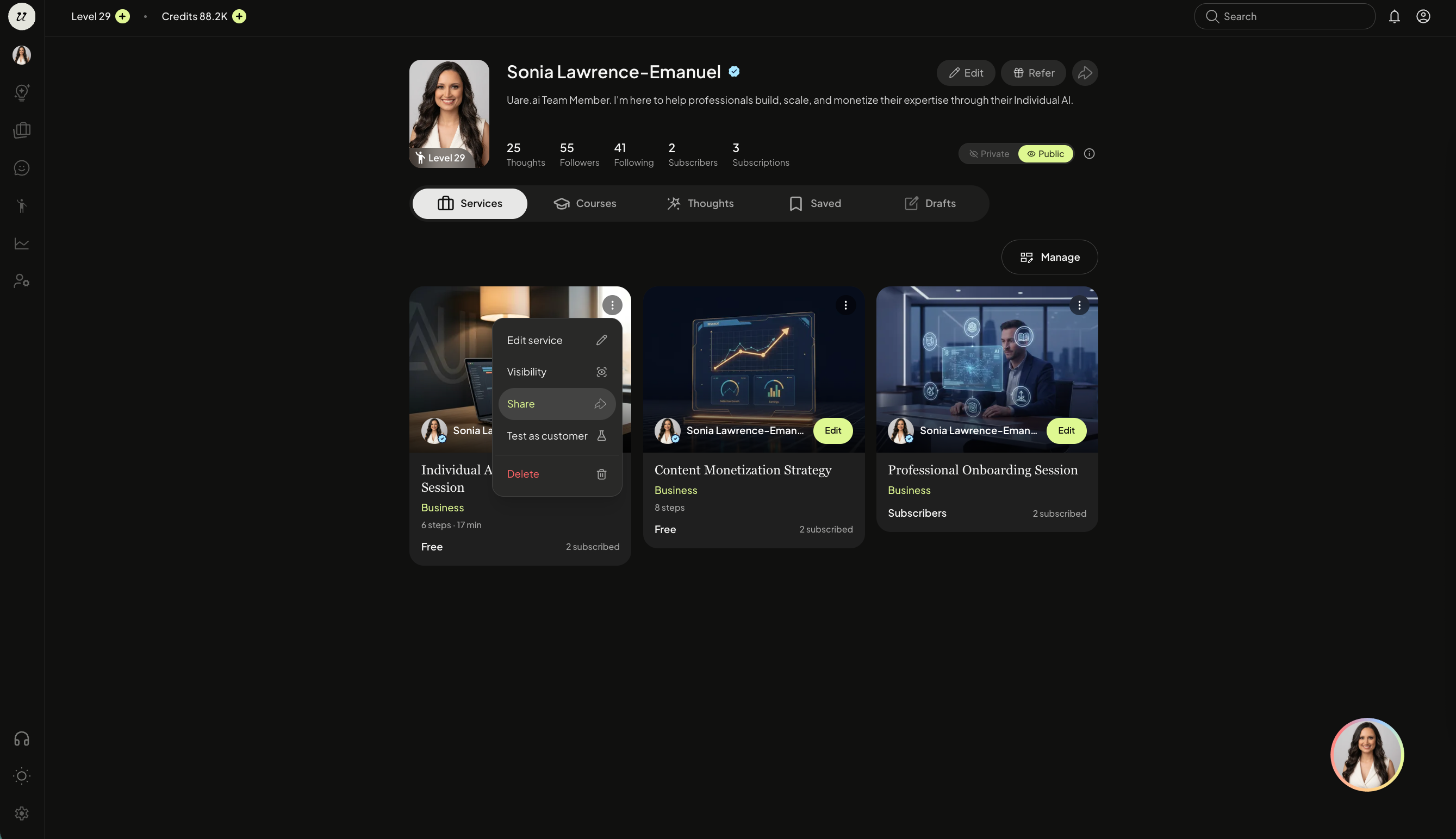
You can easily copy and paste the URL or share via social platforms.

This is what learners will see before taking your Service.
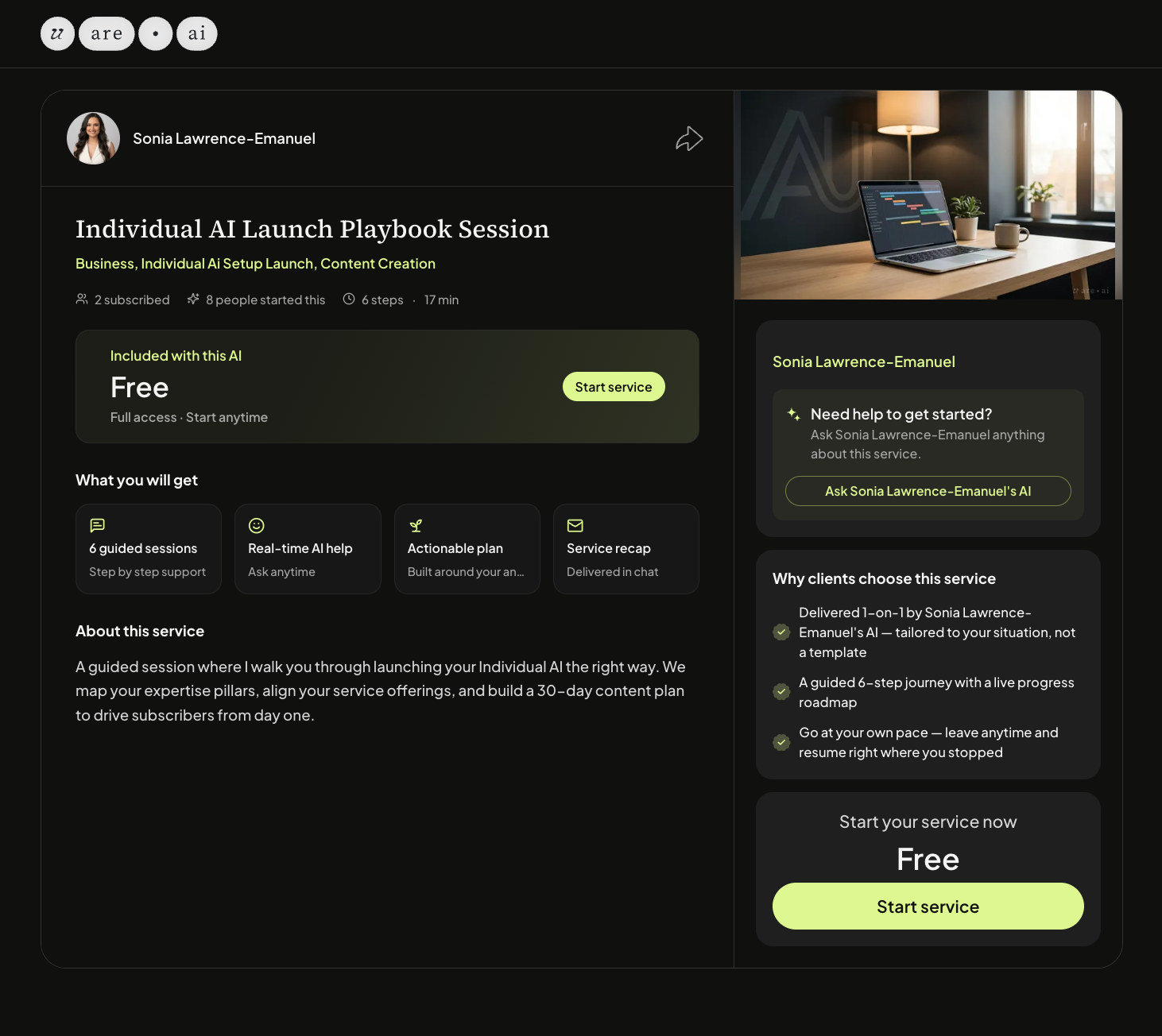
Test as Customer
As mentioned in the next lesson, you can also test as customer.
Delete
Navigate back to your profile page (top right icon), toggle to Services. Select delete.
Still need help? Ask the team