Create your avatar (profile picture)
Your avatar (or profile picture) is what helps your AI look like you. You’ll be asked to upload or create an image when you onboard. If you choose to skip that, you can come back to it at any time.
Create / update your avatar
Click your profile image on the bottom left.
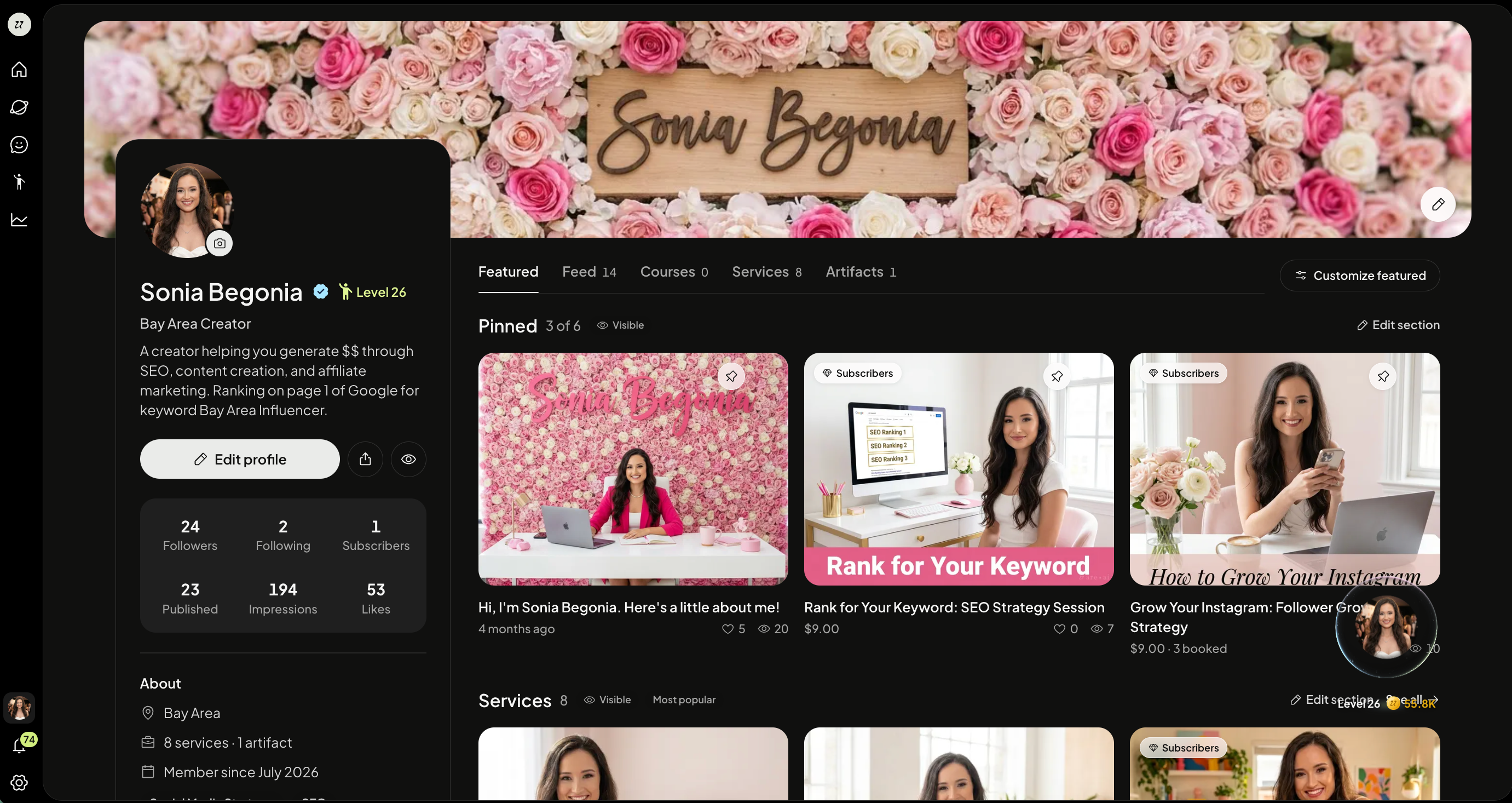
Select your profile picture above your name.
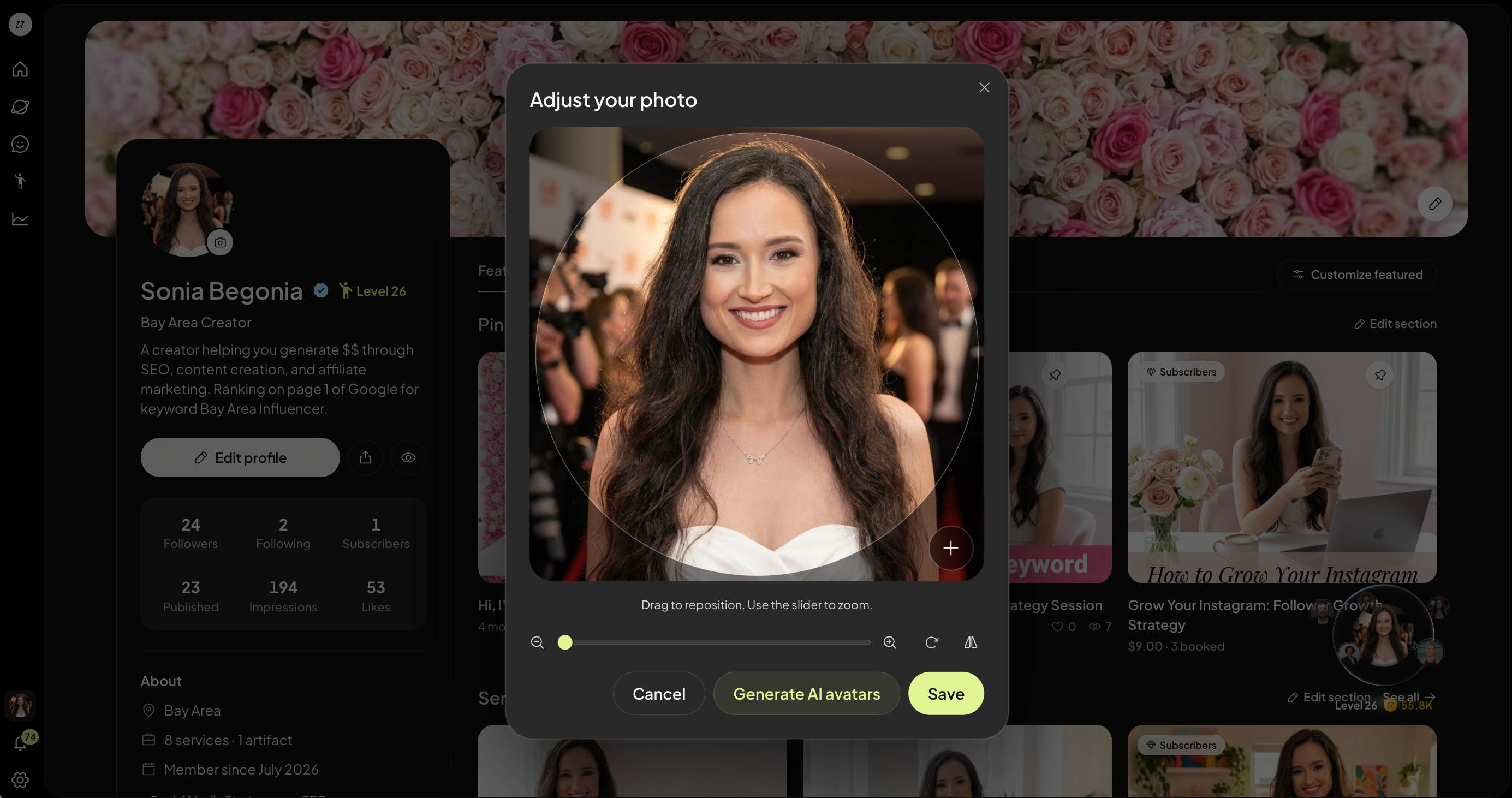
Click the + button to upload an image. You can also have your AI generate an avatar by selecting Generate AI Avatars.
You can also zoom in/out, rotate, and reposition your profile image.
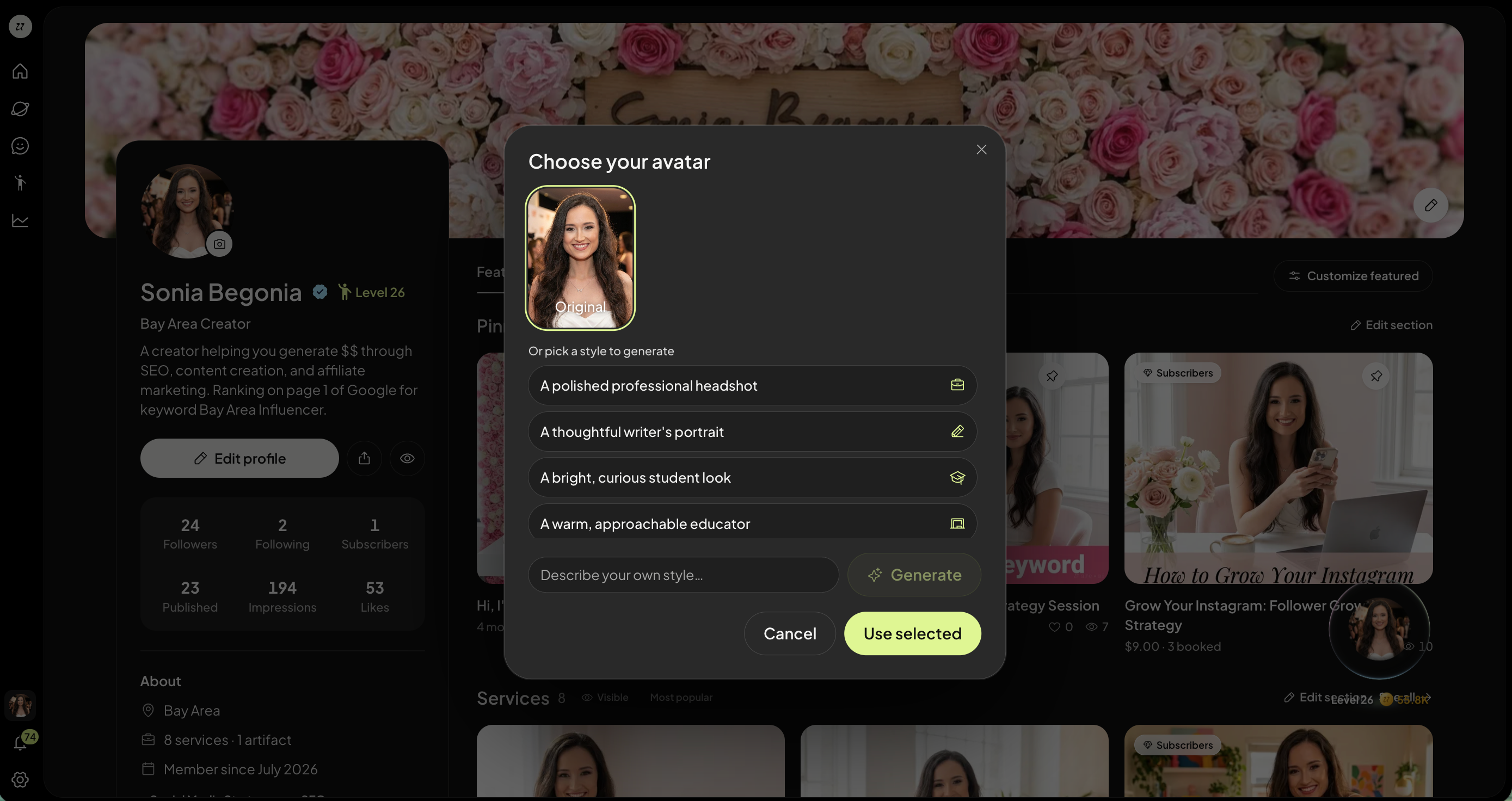
Once you are happy, select Use Selected and Save.
You can also update your avatar by going to Settings, clicking AI Profile, and Change Avatar.
Was this helpful?
Still need help? Ask the team