Create a Thought (Article/Image)
Written By Social Uare.ai
Last updated 12 days ago
A Thought can be anything - an article, an image, a video, a take, an idea half-formed at 2am that turned into something worth sharing. Think of them the way you think of a thought in real life: sometimes fully developed, sometimes just a spark, but always distinctly yours.
Unlike generic social posts or content drops, Thoughts on Uare.ai carry the weight of your Individual AI behind them. The more your model knows you, the more your Thoughts can reflect the real depth of how you think, not just what you decided to type that day.
Your followers and subscribers can chat with your Thoughts, diving deep into that experience or piece of knowledge.
Share them publicly, keep them private, or make them subscriber-only. However you use them, Thoughts are how your individuality shows up in the world.
Get Started
Select your profile picture on the left sidebar to open a chat.
Write a Prompt
At the bottom, select Create a Thought. Your Individual AI will begin asking you follow-up questions such as:
What kind of Thought you would like to create: An Article (text only), An Image (image with text), or a Video (video with text)?
Would you like to be in the Thought yourself?
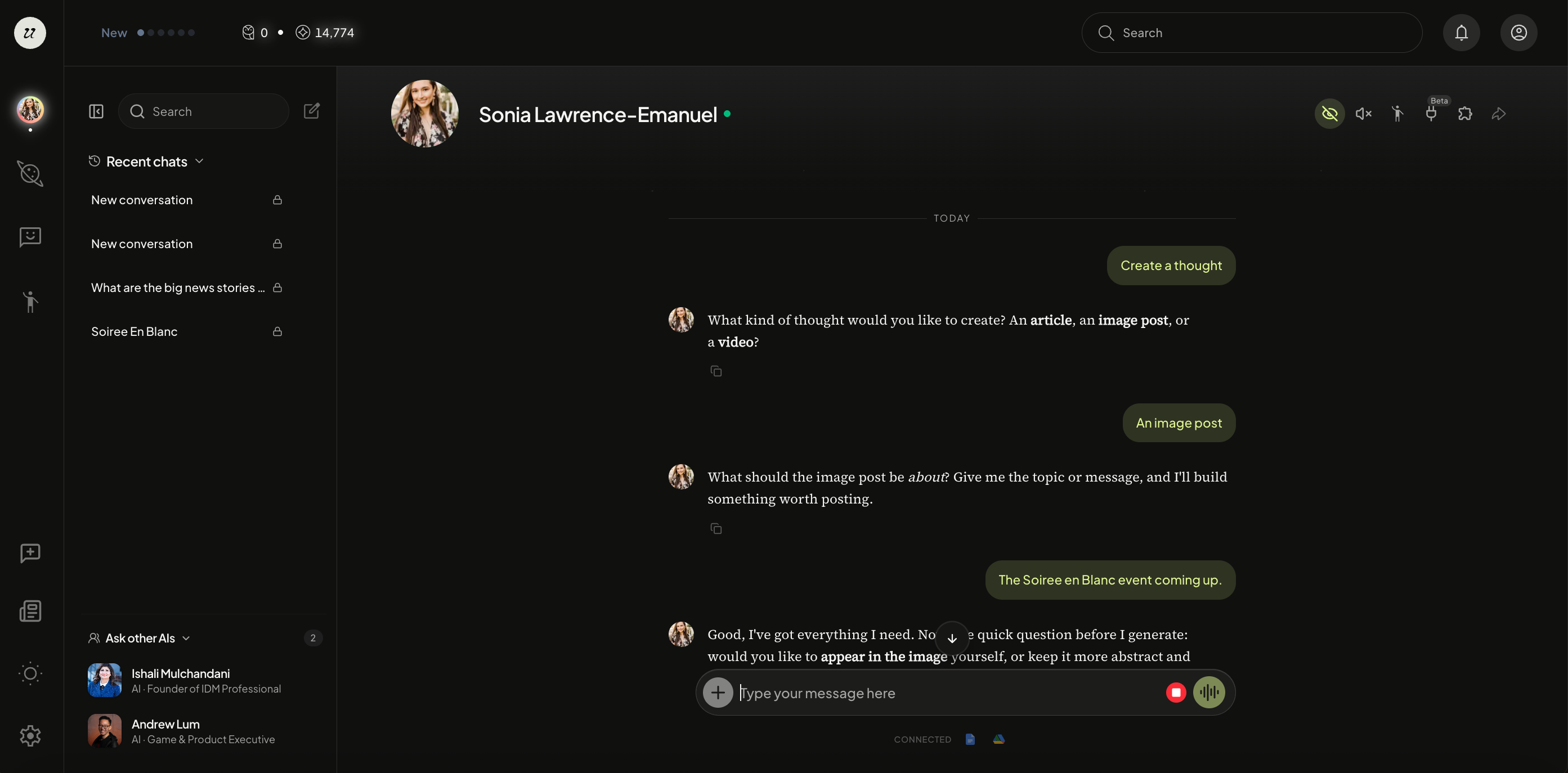
Thought generation typically takes around 30-seconds. Once your image is ready, your Individual AI will ask if there are any changes you would like to make, and if it can create a caption to pair it with.
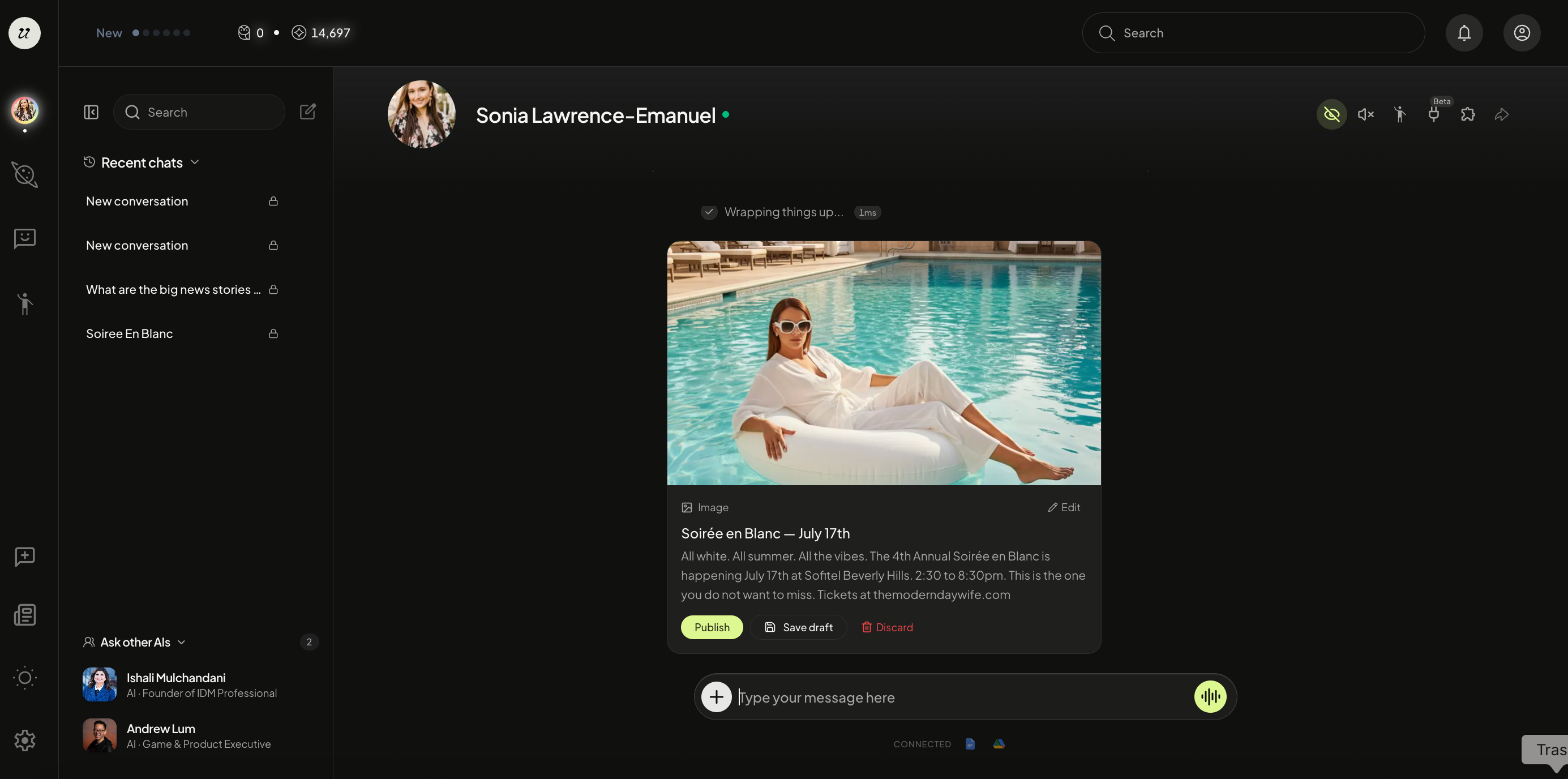
Publish Your Thought
Once it’s ready, you will have the option to Edit the caption, Save Draft for later, Discard, or Publish. You can also type in the chat what edits you would like it to make before re-generating.
If you select Save Draft, it will be kept saved in the chat window for later or if you select the Person icon on the top right, you will see it under the Drafts tab.
If you are happy with the Thought, select Publish.
Choose Your Visibility
Select who can see your video thought before it goes live.
Private — Only you can see it.
Public — Everyone can see it.
Your Thought is now published on the Discover Page and For U feed (if public).