October 9th Release - Artifacts are LIVE and more!
Turn any book, guide, template, or document into an interactive audiobook, read in your voice.
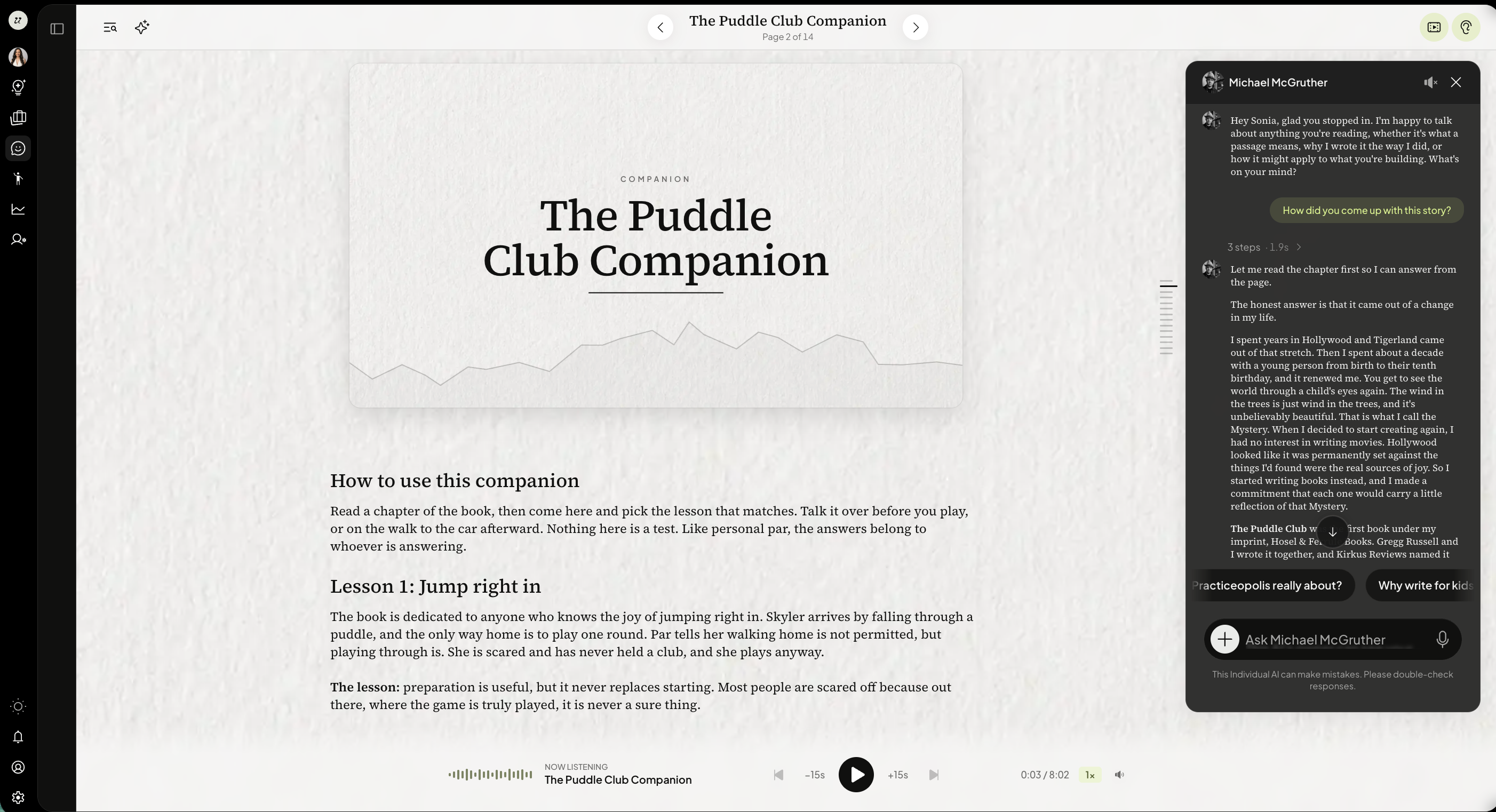
Readers can get their own version of your book
A reader can ask for a version of your book written for them. Your AI rewrites it using what it knows about that reader, from the reader's own files and with their permission.
Your book is never changed. The reader's version belongs to them, and only they can read it.
Each reader gets one version per book. Asking again replaces the old one.
If you republish the book, their version stays readable and they're offered an update.
What your AI was told about the reader is used to write their version and is never shown to anyone, including you.
If a reader deletes their account, or you delete the book, their version and its audio go with it.
The reader pays for their own version, and sees the price before it starts.
A published chapter can now play as a short film — a directed, moving scene that follows the narration line by line, timed to the reading rather than guessed at.
Make a film for a chapter wherever you already make an audiobook.
Watch it being made, and retry it if you don't like it.
Readers watch it inside the chapter, on a frosted band below the title.
Making a film uses credits, and you'll see the cost before it starts. If a film fails, the credits held for it are released.
Quizzes can use images, video and tables
Attach an image or video to a quiz question. Add it in the builder, and learners see it with the question. It stays attached when you change the question type.
Quiz questions can carry a table of numbers, and your AI understands the numbers in it when a learner asks about the question.
Drag sections to reorder them within a lesson.
Fractions now render in the page's own font, and stay correct on matching answers and board labels.
On narrower screens the lesson list becomes a drawer, so the editor keeps its full width, and the chat sidebar floats over the workspace instead of squeezing it.
You can reopen a course or service builder from the chat you built it in.
Chat reliability
A reply you missed while offline is delivered when you reconnect, rather than being lost.
A chat you started as a guest gets a proper title once you sign in and claim it.
When you click an option your AI offered, your answer now reaches it as an answer and if you change your mind, the newest click is the one that counts.
Images up to 5 MB now reach your AI, resized and the right way up.
Large file and dataset uploads no longer fail on size the way they could before.
The actions menu on a thought card stays on screen even when the card is near the bottom.
Editing safely in two tabs
If you had a course or service open in two tabs, the older tab could overwrite your newer work. Now an out-of-date tab is refused before anything is saved, and it tells you which version it was working from. so nothing is silently lost.
Your service conversation with a customer also resumes where it left off after a refresh or a new sign-in.
Smaller things
Deleting a project now un-files its books, chats and files instead of leaving them stranded.
The files panel opens automatically when you upload something.
Readiness checklists show product names and reasons as written, instead of with stray characters.
In your own AI's preview, the sidebar starts collapsed, Follow and history are hidden, and the credit chip waits until there's something to show.