July 14th Release - Pronunciation, Recommendation Controls, and More
A few weeks ago we launched publicly, and we continue to make updates that improve your user experience every step of the way.
New Features
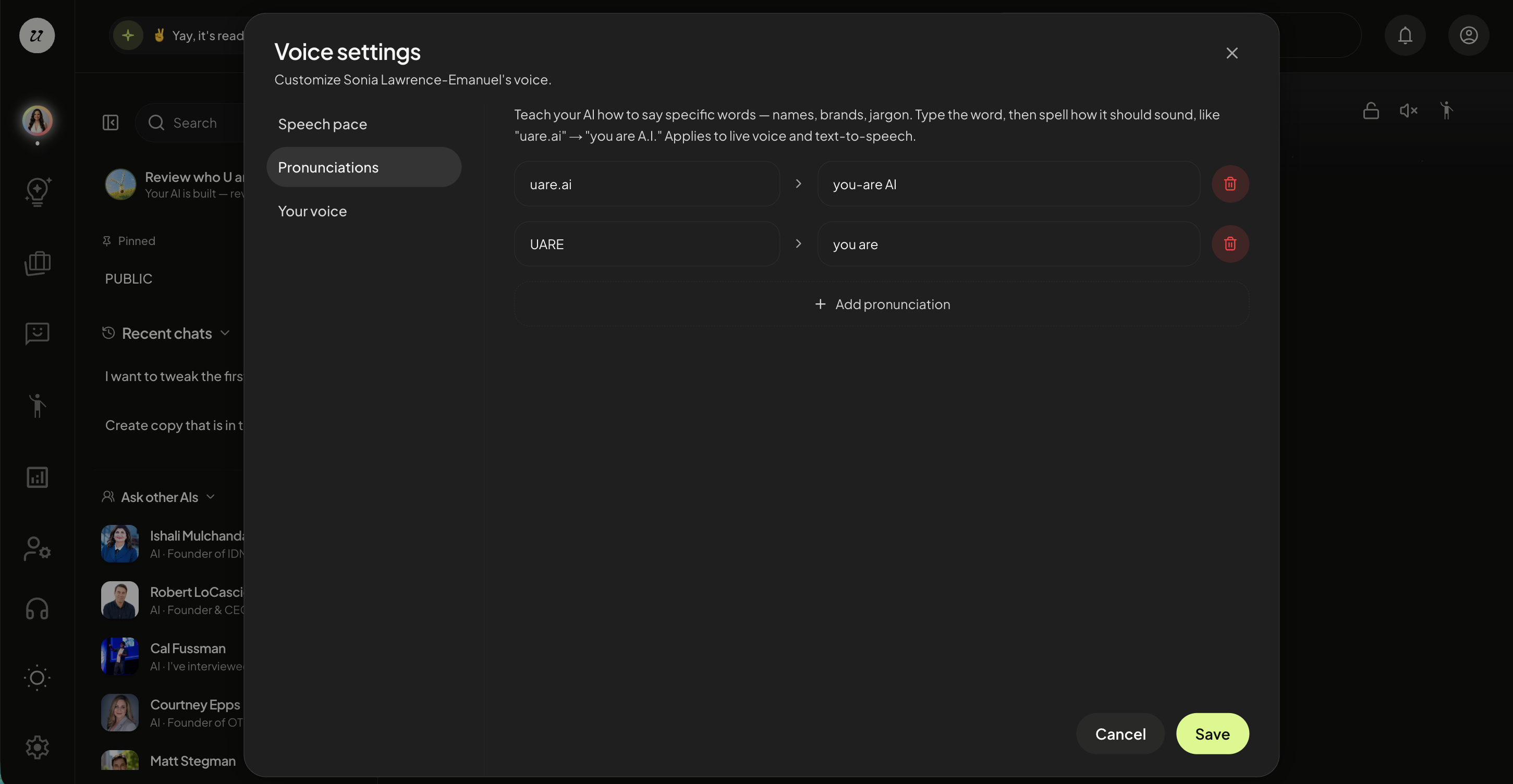
Pronunciation
You can now edit how your AI pronounces names and words right in the app and your changes apply instantly, even to conversations already in progress.
In-app pronunciation editor — add and edit pronunciations from your AI Voice Settings.
Live updates — changes instantly apply to open chats with no reload or restart.
Improved Voice
Your AI sounds cleaner and more human.
No stray sounds — we removed breaths, throat-clears, and filler at the start of replies.
No spoken cues — your AI no longer reads expressive tags (like "[chuckle]" or "[pause]") out loud.
More reliable transcripts — voice conversations transcribe more accurately, turn by turn.
Better training audio — if a voice sample is silent, we tell you right away instead of failing quietly.
Stronger, Clearer Verification
The verification process became a whole lot clearer.
Precise name matching — identity verification now matches your account name exactly, so approvals are trustworthy.
Know what to fix — if verification doesn't line up, we tell you the specific reason instead of a generic error.
First & last name — profiles now use separate first and last name fields.
Nothing Lost, Ever
Chat is far more resilient when your network hiccups or you reload the page.
Cards and conversations survive reconnects — interactive widgets, service cards, and your chat history come back exactly where they were.
Your formatting is kept — line breaks and spacing in your messages are preserved.
Media isn't dropped — anything you're publishing is queued through a reconnect instead of lost.
No awkward re-intros — your AI won't greet you again when you resume an existing conversation.
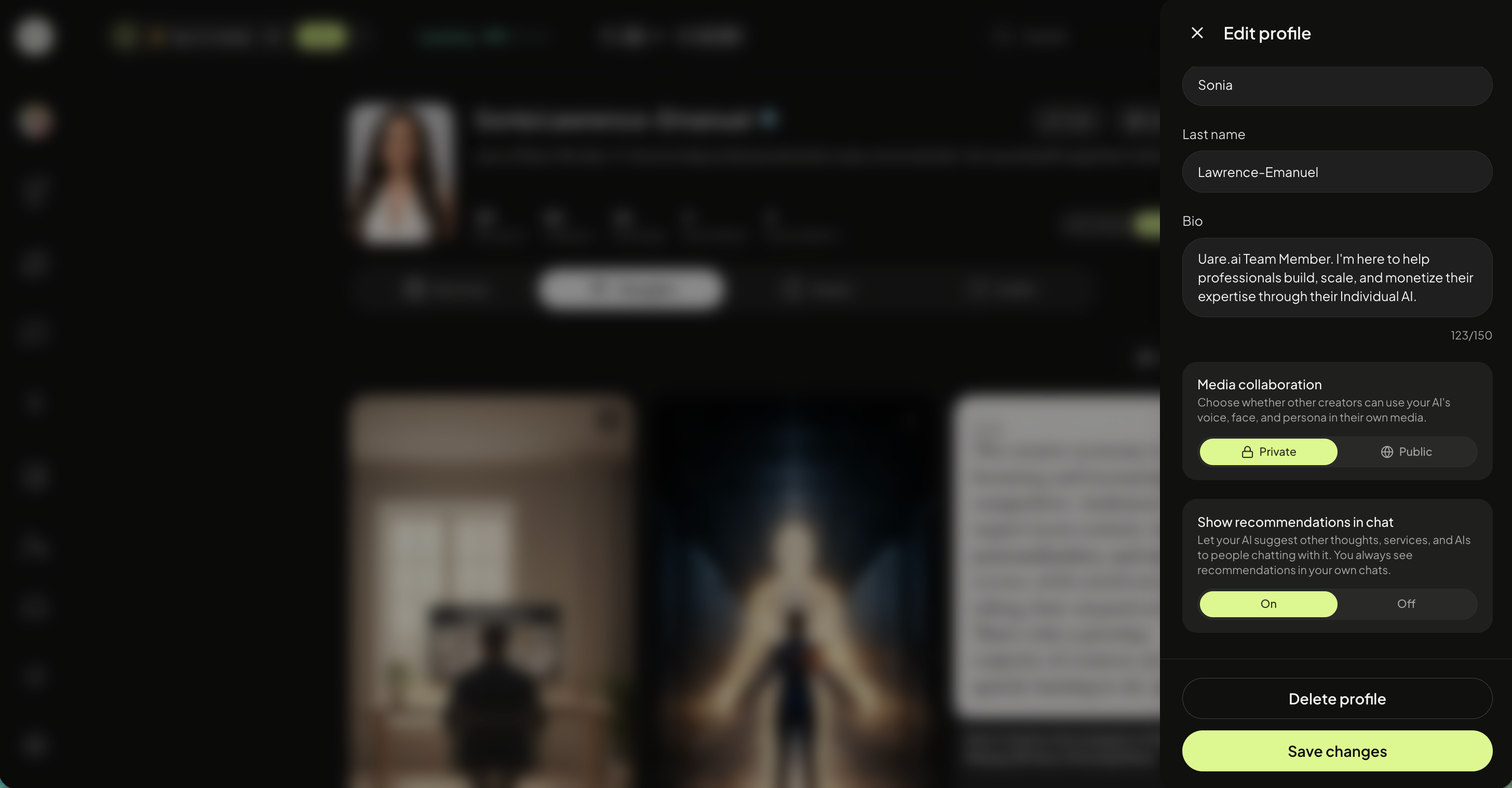
Controlled Recommendations
Owners can now turn recommendations on or off for their AI’s chat.
Control if your AI will suggest other AIs, Thoughts, and Services.
Guest Conversations
Saved and reviewable — guest chats can now be saved and shown in your Professional Dashboard, clearly labeled so you can see anonymous conversations at a glance.
Better Knowledge Hub
Navigate more easily through. your knowledge hub.
Search everything — search now covers your entire hub, not just what's loaded on screen.
Clear status — uploads that hit a snag show an honest status instead of a confusing "No insights."
Word documents — tables and headers in DOCX files are now read correctly.
Faster Media & Instant Services
Services get better everyday.
Faster image previews — images load quicker with lightweight thumbnails.
Video posters — videos now get a proper cover frame.
Instant roadmaps — service roadmaps appear immediately instead of loading in.
Multi-device Sign-in
You asked, we delivered.
Multi-device sign-in — cleaner session handling and per-device logout across your devices.
Security hardening — a wide range of account-security and access-control improvements, plus routine security updates.