September 22nd Release - Mobile - Levels, Human Life Model card updates, and More
Mobile 1.6.11 release is live.
What’s New
Levels
Until now, the places that describe how far along an AI is showed a training-fidelity percentage. Those places now show a level.
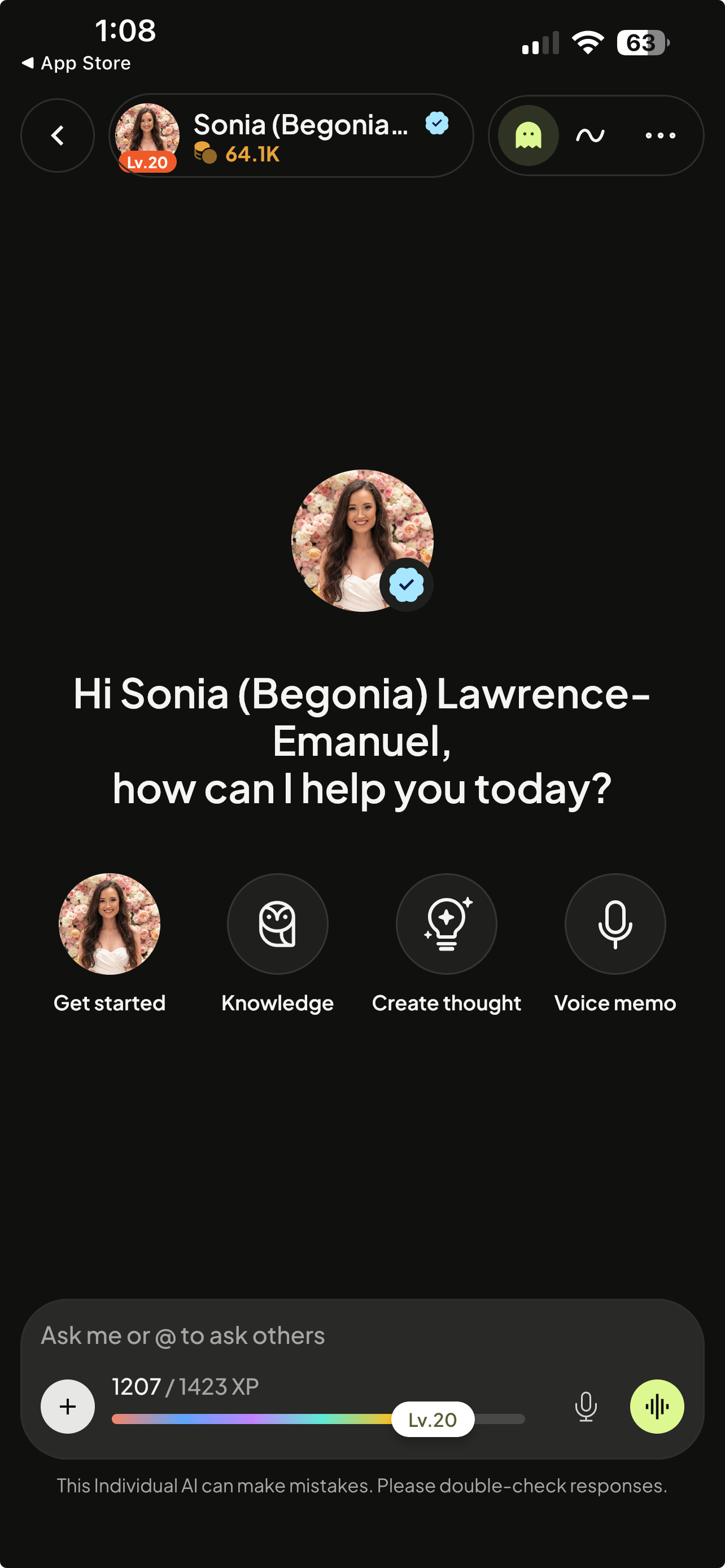
Your level does not start at zero. Everything you've already done has been counted towards your current level. Turning this on reveals a number that reflects the work you've already put in, rather than starting you at the beginning.
You’ll notice a Life Experience bar in the chat composer that fills as you chat.
Human Life Model peek card
Tap the Life Experience bar for a level card; tap or drag up and it morphs into the full HLM view. "Boost human life model" starts a guided chat.
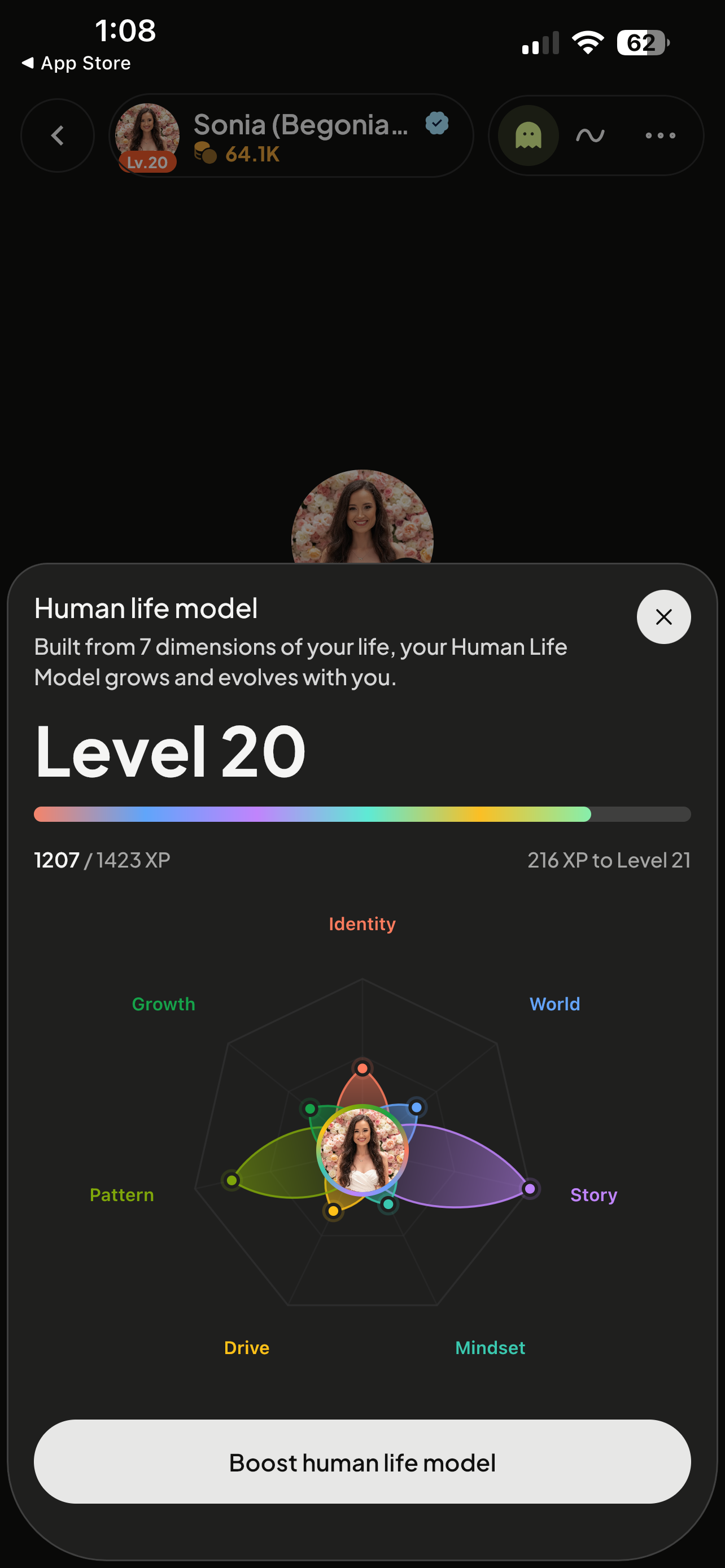
Your HLM is rebuilt around levels. Every dimension gets its own level and progress bar; a dimension detail shows the level and a new Improve button opens a focused chat.
Save files to knowledge hub
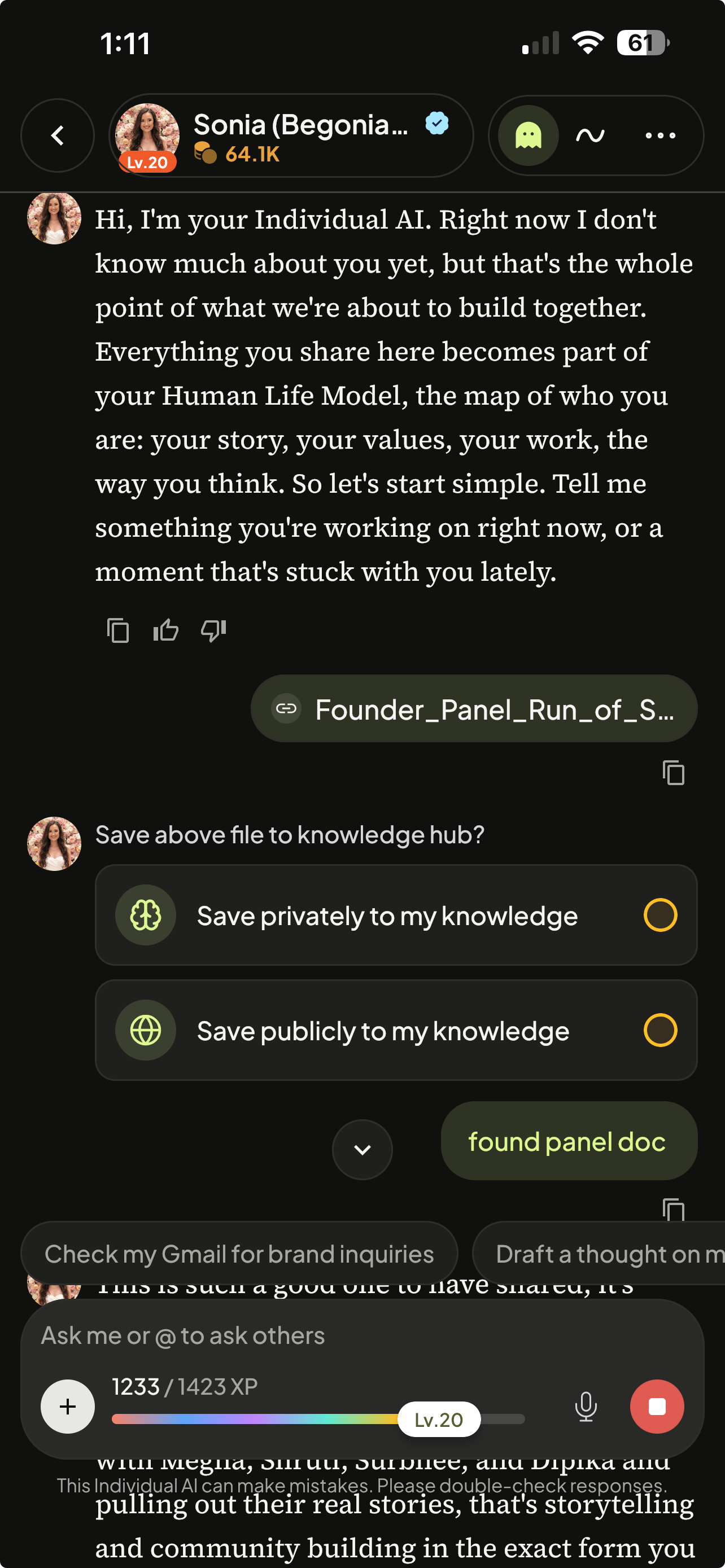
Save files to knowledge. After a chat upload, the AI offers "Save privately / Save publicly"; one tap saves to the Knowledge Hub.
Other improvements
Camera in chat. The + menu is now Camera / Photos / Files, on all chat surfaces.
Double-tap to like. On Discover cards, thought cards, post details and the video feed.
Thumbnails and post images keep their real shape. No more wide images cropped on both edges.
Chat With Me header restyled.
Knowledge Hub and Human Life Model links in chat open in-app.